


Obtain Your Unique Wise Agent Lead Capture Email
From the sidebar, select Integrations, then click Settings from the menu.
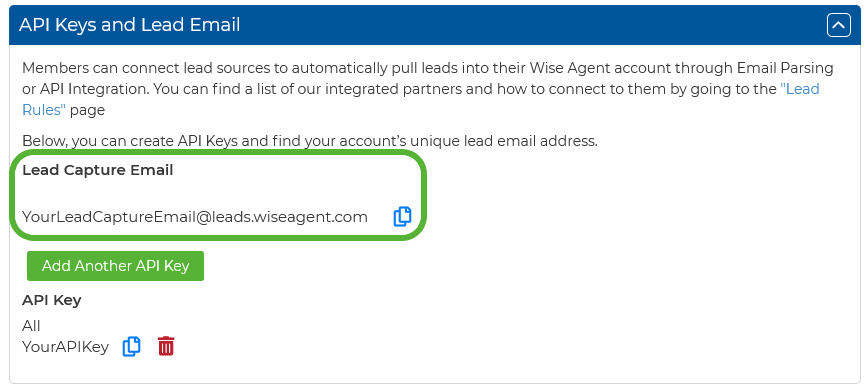
On the Integrations Settings page, locate and click on the API Keys and Lead Email tab and click to expand.
From this section, locate and copy your Lead Capture Email. This email address is specific to your Wise Agent account and is used for capturing leads from various sources.
Integrate Agent Elite
Log into your Agent Elite CRM and navigate to Setup > Advanced Routing
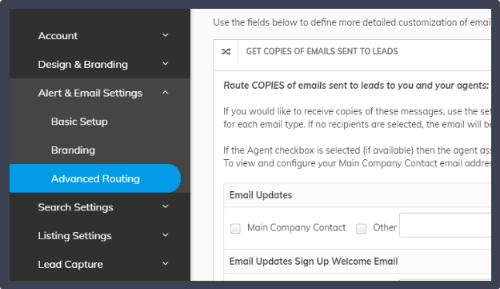
Check the box next to Other and paste your Wise Agent lead capture email into the field. Typically, you'll want to pick and choose which emails to forward. Make sure to read the descriptions for each section.
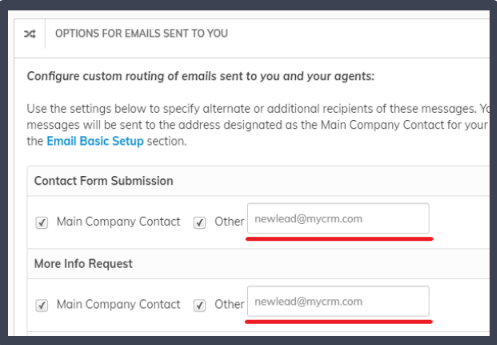
When you're done setting up, it's a good idea to test the lead forwarding by going to your website and submitting a form. The Contact Form Submission is usually an easy one to try!