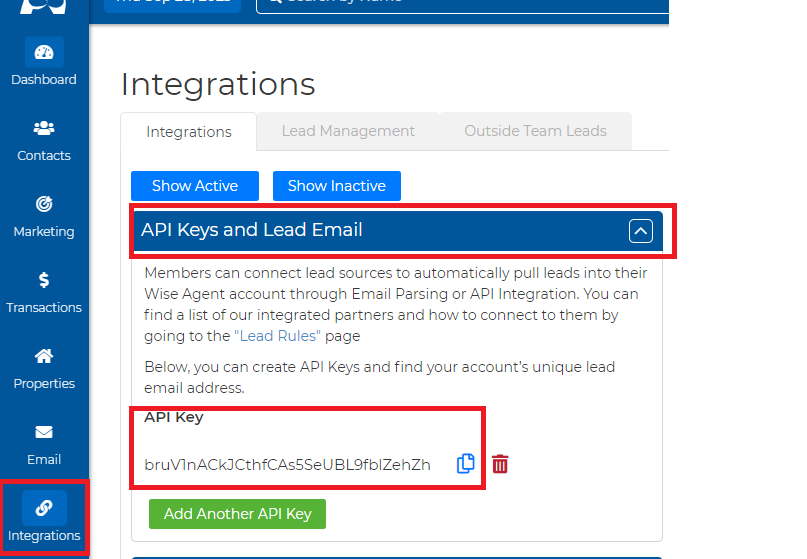
Step 1: Locating Your Wise Agent API Key:
1. Click on the “Integrations” drop-down menu and then on the “Settings” tab
2. Once you are on the “Integrations” page, click on the “API Keys and Lead Email ” header and copy the unique key provided under the API Key subheading.
Step 2: Integrating Wise Agent CRM into your Agent Fire Lead Manager:
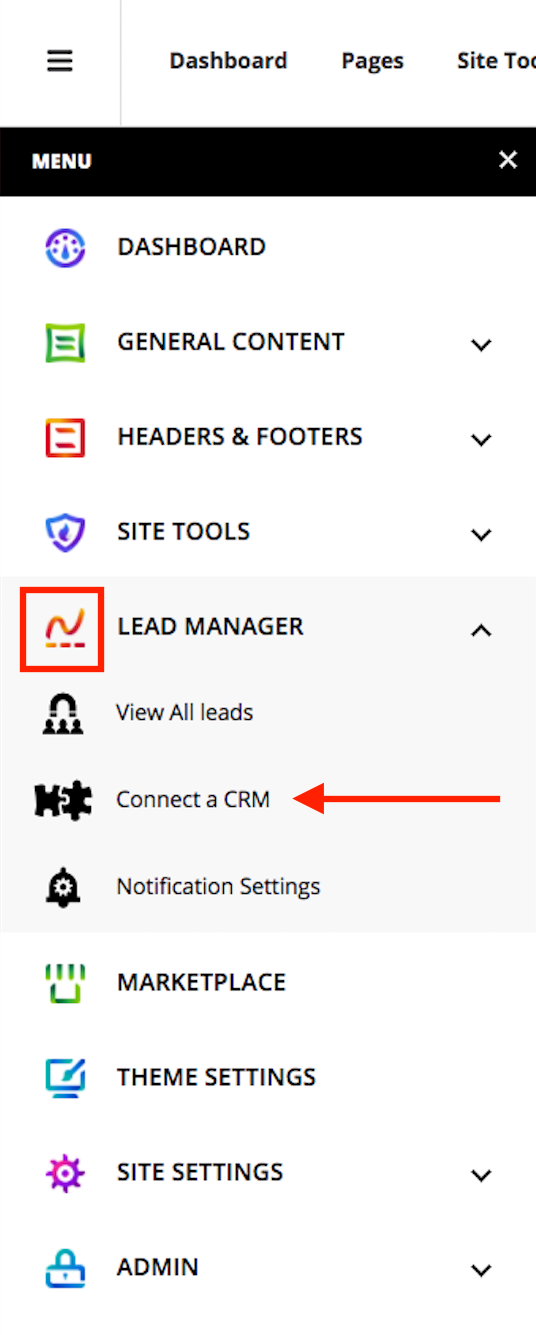
1. Navigate to your AgentFire website, and in the dashboard navigate to Lead Manager > Connect a CRM
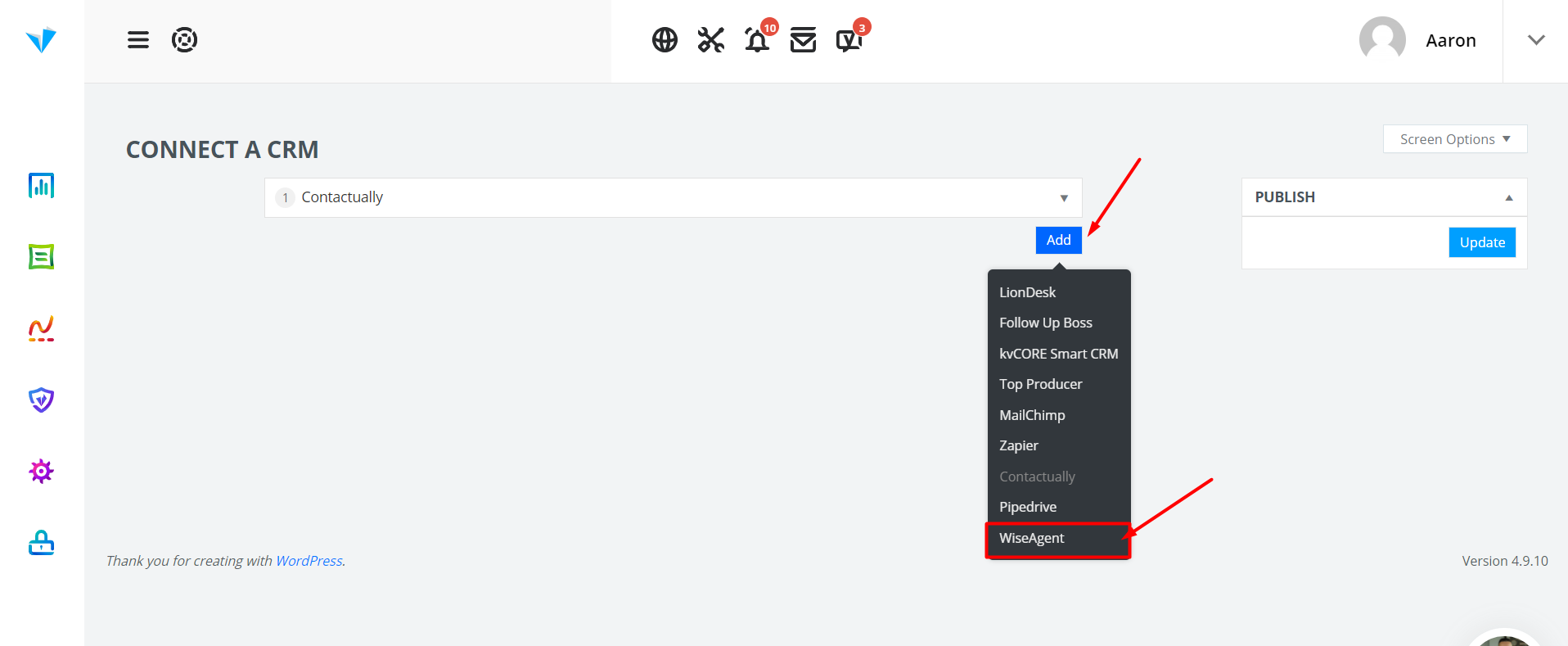
2. Click on the Add button, and select WiseAgent
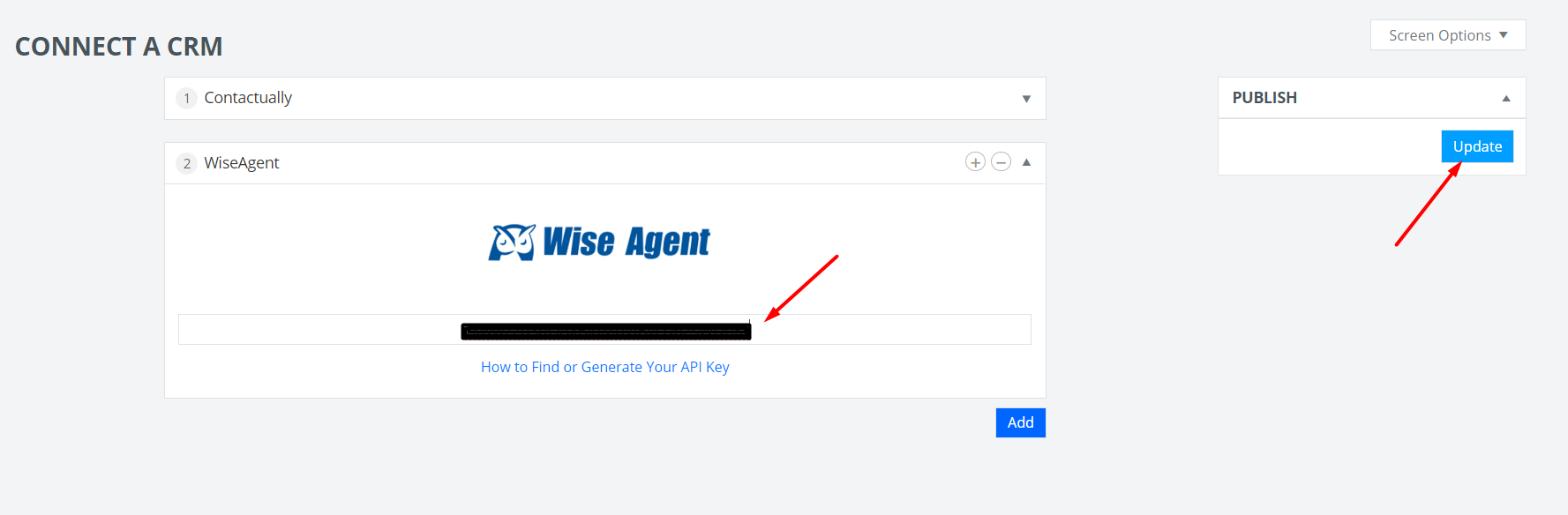
3. Paste the API Key you copied from your Wise Agent, and click the "Update" button, and that's it, you are all set!