

Let's do it together!
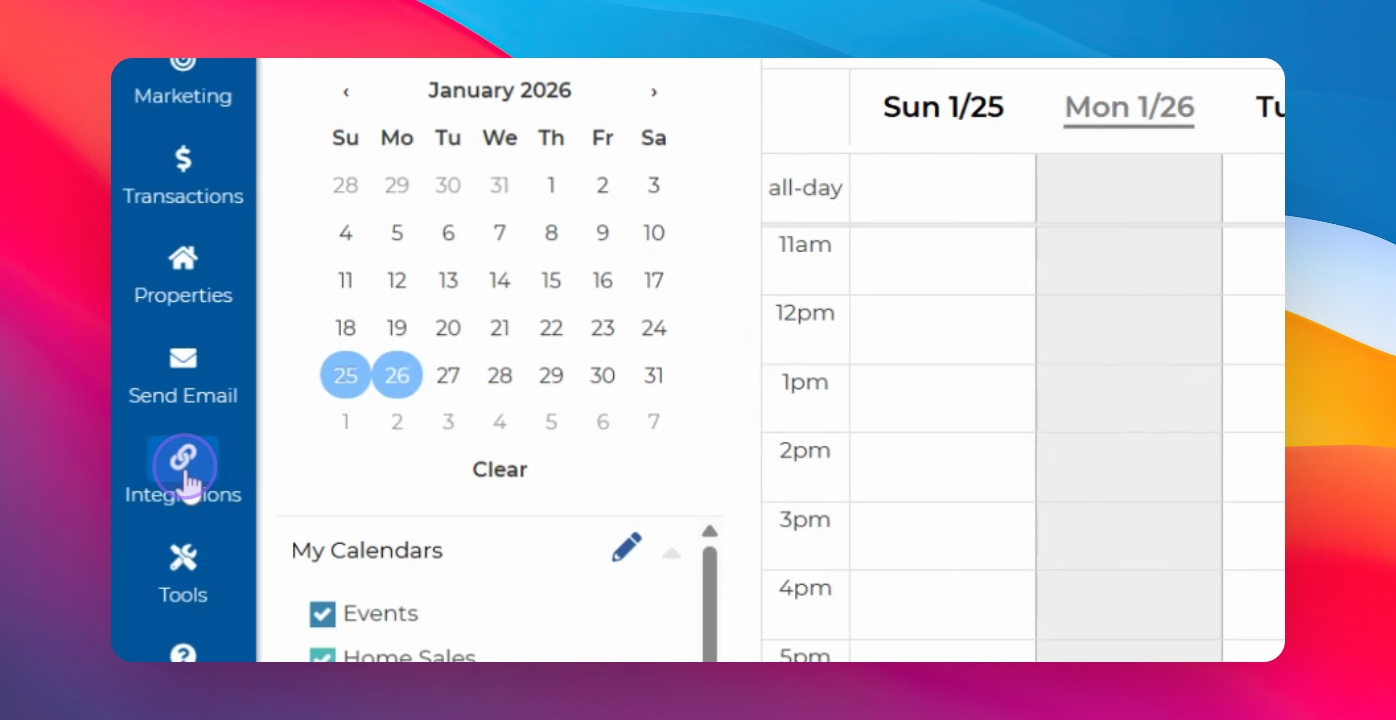
Step 1: Access Integrations
Go to Integrations on the left side of the screen to start the setup process.
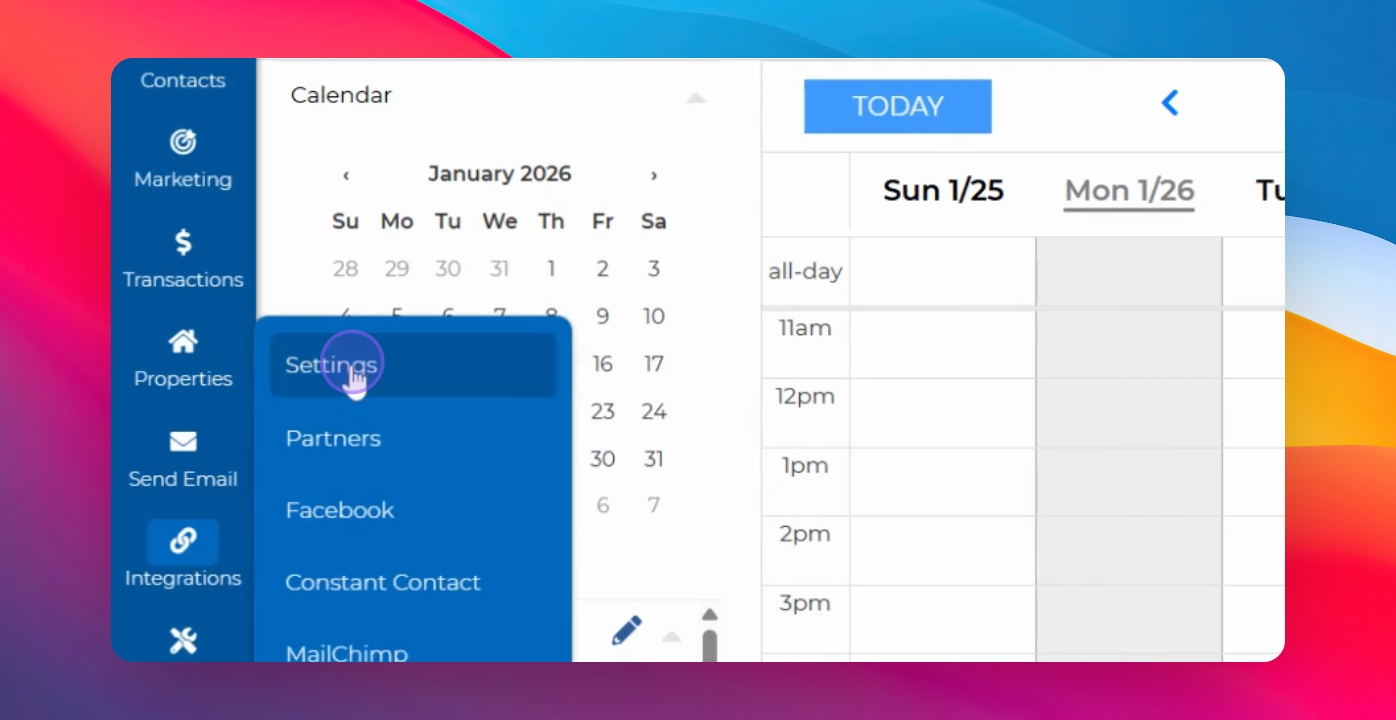
Step 2: Open Settings
Select Settings from the integration screen that appears.
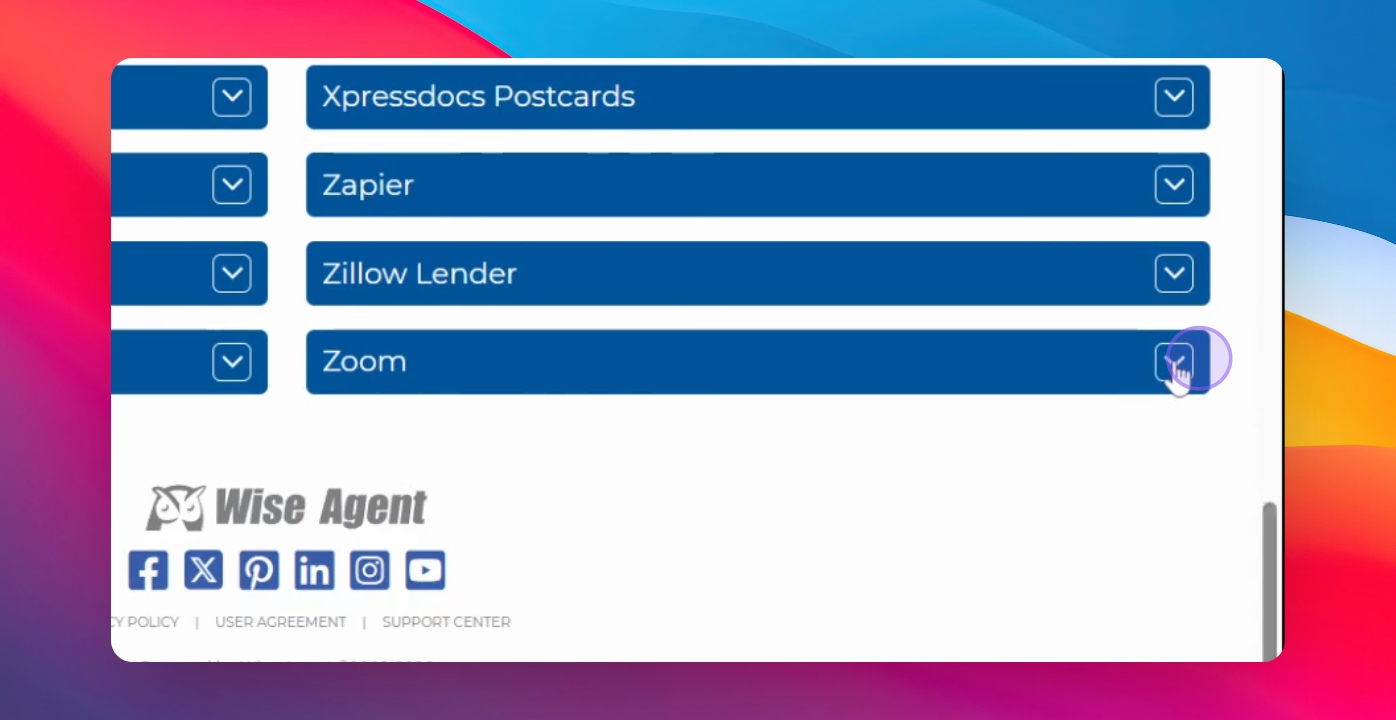
Step 3: Locate Zoom
Scroll down to find the Zoom integration.
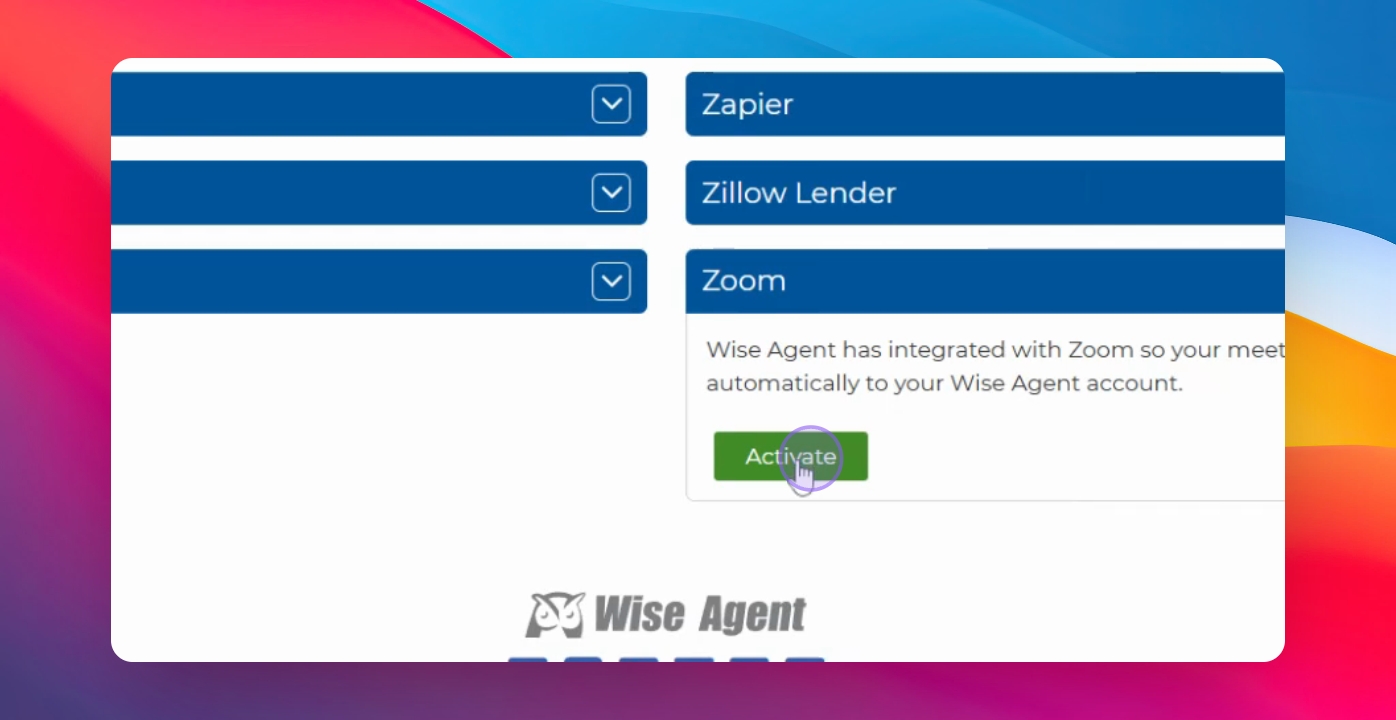
Step 4: Activate Integration
Click the Activate button to initiate the connection between Zoom and Wise Agent CRM.
Step 5: Provide Permissions
You will be prompted to grant permissions for viewing meetings, users, and recordings.
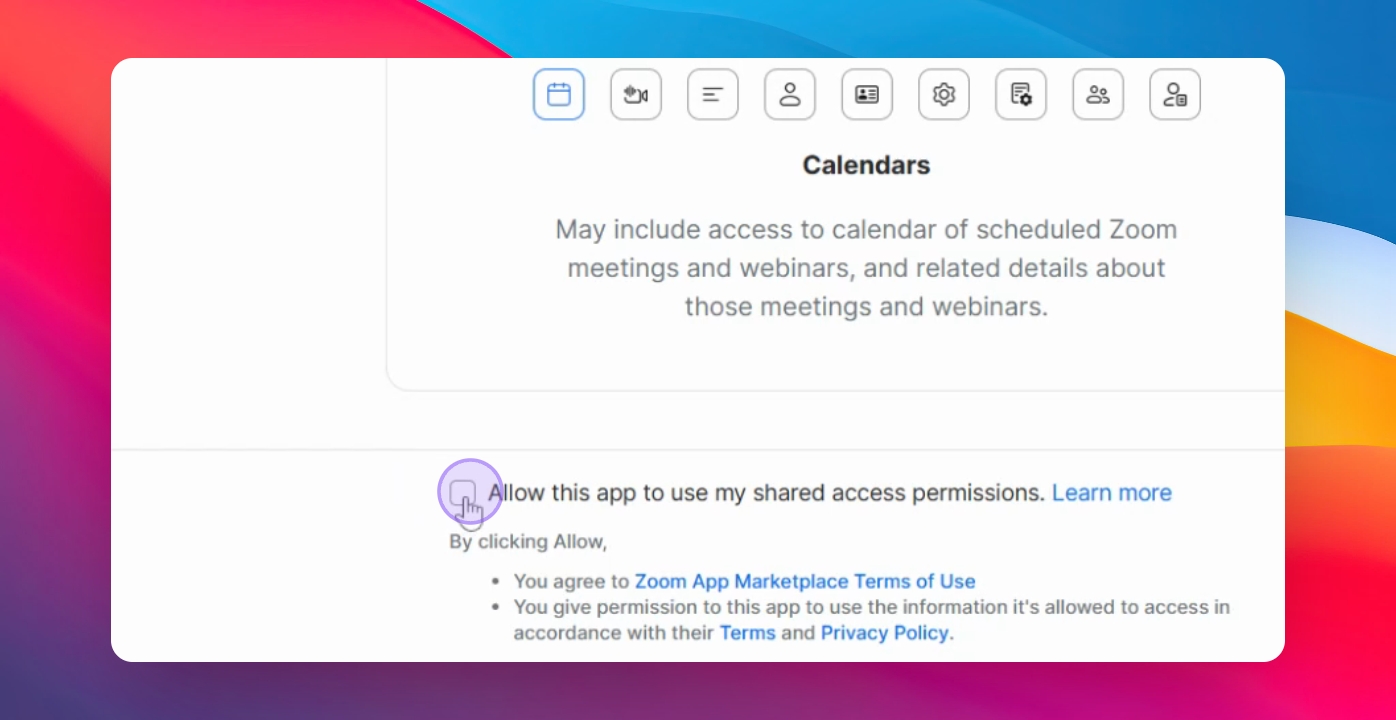
Step 6: Allow Permissions
Select Allow to authorize the integration.
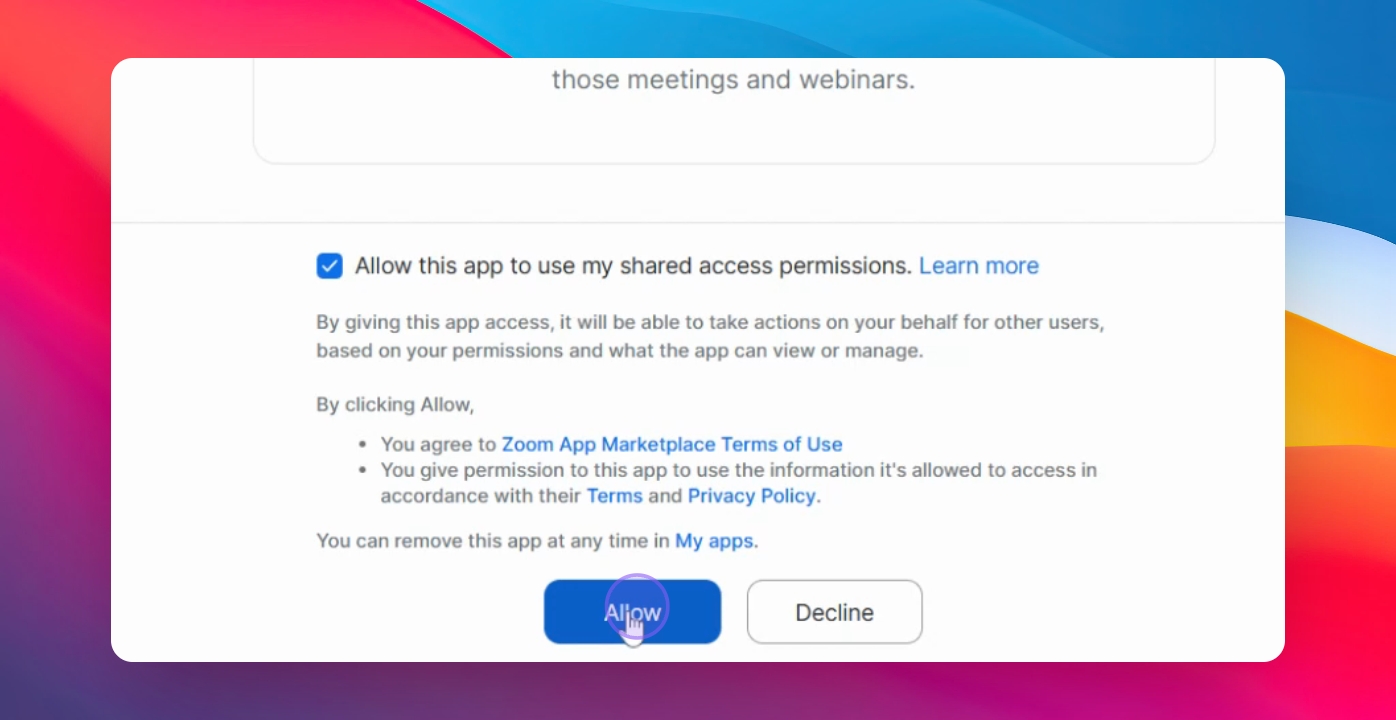
Step 7: Confirm Integration
Once integrated, the Zoom account name will appear.
Step 8: Calendar Appointments
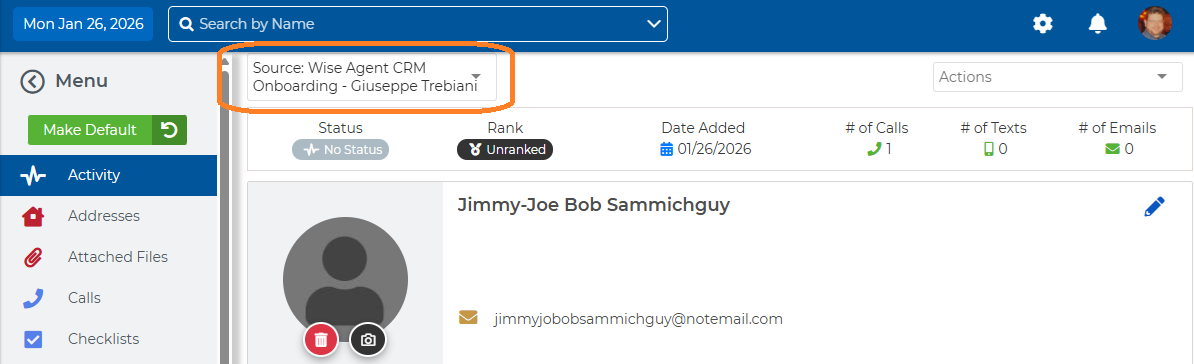
Going forward, your Wise Agent CRM calendar will display Zoom meetings and webinars as appointments. Webinar registrants and meeting attendees will appear in your database with a Source name matching the name of the Zoom webinar.
FAQ
What permissions are needed?
You need to allow viewing meetings, users, and recordings.
How can I disconnect Zoom?
Click the Disconnect button in the Zoom integration.
Does data move from Wise Agent CRM into my Zoom account?
No. Updates made in Wise Agent CRM will NOT be reflected in Zoom. Think of this connection as a one-way sync *from* Zoom *into* Wise Agent. Updates made within Zoom (for example rescheduling the appointment to a different date or time) will be reflected in your Wise Agent CRM calendar.
What will be contained in the new contact created in Wise Agent CRM?
A Zoom "Meeting" will create a contact with the attendee's email only.
A contact created through Zoom Webinar Registration will contain additional details collected at time of registration.
Will the Source be updated in contact that already exist in my Wise Agent CRM database?
No. If webinar registrants and meeting attendees already exist in your Wise Agent CRM database, the source will not be updated to match the name of the meeting or webinar.