

Logo

What are you looking for?

Get help straight from our team...

Debugging Wise Agent Landing Pages for Facebook Posts

Marketing Tools

Debugging Wise Agent Landing Pages for Facebook Posts

Last updated on 05 Nov, 2023

If you are having trouble with the Image for your Landing page appearing when you try to post, use this link to debug. Copy the Landing Page URL and insert in the required box. Click Debug and Scrape Again, until you see the correct image in the box.
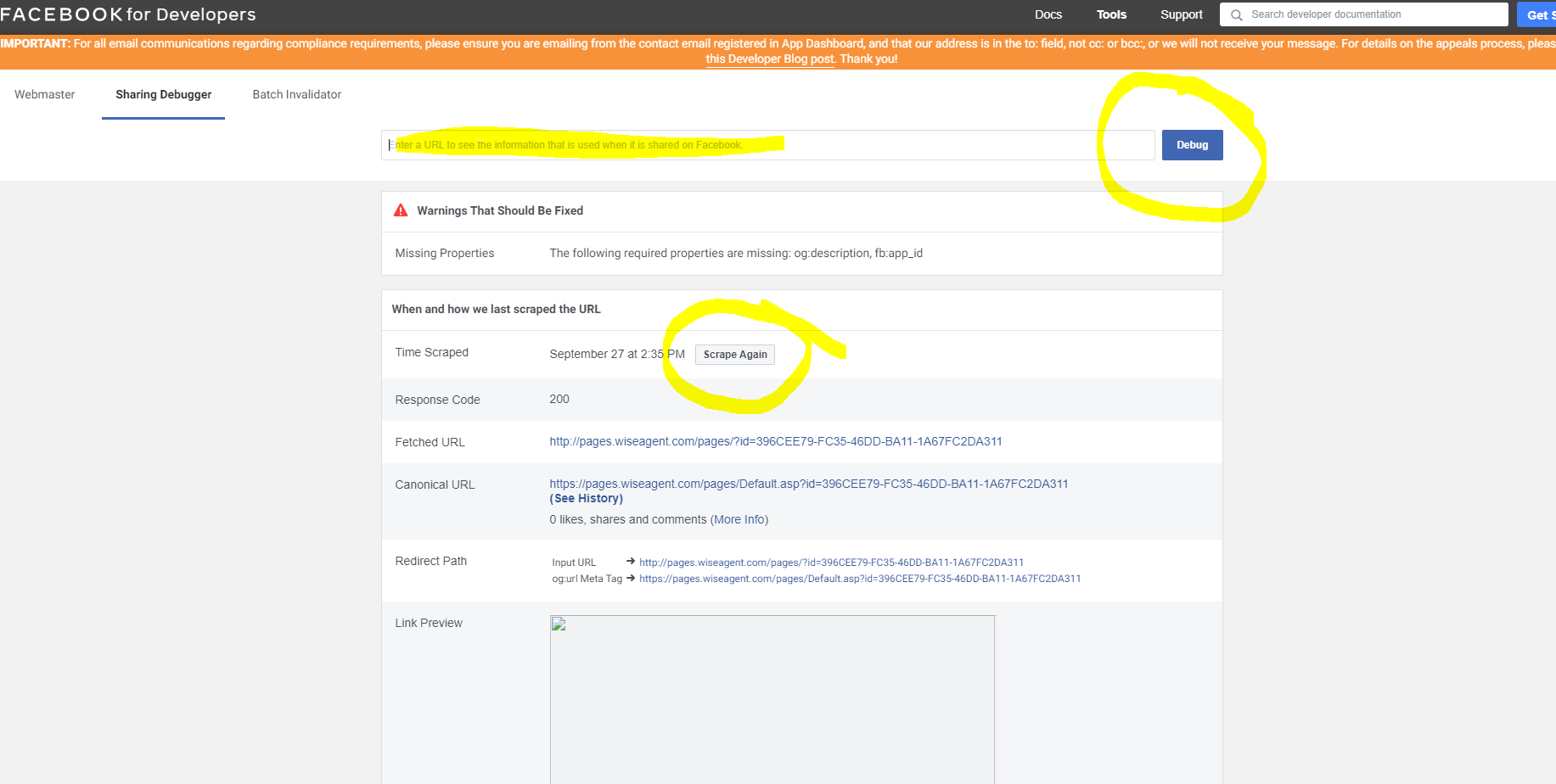
https://developers.facebook.com/tools/debug/sharing/?q=http%3A%2F%2Fpages.wiseagent.com%2Fpages%2F%3Fid%3D396CEE79-FC35-46DD-BA11-1A67FC2DA311

Image
Did you find this article helpful?
Previous

Include a Video/Image in a Text Message Event in a Marketing Program (Drip Campaign)

Next