


Obtain Your Unique Wise Agent Lead Capture Email
From the sidebar, select Integrations, then click Settings from the menu.
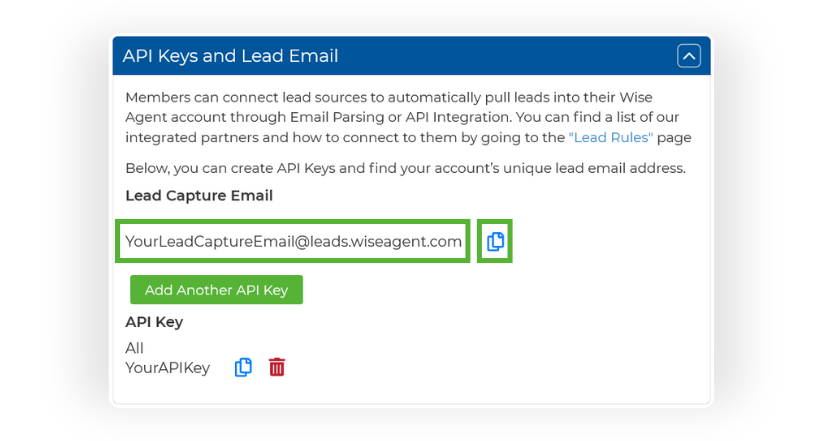
On the Integrations Settings page, locate and click on the API Keys and Lead Email tab and click to expand.
From this section, locate and copy your Lead Capture Email. This email address is specific to your Wise Agent account and is used to capture leads from various sources.
Add Your Wise Agent Lead Capture Email To GrizzlyLeads
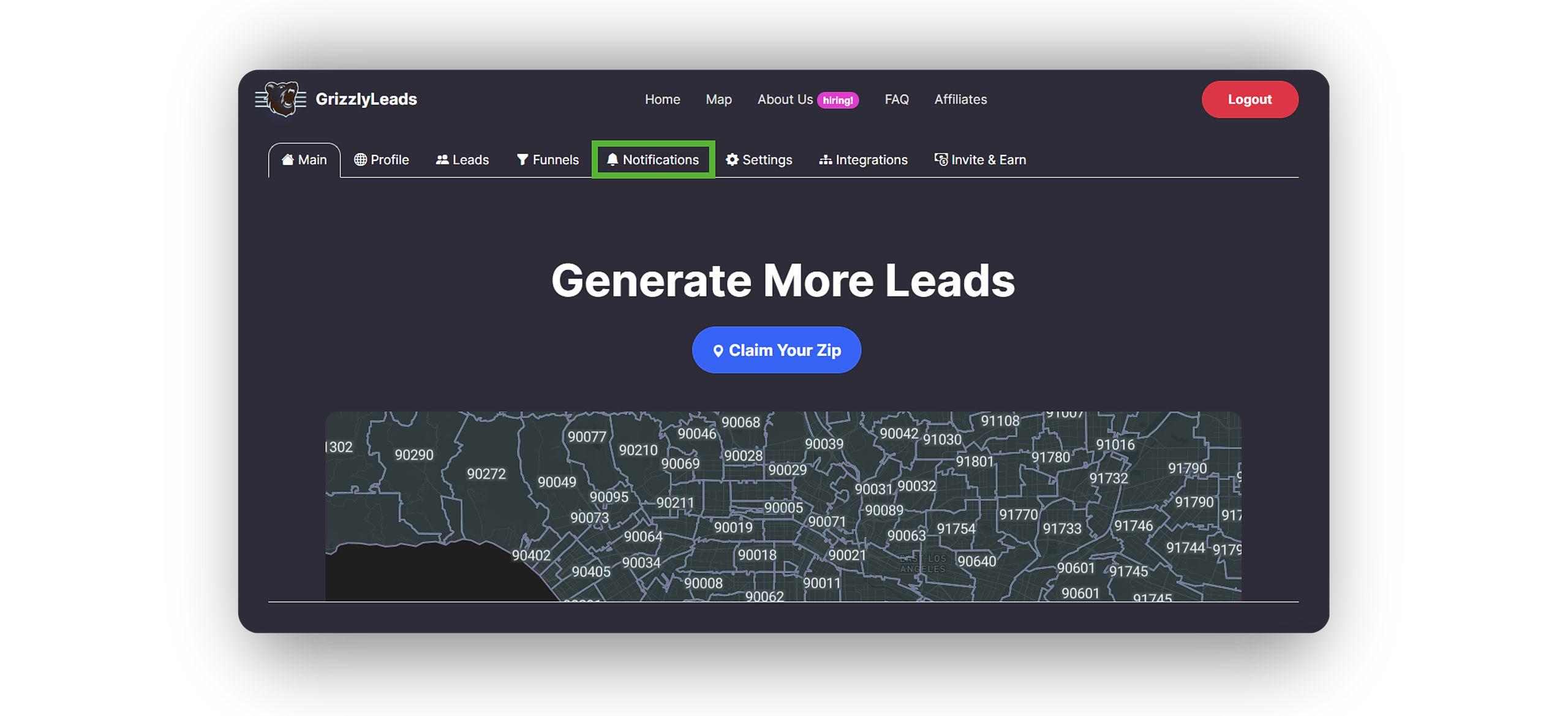
Login to your GrizzlyLeads Control Panel and navigate to the Notifications section.
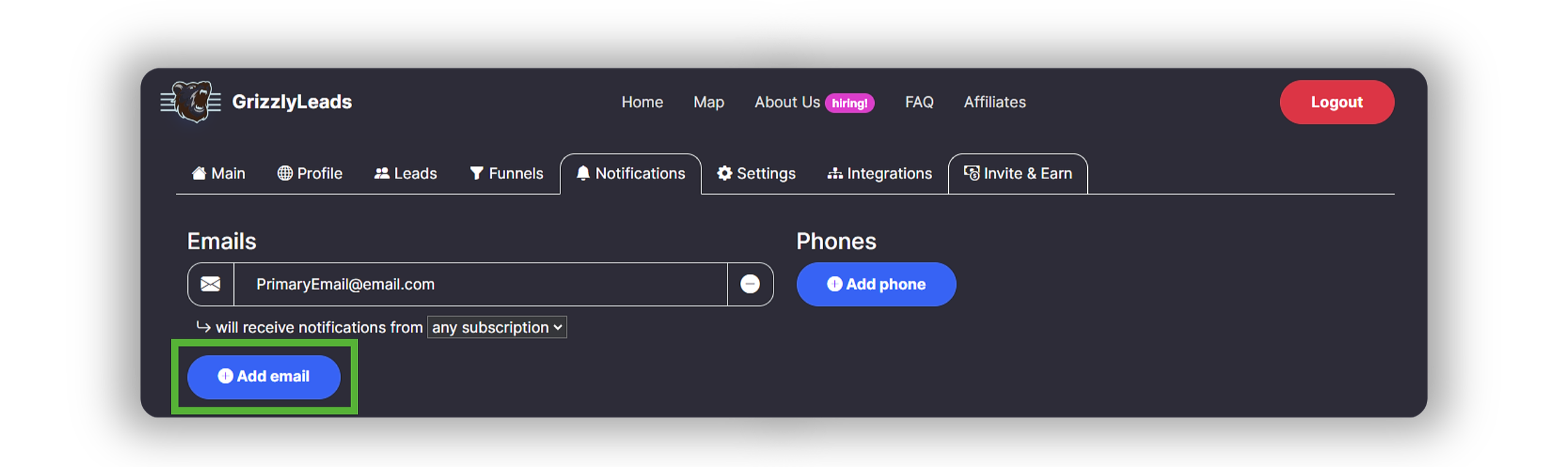
Under Notifications, locate and select the Add Email button.
Once selected, a new e-mail field will appear. In this field, paste your Wise Agent Lead Capture Email.
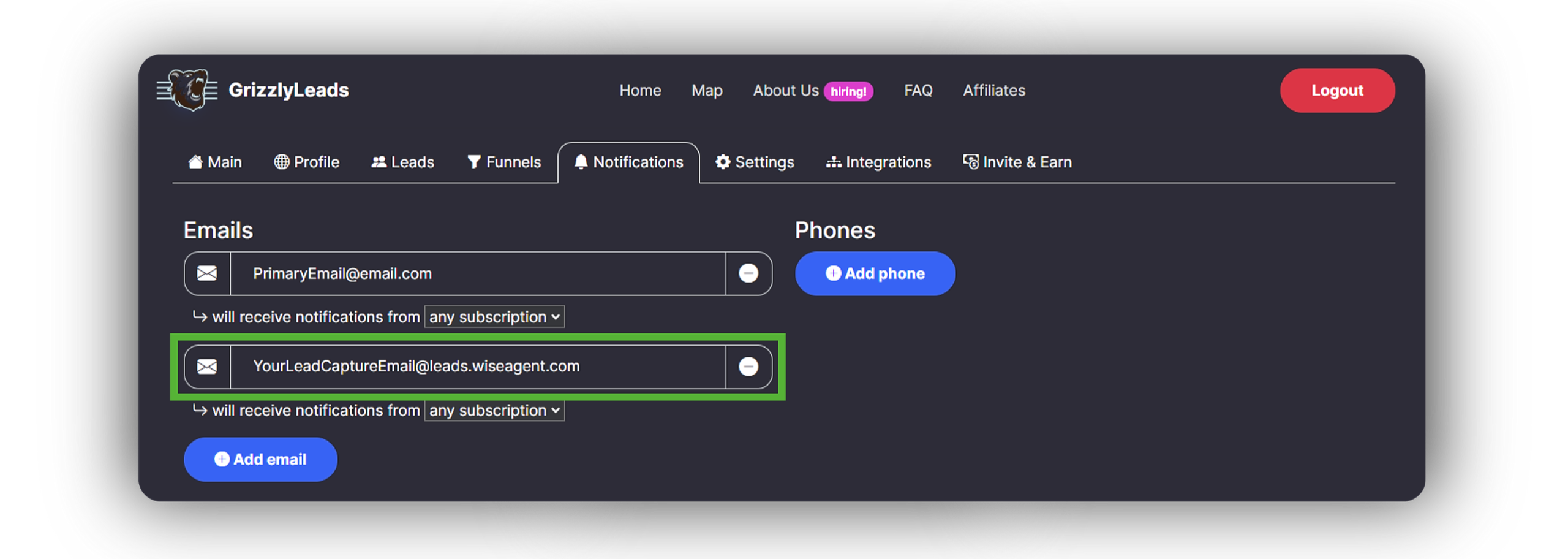
There is no need to save; just navigate back to the main dashboard. Your leads will now automatically funnel into your Wise Agent CRM!