

Logo

What are you looking for?

Get help straight from our team...

How To Sync Google Calendar With Your Apple Calendar

Integrated Partners

How To Sync Google Calendar With Your Apple Calendar

Syncing your iPhone calendar with your Google Calendar offers a seamless and efficient way to manage your schedule in Wise Agent using our Google Calendar integration. By syncing these calendars, you ensure that all your important events, appointments, and tasks are easily accessible and up-to-date wherever you go!

Last updated on 24 Apr, 2024

1. On your iPhone or iPad, open your device settings.

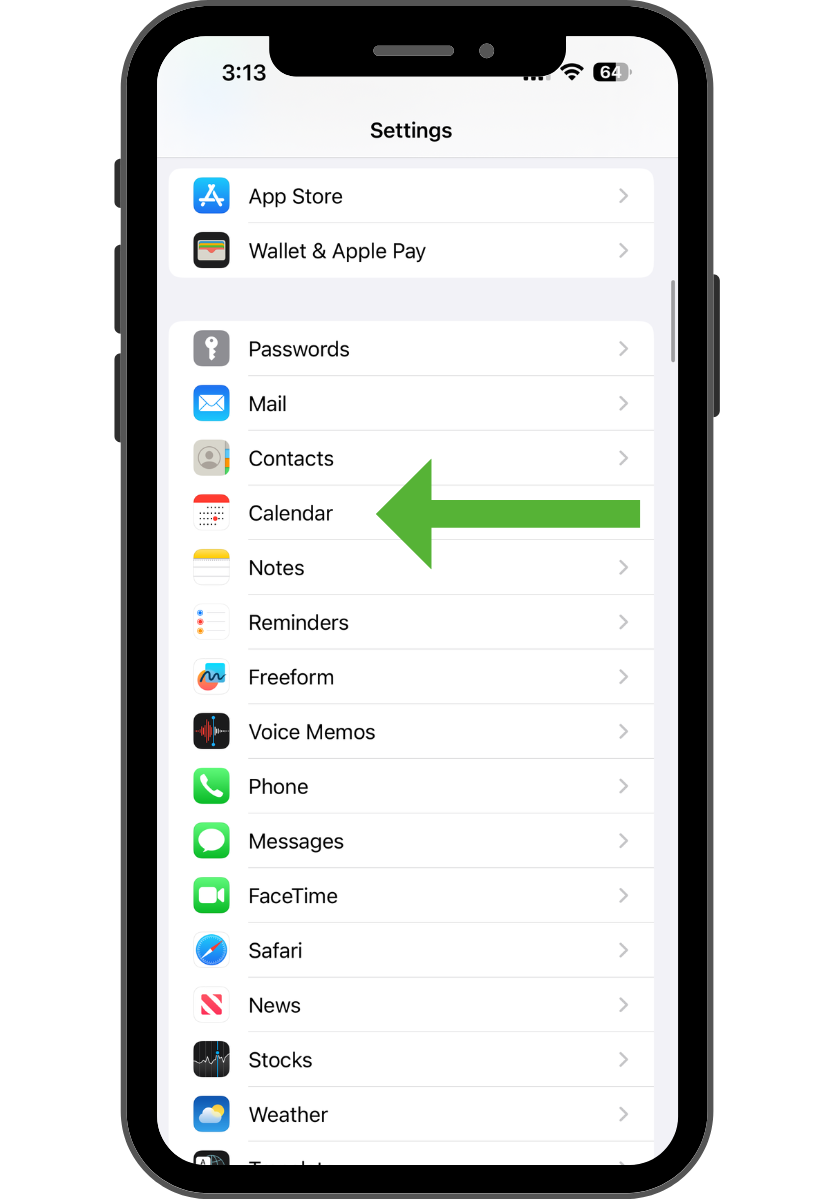
2. Scroll and tap Calendar
Image

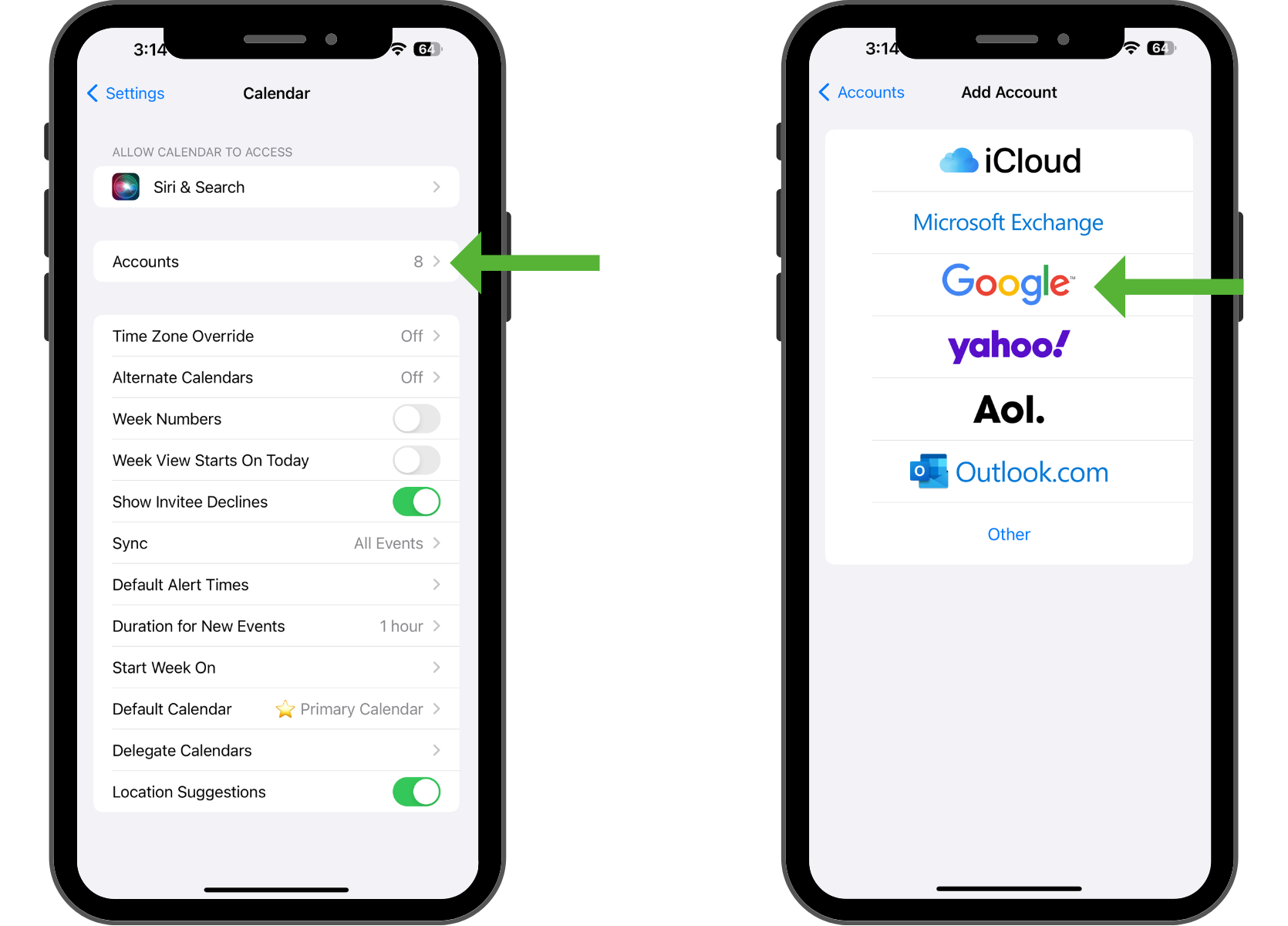
3. Tap Accounts  ⟶  Add account  ⟶ Google.
Image

4. Enter your email address, then tap  Next.

5. Enter your password, then tap Next.

6. Emails, contacts, and calendar events will now sync directly with your Google Account! 🚀

Did you find this article helpful?
Previous

Find Wise Agent Contacts that are not syncing to Google

Next