

Configuring Wise Agent Sync
The my +plus leads system will automatically import all FSBO / Expired Leads or only ones which you have qualified directly into your Wise Agent CRM.
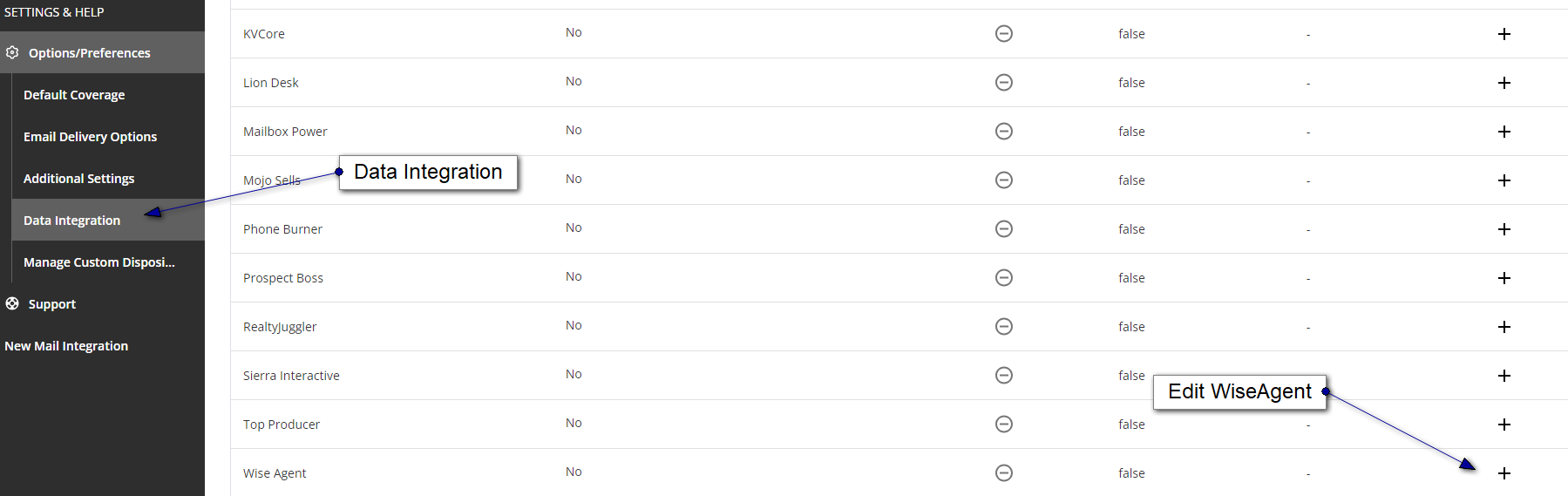
Select "Options/Preferences -> Data Integration" from the main navigation panel.
Choose + across from Wise Agent
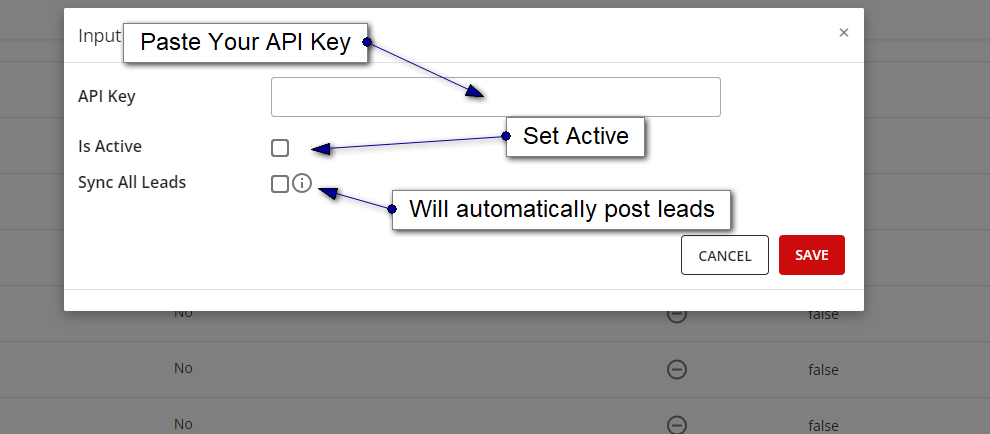
Post your API Key. Click here for the instructions on how to find your Wise Agent API key.
Check "Is Active"
Optional - Check "Sync All Leads" if you wish to have all leads pushed directly into your CRM automatically. If you do not check this box, you will be able to select exactly which leads sync after you have qualified them.
Manually Pushing Leads to Wise Agent
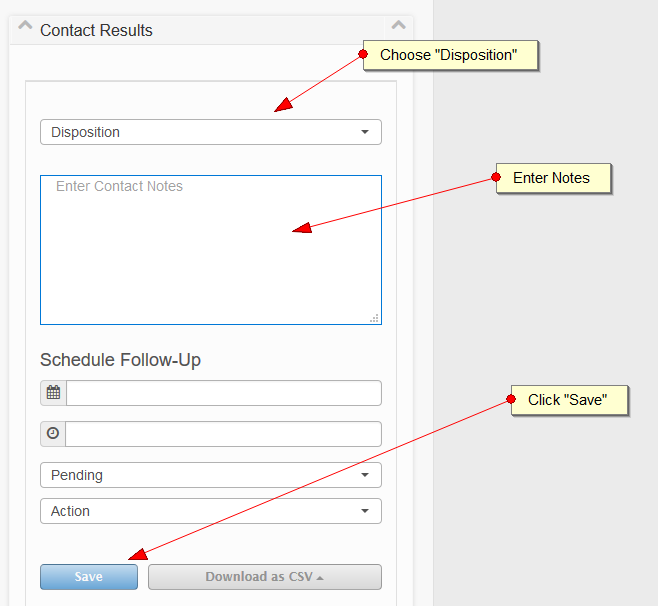
You can manually push leads to Wise Agent after qualifying them from either the "Detail" or "Map" views.
Enter in a "Disposition"
Enter in the contact notes
Follow-up actions are optional, but currently not supported via the Wise Agent API
Click "Save"
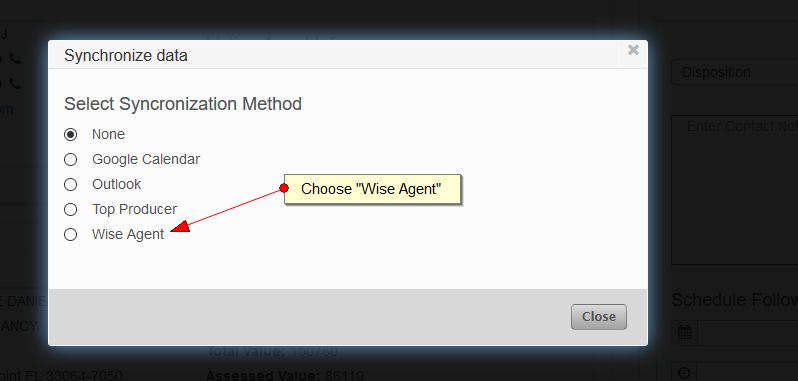
Choose "Wise Agent" from the Synchronize data form
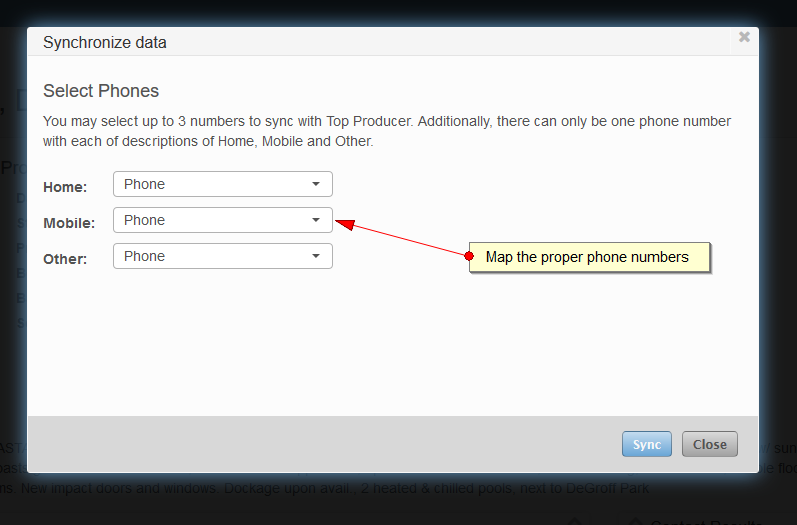
Map up to 3 phone numbers to the proper fields
Click Sync
Your lead should now be available within Wise Agent within a few minutes.