

To stay compliant with the A2P 10-DLC guidelines enforced by network carrier providers and the TCR (The Campaign Registry), all members must register as a brand to send text messages through their CRM.
Who Qualifies as a Sole Proprietor:
You QUALIFY as a Sole Proprietor if: | You DO NOT QUALIFY as a Sole Proprietor if: |
You are an Individual Agent without an EIN | You have an EIN |
You are a small team without an EIN | You are a Broker/Owner with a team/employees |
You are a single agent/small team planning to use one number | You have a team and plan to use more than one number |
The TCR will review all information submitted for Brand and Campaign registrations. Those who do not meet the requirements for a Sole Proprietor Brand designation may be required to resubmit their application as a Standard Brand, which may result in additional fees. )Wise Agent has no control over whether or not a brand or campaign is approved or denied.) If you have an EIN, you MUST go through the Standard Brand registration process.
What are the limitations of Sole Prop:
As a sole proprietor, you can purchase one texting number per brand registration. If you wish to purchase multiple texting numbers, you must register a new brand. You may use the same information for additional registrations, but the number of times you can use your mobile number, email address, and physical address for brand registration is limited and may result in rejections.
If you share one Wise Agent account with multiple team members, each team member must register as a sole proprietor for their own texting number. Each member/number will be subject to registration fees.
Registration & Texting Fees:
There is a one-time non-refundable fee of $80 for each A2P 10DLC registration. After registration, there is an $11 monthly fee for your texting number. This allows up to 1000 text messages monthly. For more information on WiseText pricing, click HERE.
Additional Fees:
If your registration fails, you will be charged an additional fee of $15 fee for each campaign submission. (Additional fees will apply if you are required to update your brand designation from a Sole Proprietor to Standard Brand.)
How to Register as a Sole Proprietor in Wise Agent:
Log in to your Wise Agent account
From the left navigation bar, click on the "Integrations" drop-down and then "Settings".
On the Integrations settings page, scroll down to the "WiseText" header and click the arrow next to open WiseText settings.
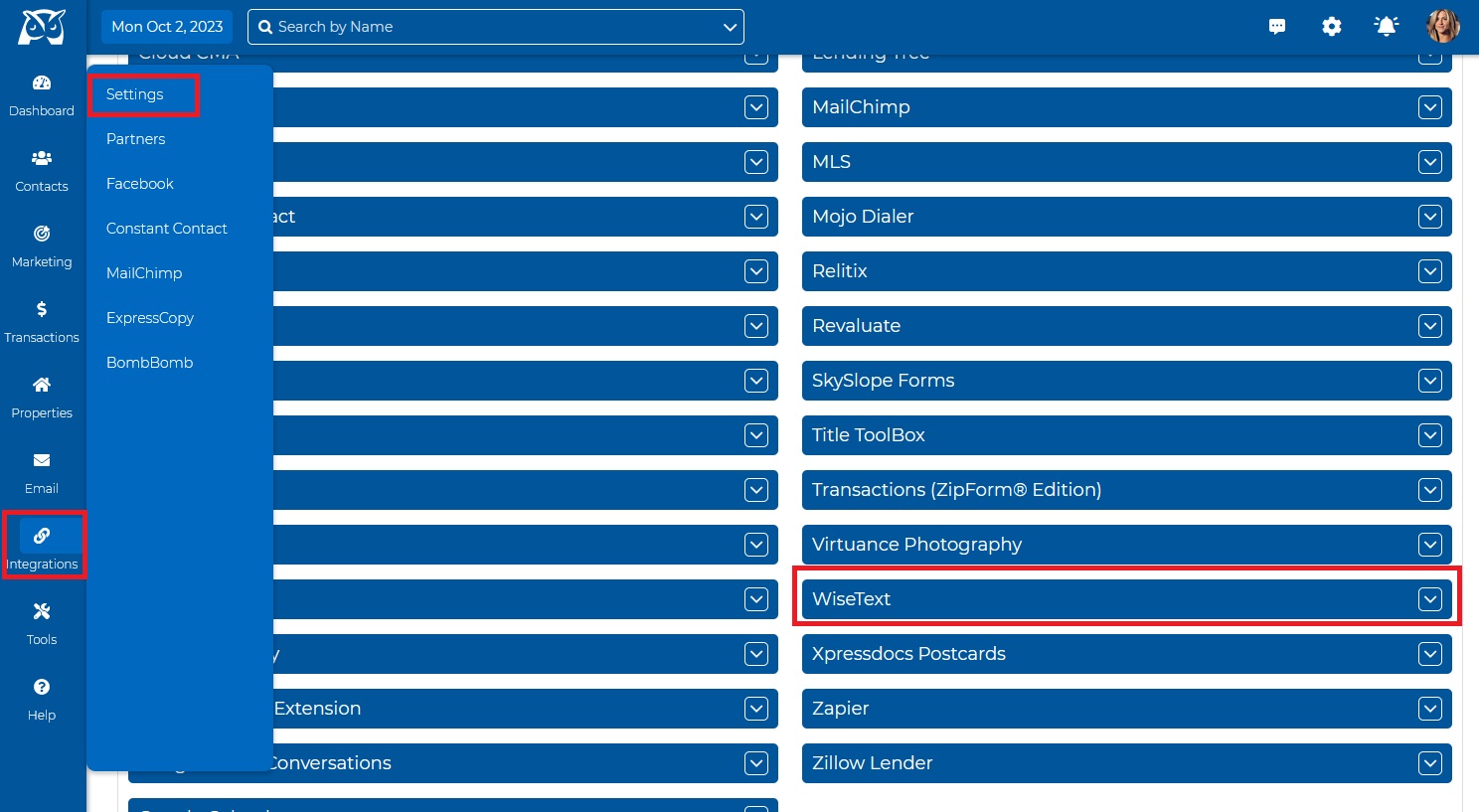
Click on the green "Activate" button in this section to add the WiseText feature to your account.
Confirm your WiseText Registration Type by indicating whether or not you have a Tax ID (EIN) and click "Confirm".
You will be redirected to the Billing page to submit payment for the one-time registration fee of $80.
NOTE: If you have an EIN and begin the registration process as a Sole Proprietor, your brand is likely to be rejected. If you are unsure about your brand designation, contact the Wise Agent Support Team before submitting your registration form to avoid additional fees.Once your payment has been accepted, you will be redirected to a thank-you page where a modal will appear with access to a Wise Agent Google Form questionnaire. (If you have trouble accessing the modal, click HERE.)
Complete the Google Form and provide the following information:
Brand Details:
Email Address
Region of Operation
Registration Type
Sole Proprietor
Standard Brand
First & Last Name
Brand Name
Email Address (Must be a well-formatted email address that you have access to)
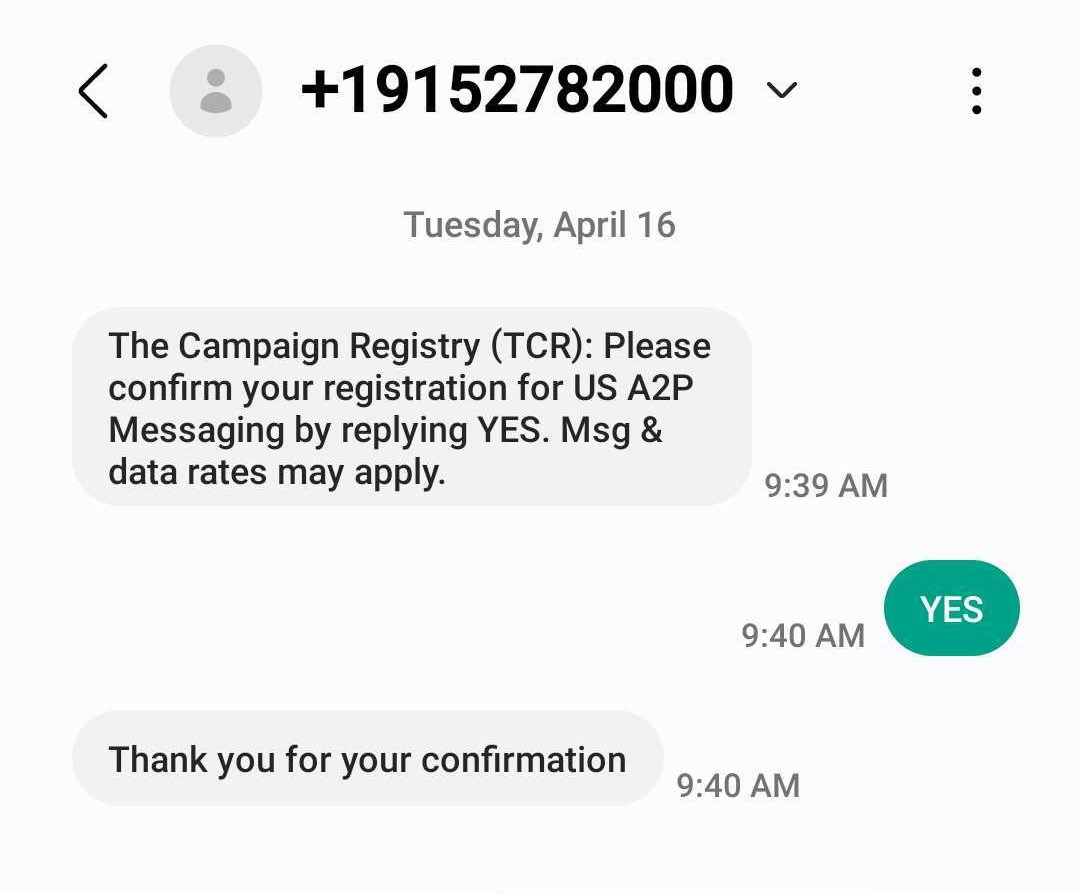
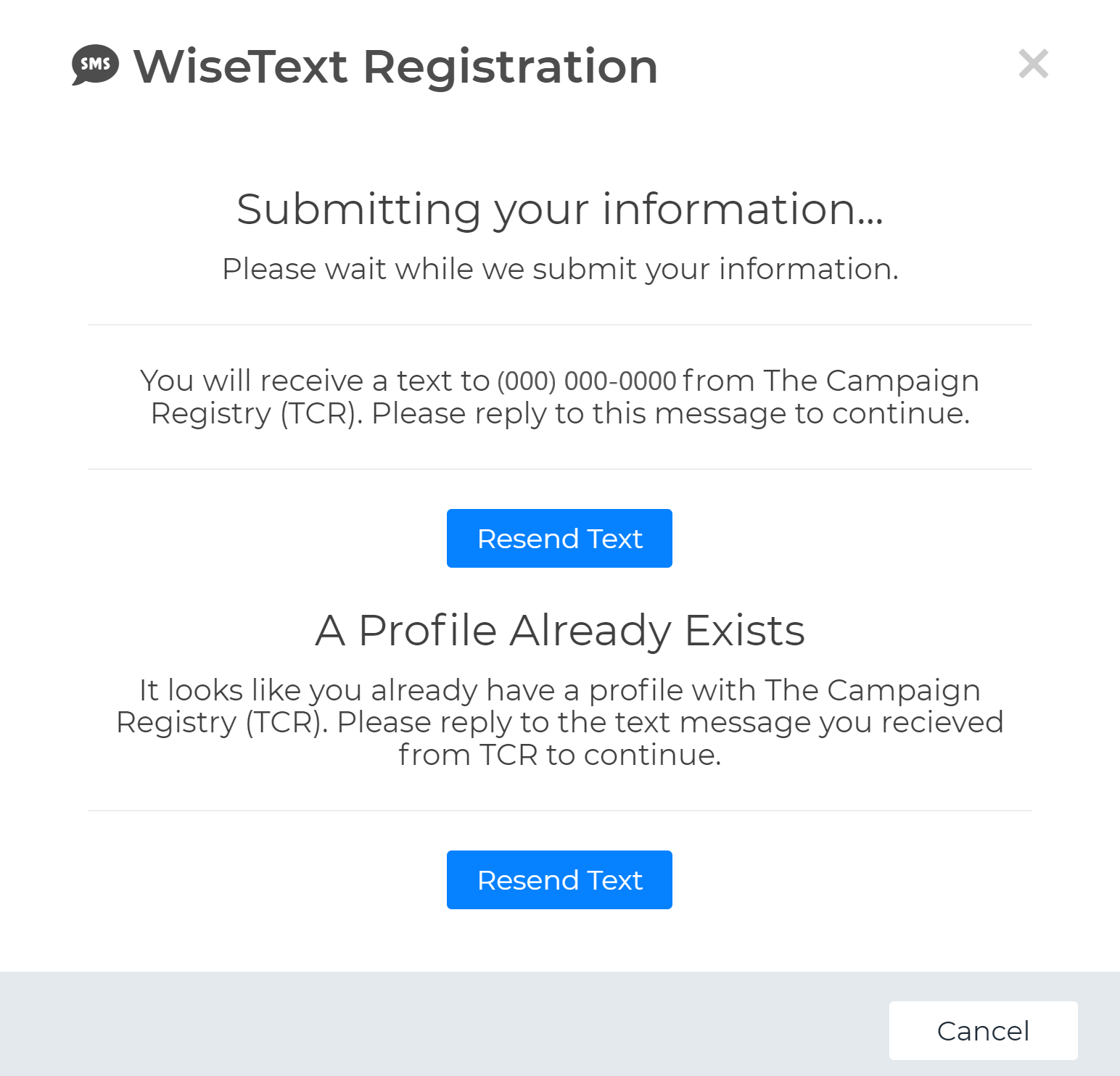
Mobile Number/Cell Phone Number (This must be a valid US or Canada mobile phone number eligible to receive SMS Messages. A one-time passcode (OTP) will be sent to this number, and you must respond "YES" to the message to complete your registration.)
Physical Address (Include: Street Number, Street Name, City, State/Province/Region, Postal Code, Country - Must be a valid US or Canadian Address or PO Box.)
Industry (List what industry your business falls under. Example: Real Estate, Mortgage Company)
Website (NOTE: You must have a website/landing page that provides access to a Privacy Policy and Terms & Conditions to have your brand approved. Contact the Wise Agent Support team if you do not have an active website.)
Campaign Details:
Campaign Description (Please describe what type of message content you intend to send using your WiseText feature.)
How do clients consent to receive messages? (Select all options that apply)
Link to Privacy Policy (This field is required. Contact Wise Agent Support if you do not have a valid Privacy Policy link on your website.)
Link to Terms & Conditions (This field is required. Contact Wise Agent Support if you do not have a valid Terms & Conditions link on your website.)
Example Message Content
Once your A2P 10DLC Brand and Campaign details have been received, a member of the Wise Agent Support team will reach out to you within 2-4 business days to begin your registration process.
Registration Process for Existing Texting Numbers that are Unregistered:
Log in to your Wise Agent account
From the top navigation bar, click on the "Integrations" drop-down and then "Settings".
On the Integrations settings page, scroll down to the "WiseText" header and click on the arrow next to open WiseText settings.
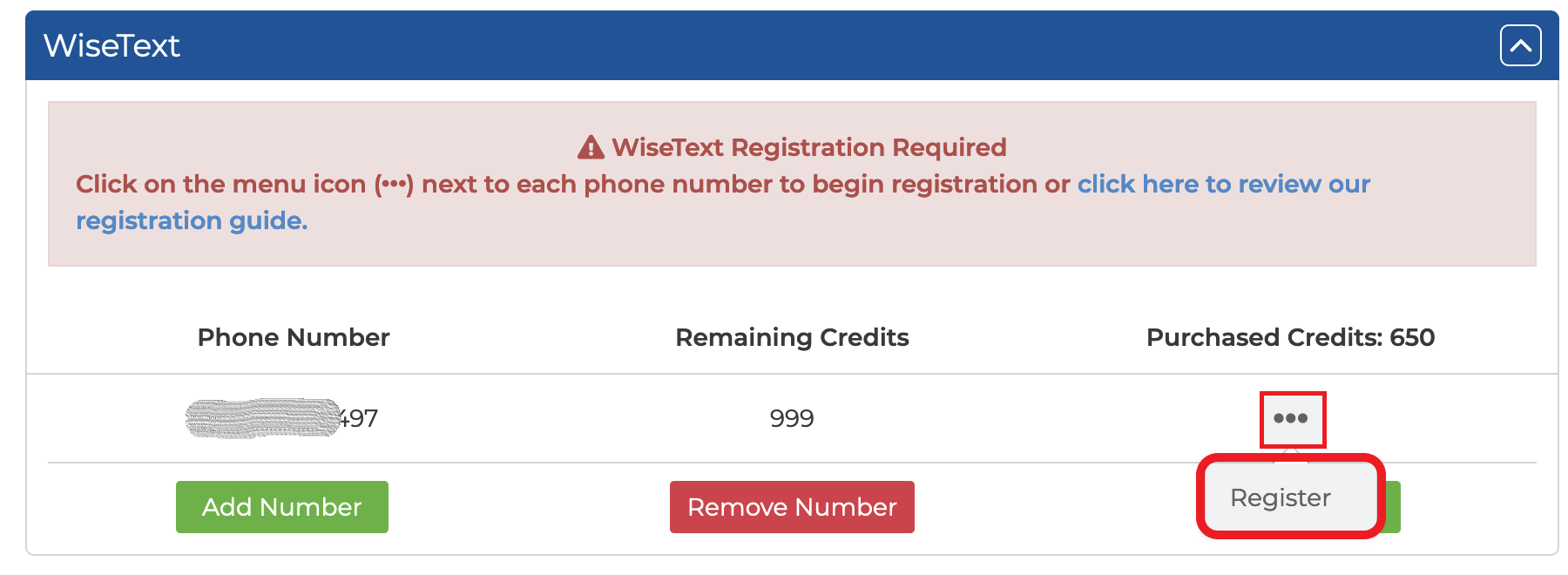
From this section, click on the ellipses icon next to the far right-hand side of your texting number and then on register. (You will need to do this for all the unregistered numbers in your account.
You will then be redirected to the Billing page to submit payment for the one-time registration fee of $80, which is then processed and sent over to the TCR (this is a non-refundable fee)
Once your payment has been successfully processed and accepted by the TCR, you will be prompted to complete the questionnaire using the following Google Form. (See step 8 above on How to Register as a Sole Proprietor in Wise Agent for more information)
Once your brand and campaign details have been reviewed, Wise Agent will submit your brand and "campaign use case" to the TCR for vetting. During this final vetting process, you will be limited in the number of text messages you can send daily within your Wise Agent account.
You will receive a notification alerting you that your brand and campaign have been approved, and you now have full access to send SMS & MMS messages.
IMPORTANT NOTES:
Wise Agent does not make the final determination on whether or not a brand/campaign is approved or rejected. All decisions are made by The Campaign Registry (TCR).
If you are unsure of which brand designation to use, details about your campaign, or do not have the necessary information requested through the Google Form, please contact our Wise Agent support team for assistance.
Wise Agent Support can be reached 24/7 by phone at (480)836-0345.