

You can now set up an integration to have your leads automatically pushed into your Wise Agent CRM as soon as they are generated in zBuyer. Just add your Lead Capture email address into your zBuyer account, and we'll do the rest!

In Wise Agent:
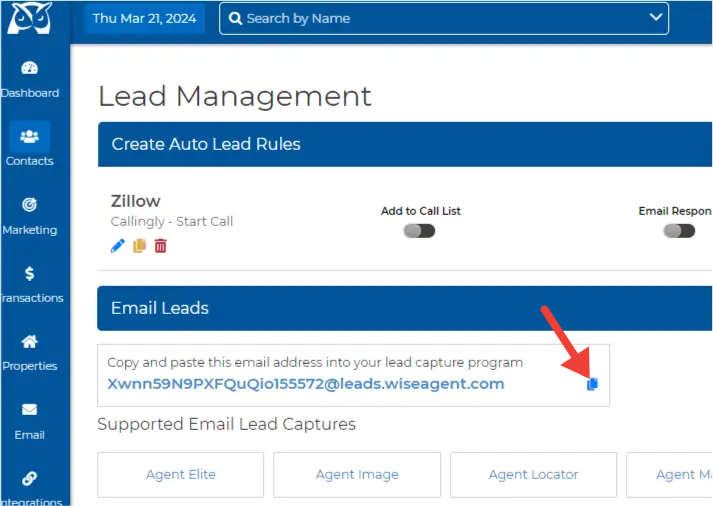
Login to your Wise Agent account and click Contacts>Lead Rules.
Copy the Lead Capture Email Address by clicking on the copy icon to the right of your email address.
In zBuyer:
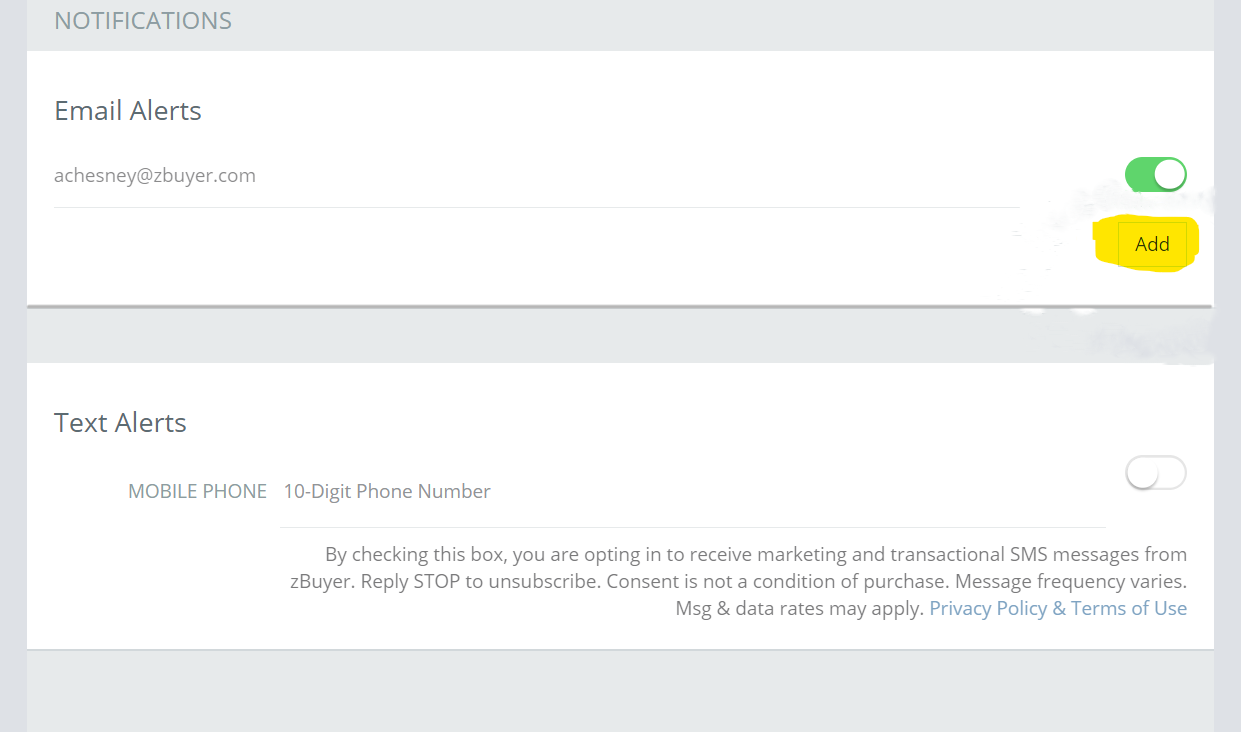
Login to your zBuyer account and then click Account then click Notifications.
Select Add to input your Lead Capture Email address from Wise Agent, DO NOT replace the primary email address.
NOTE: This will only work to push over any new leads you receive from zBuyer after saving the changes. Any existing leads in your zBuyer account will not be moved to your Wise Agent CRM.
If you're unable to complete the instructions above please contact our support by clicking on the Contact Us button or call our office at 480-836-0345.
You can contact zBuyer support by phone at (800) 379-5559 or by email at info@zbuyer.com.
Now that you've set up lead forwarding from zBuyer to Wise Agent don't forget to set up your Automated Lead Rules.
Click here for a step-by-step video tutorial or visit our help article for instructions on how to set up your Lead Rules in Wise Agent.