

Adding a New Task From The Task List
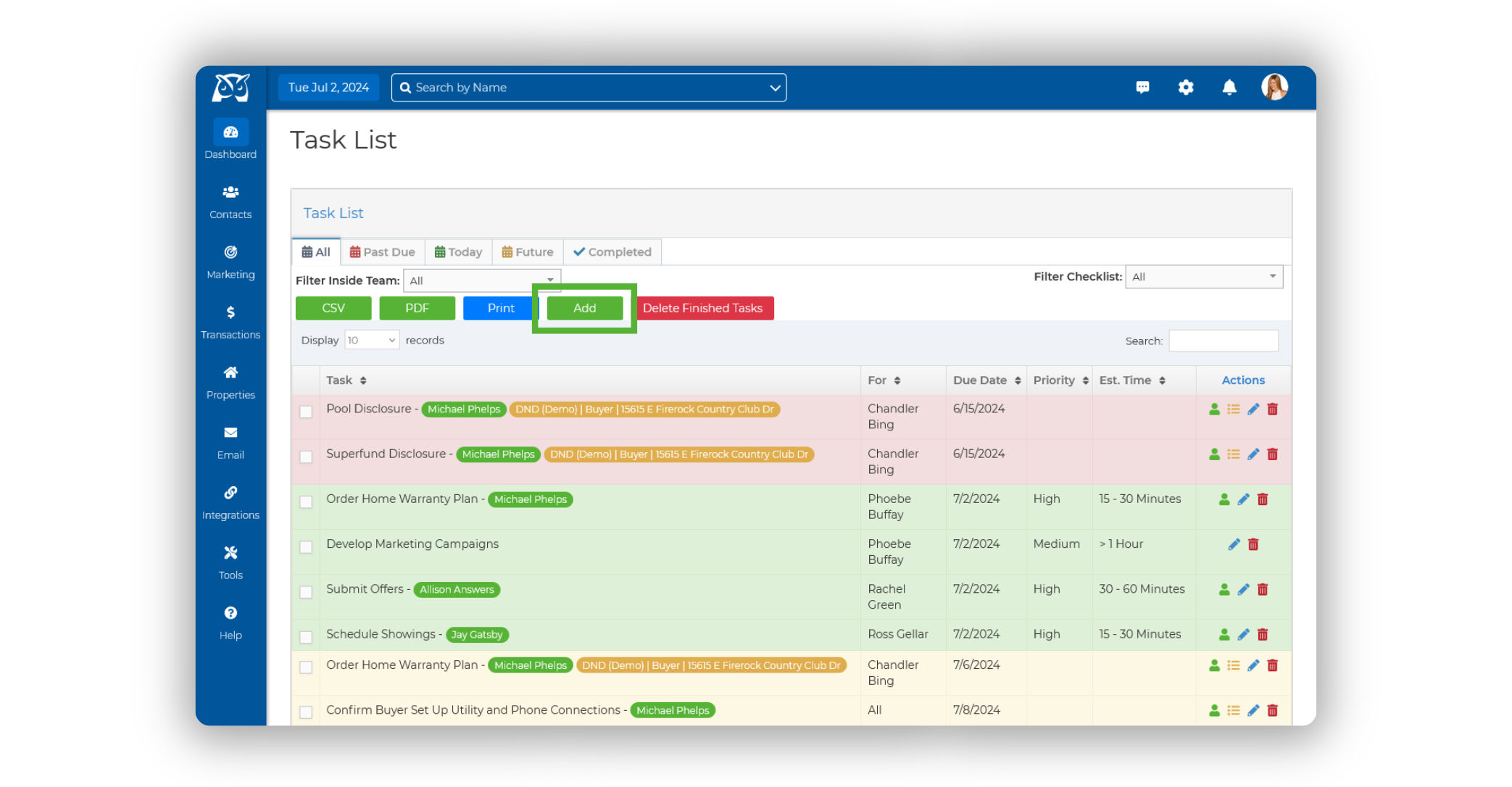
From the sidebar, select Dashboard ➜ Task List.
Once on your Task List, click on the green Add button.
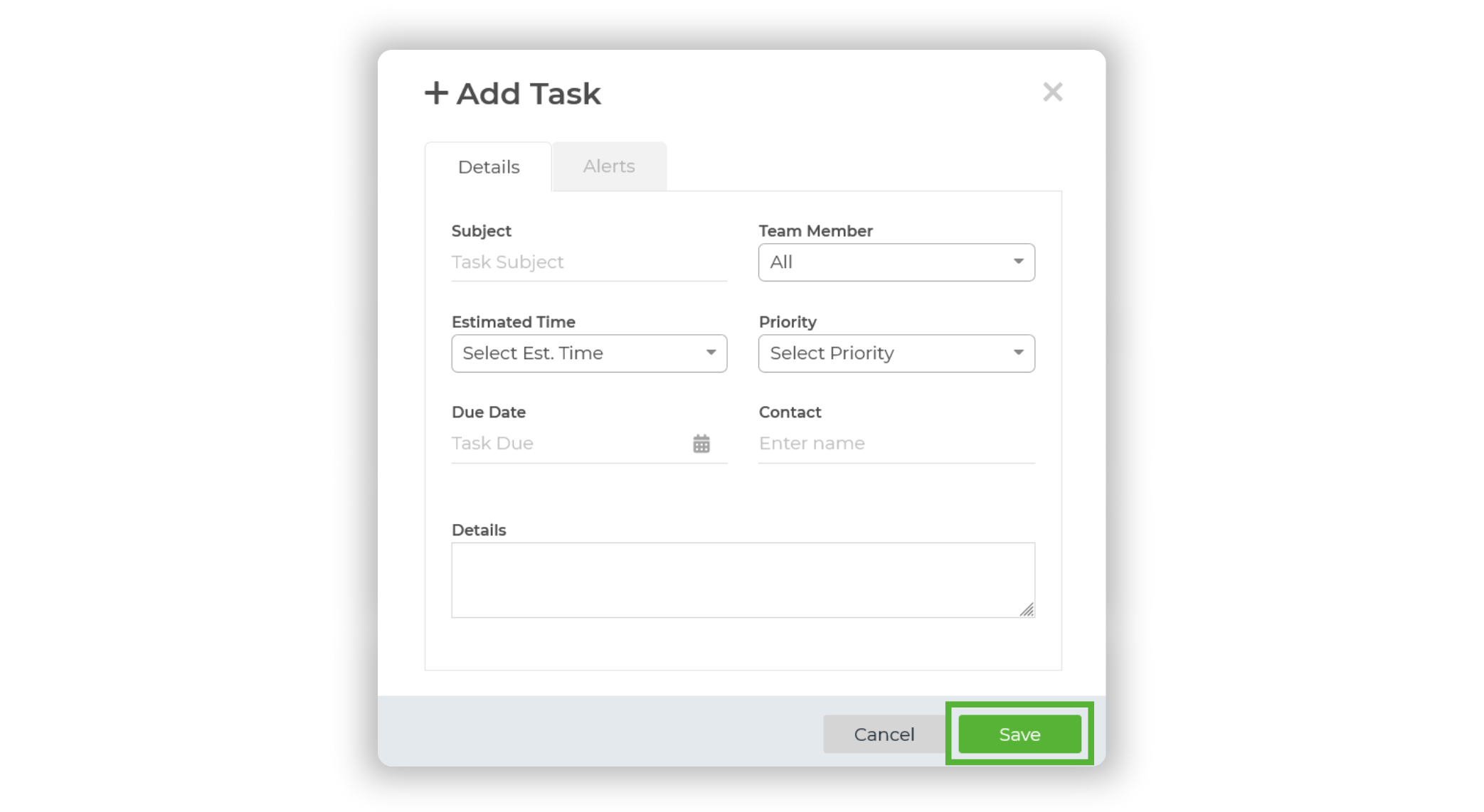
Enter your task details, then click Save.
Adding a New Task From The Contact Summary Page
From the sidebar, select Contacts ➜ Contact List.
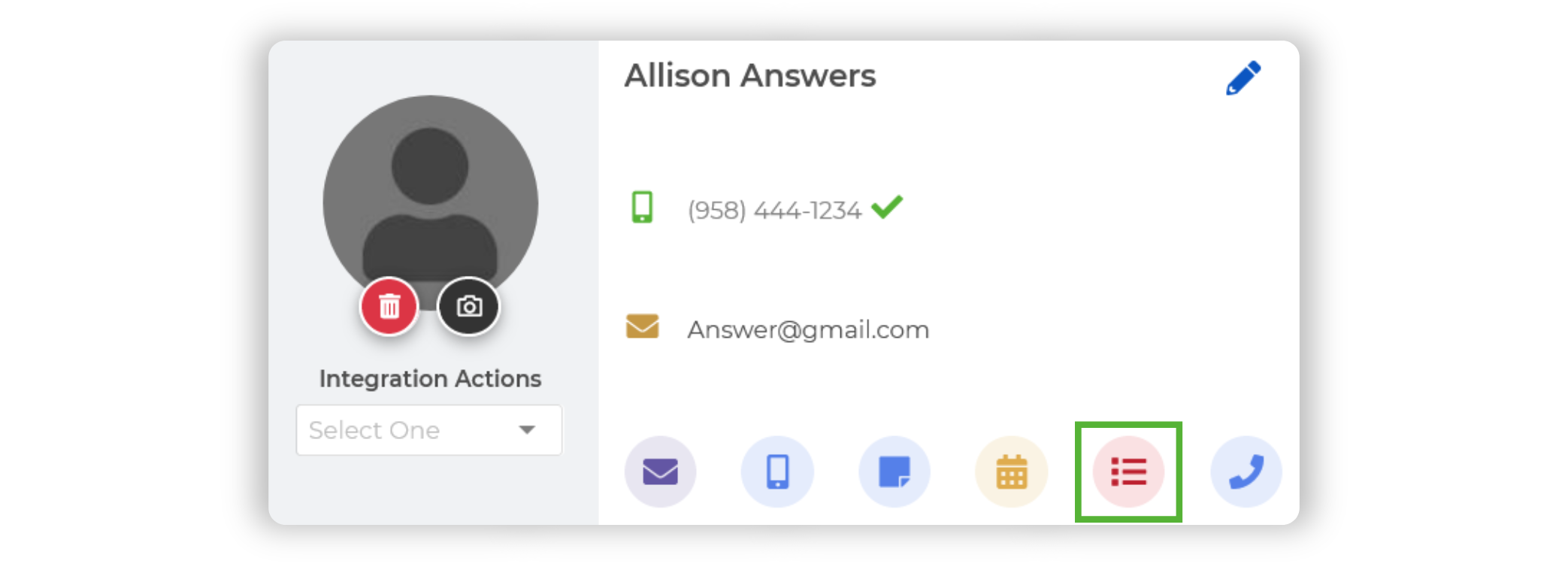
Select the contact you wish to add a new task for, opening up their Contact Summary Page.
Click on the Task List icon beneath their contact information.
Enter your task details, then click Save.