

Connect your Agent Fire account to Wise Agent
To connect Agent Fire you will need your Wise Agent API key:
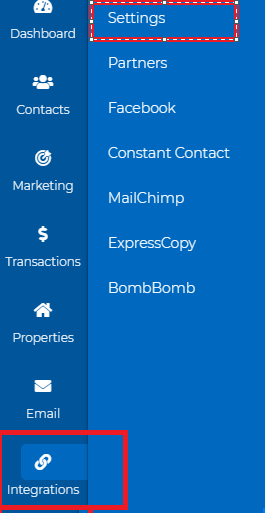
To find your API in Wise Agent click on the Integrations tab and select settings
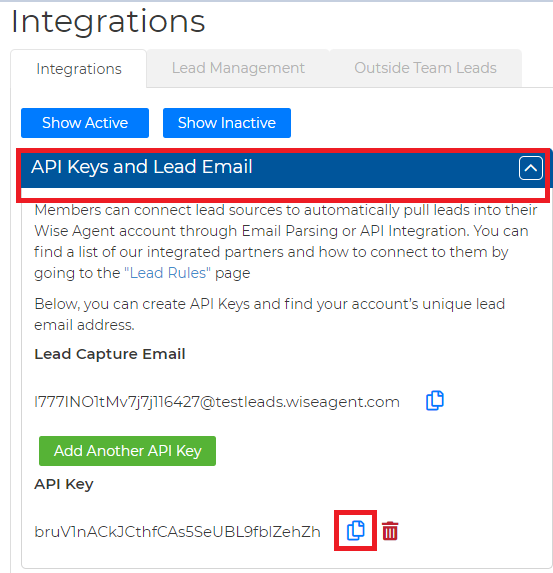
Click on API Keys and Lead Email, your API key will be listed here
Integrating Wise Agent CRM to your Lead Manager
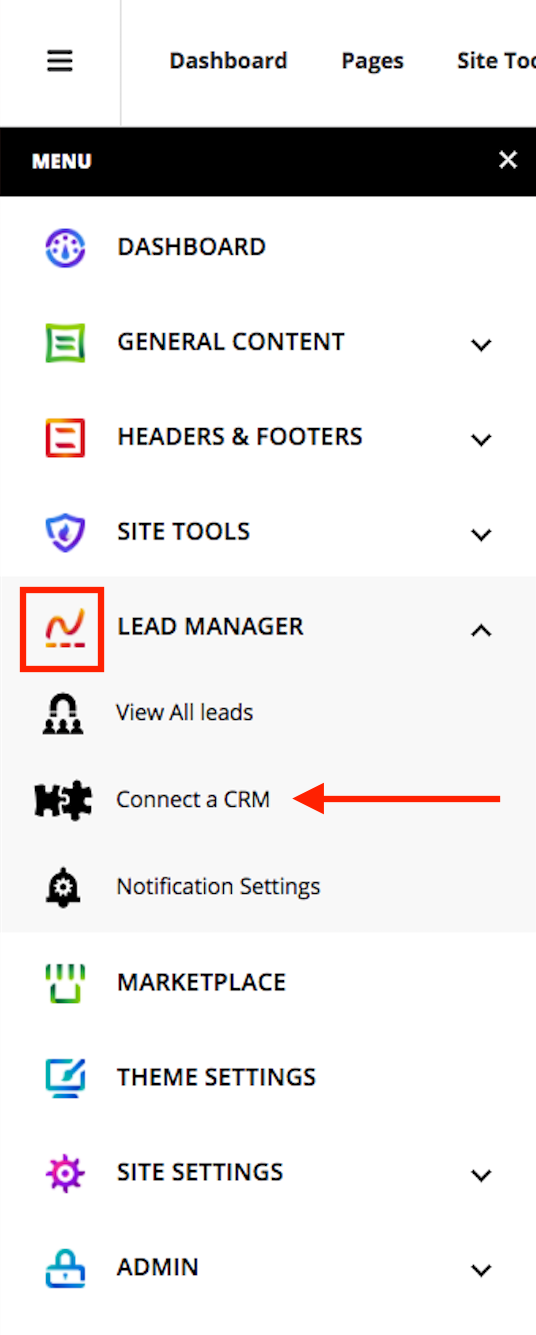
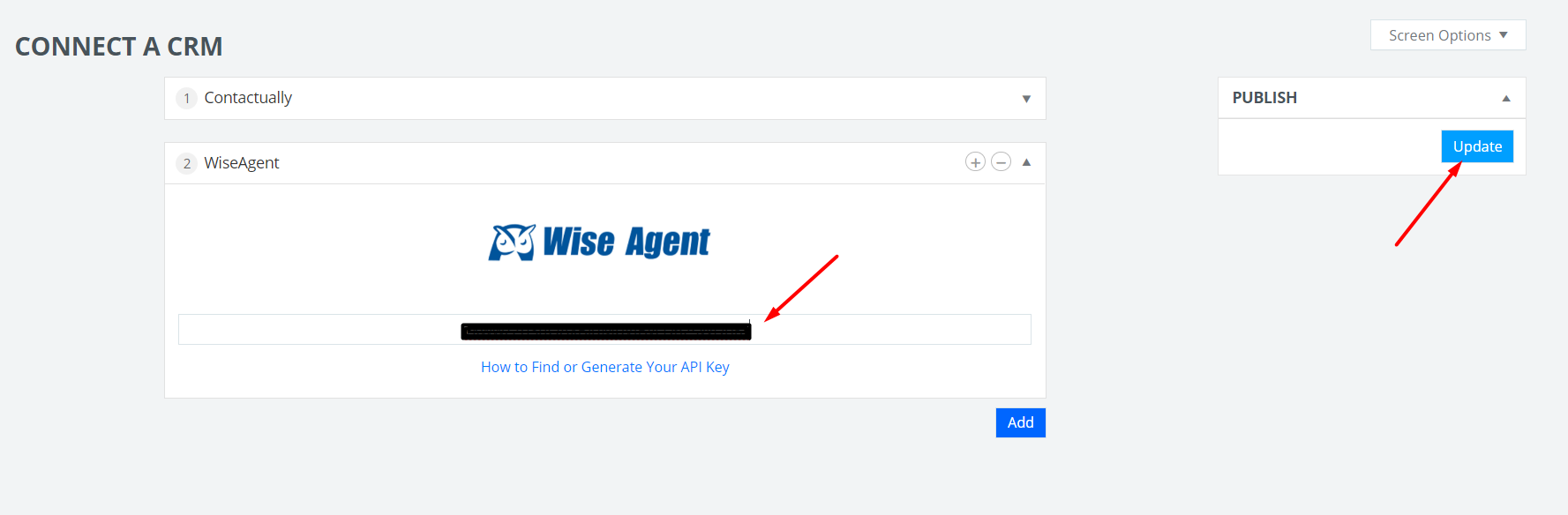
Head over to your AgentFire website, and in the dashboard navigate to Lead Manager > Connect a CRM
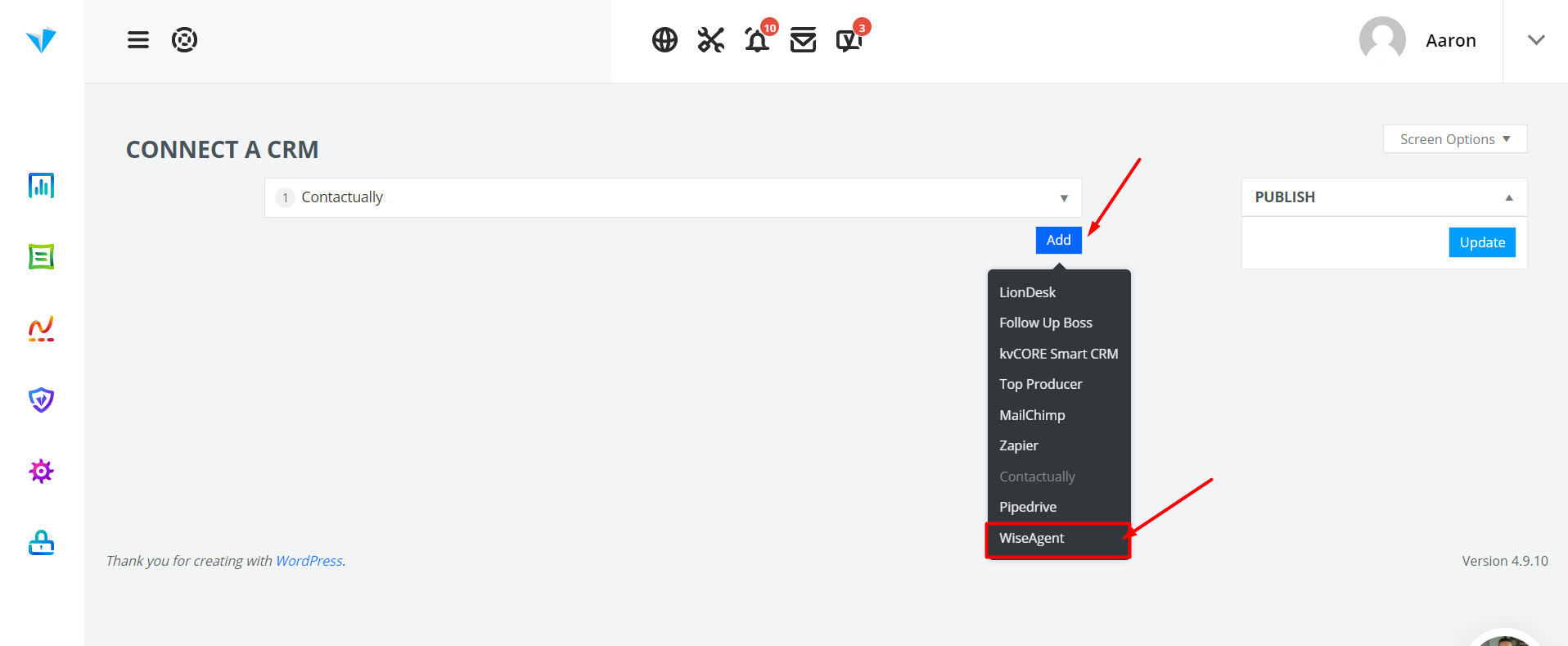
Click on the Add button, and select WiseAgent.
Paste the API Key you acquired from the Wise Agent CRM, and hit the Update button.
That's it!