


Obtain Your Unique Wise Agent Lead Capture Email
From the sidebar, select Integrations, then click Settings from the menu.
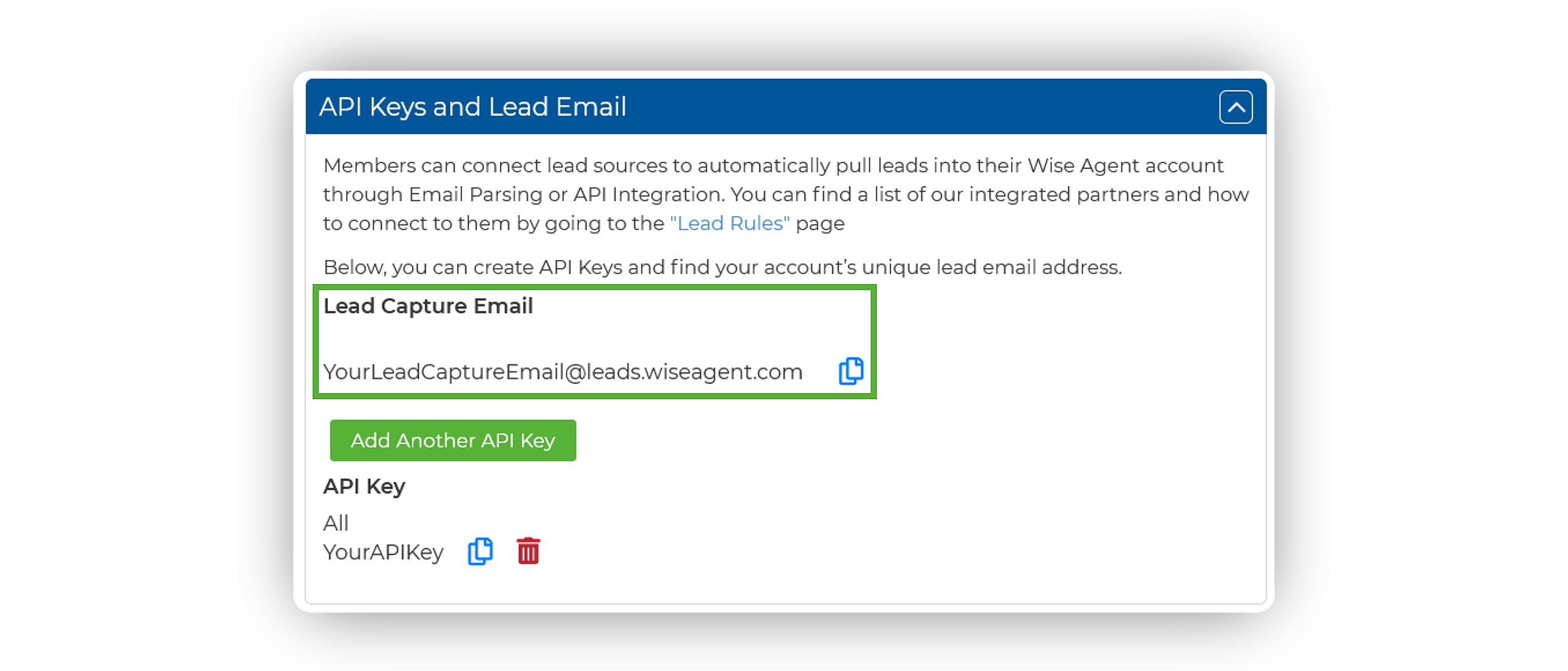
On the Integrations Settings page, locate and click on the API Keys and Lead Email tab and click to expand.
From this section, locate and copy your Lead Capture Email. This email address is specific to your Wise Agent account and is used to capture leads from various sources.
Add Your Wise Agent Lead Capture Email To Wix
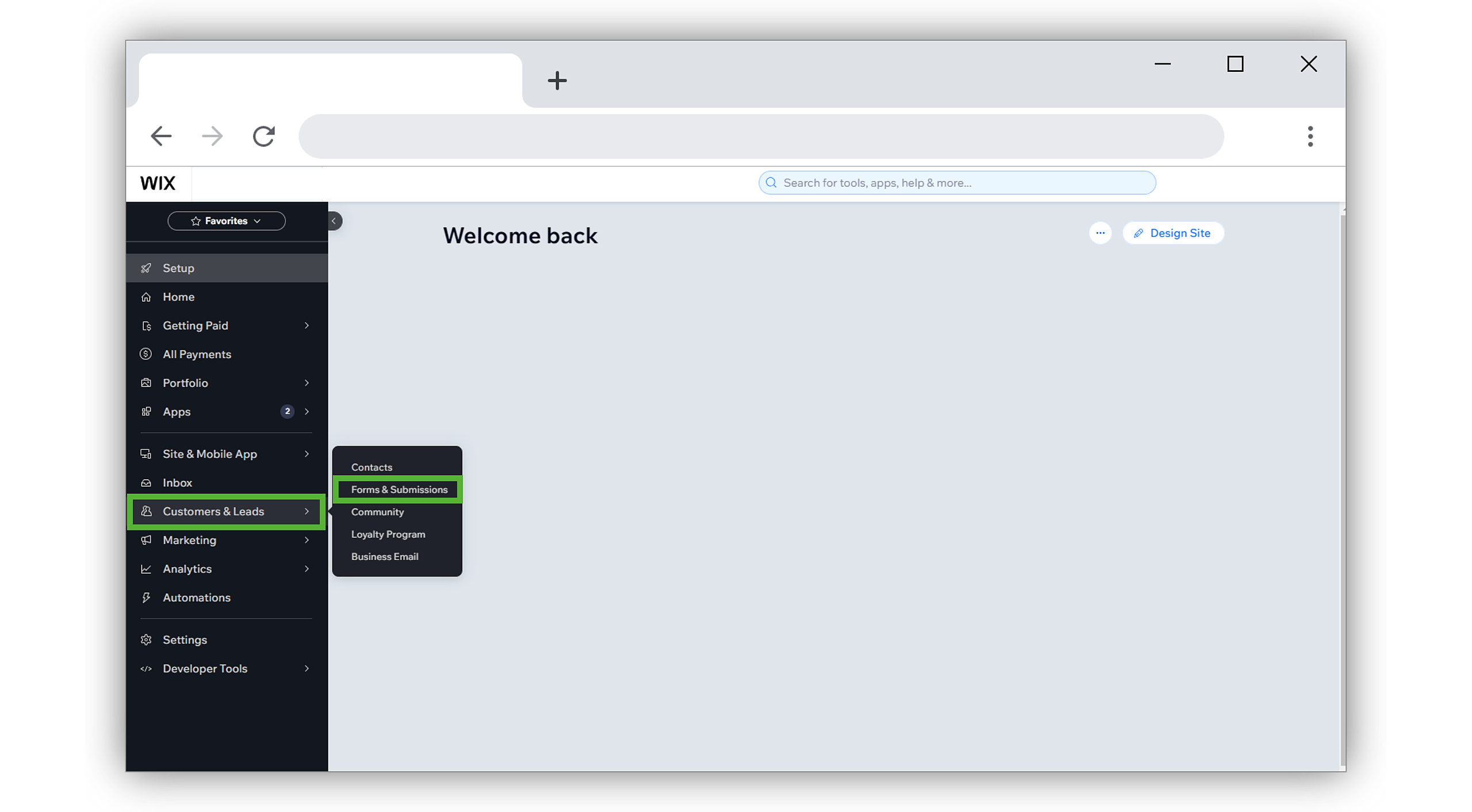
In your Wix dashboard, hover over Customers & Leads from the menu bar on the left, then select Forms & Submissions.
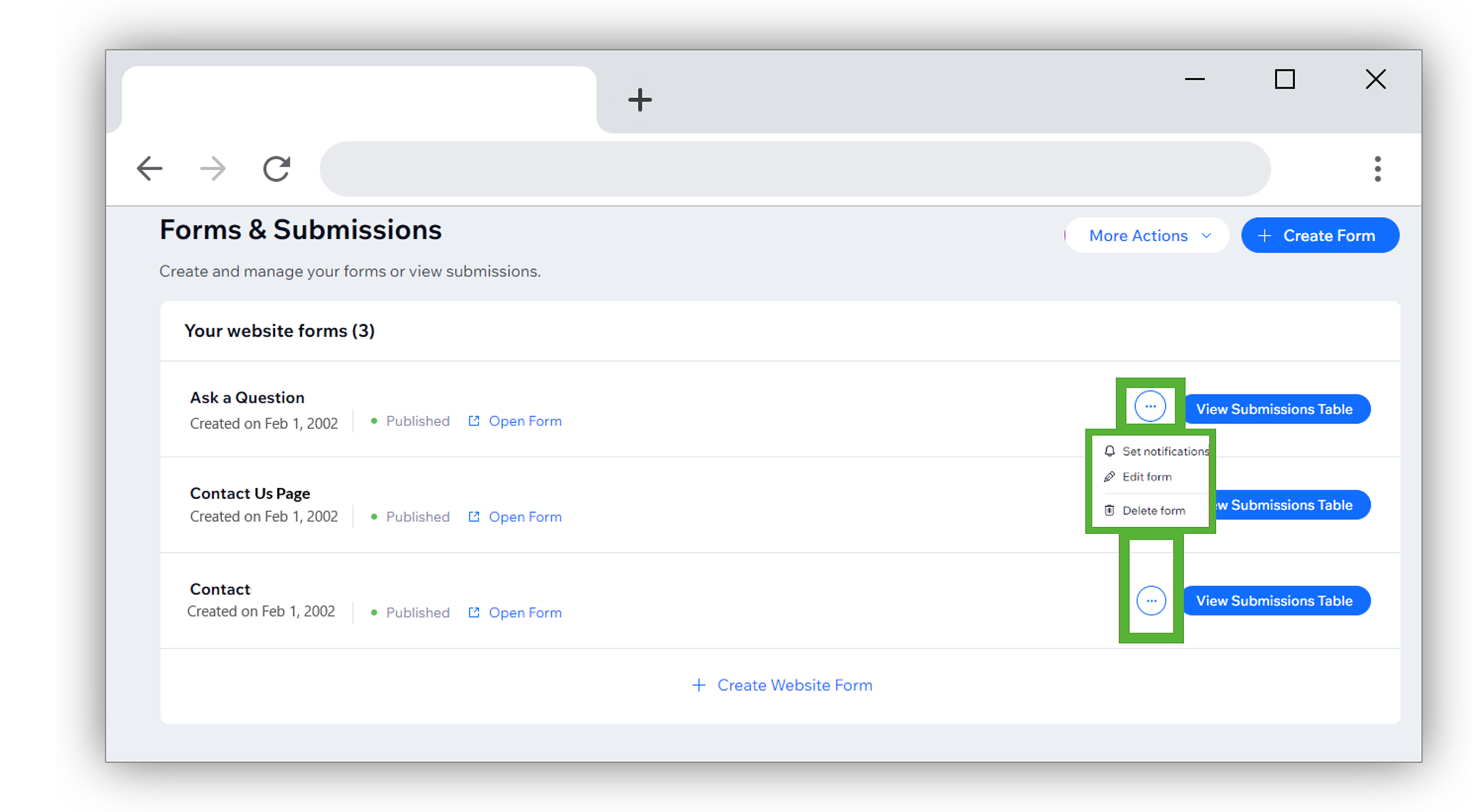
On the Forms & Submissions page, locate your lead capture form.
Click on the [···] menu icon to the right of the form and select Set Notifications.
Repeat this step for each form you manage.
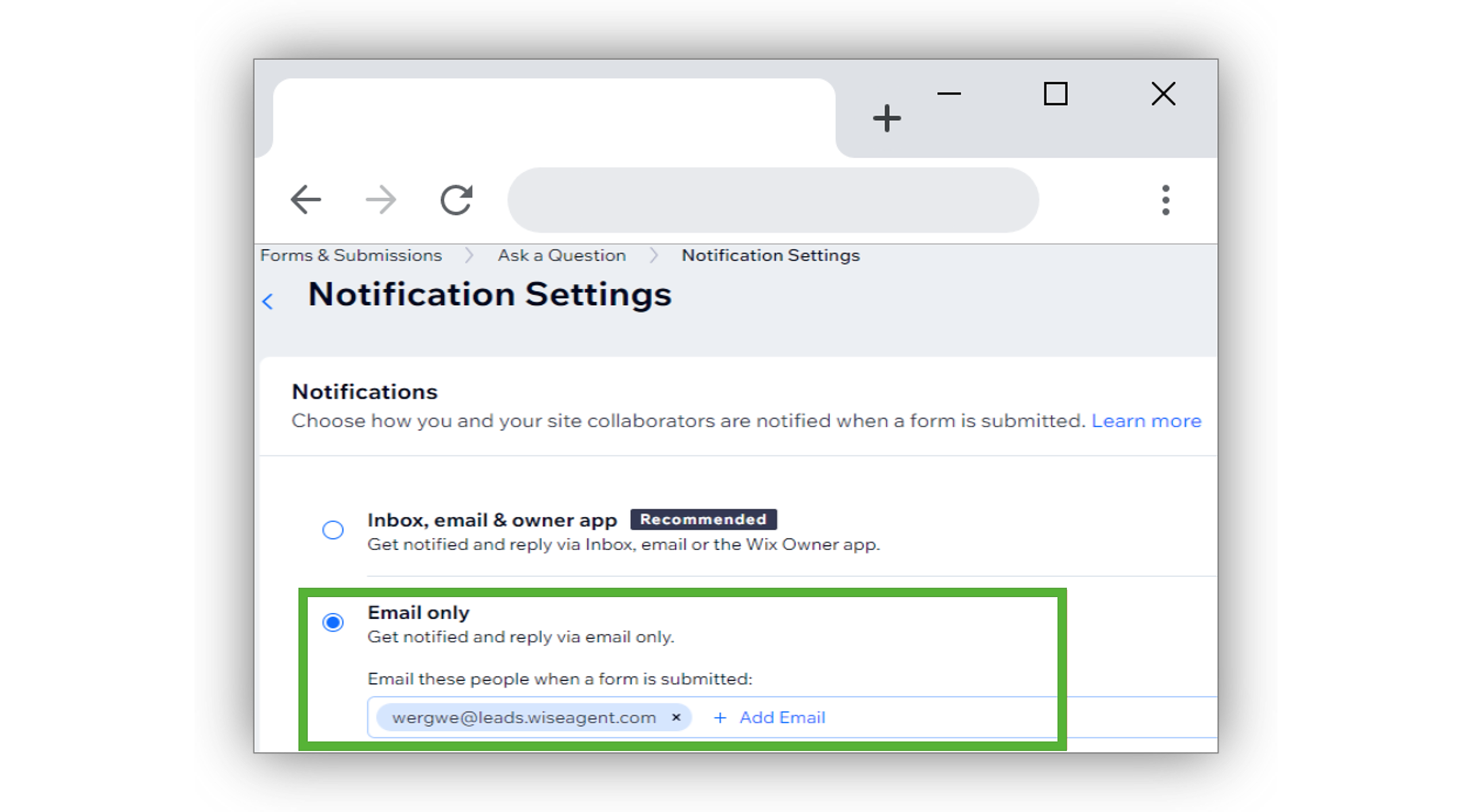
On the Notification Settings page, select Email Only.
Here, paste your Wise Agent lead capture email along with any other emails you wish to notify. The settings will auto-save.
Test The Connection
Submit a test inquiry through the form on your live Wix site, ensuring the test credentials submitted does not already exist in your Wise Agent account.
Wait for the email notification to arrive in your email inbox.
Check your Wise Agent contact list to ensure that the lead has successfully entered your Wise Agent account.
If you receive the email notification, but the lead does not enter your Wise Agent account, please forward the email notification to help@wiseagent.com. In your forwarded email, mention that you are trying to set up Email Parsing, in addition to providing the name of the lead source/ platform you are configuring, and our team will assist you in troubleshooting the issue.