

How to send a report:
Click Contacts > Contact List
Search for your contact and click on their name to view their Contact Summary
Click on the Integration Actions from the drop-down select Cloud CMA
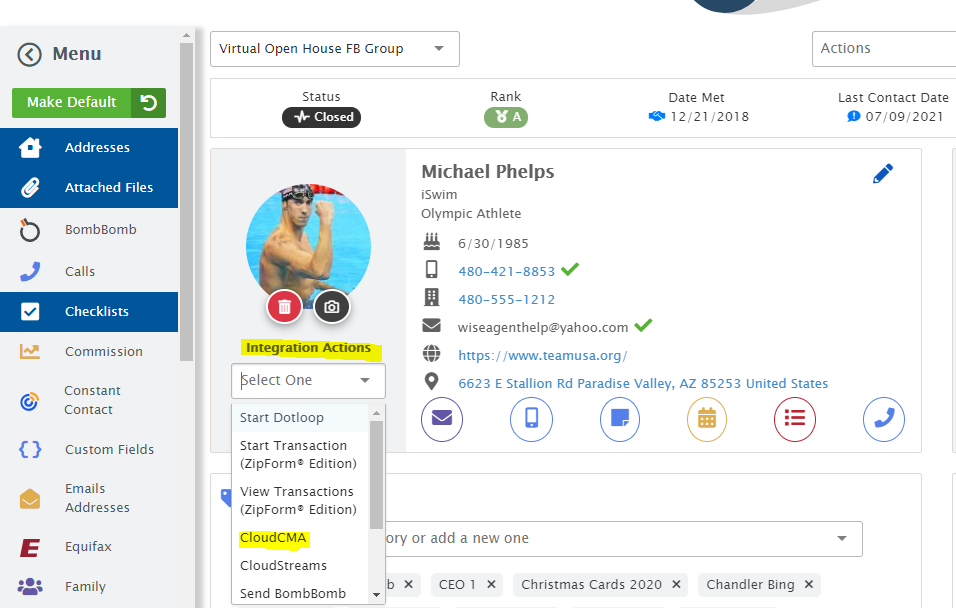
You will get a pop-up to confirm sending the Cloud CMA click "Yes"
Choose an email signature, enter a subject, and message then click “Send CMA”
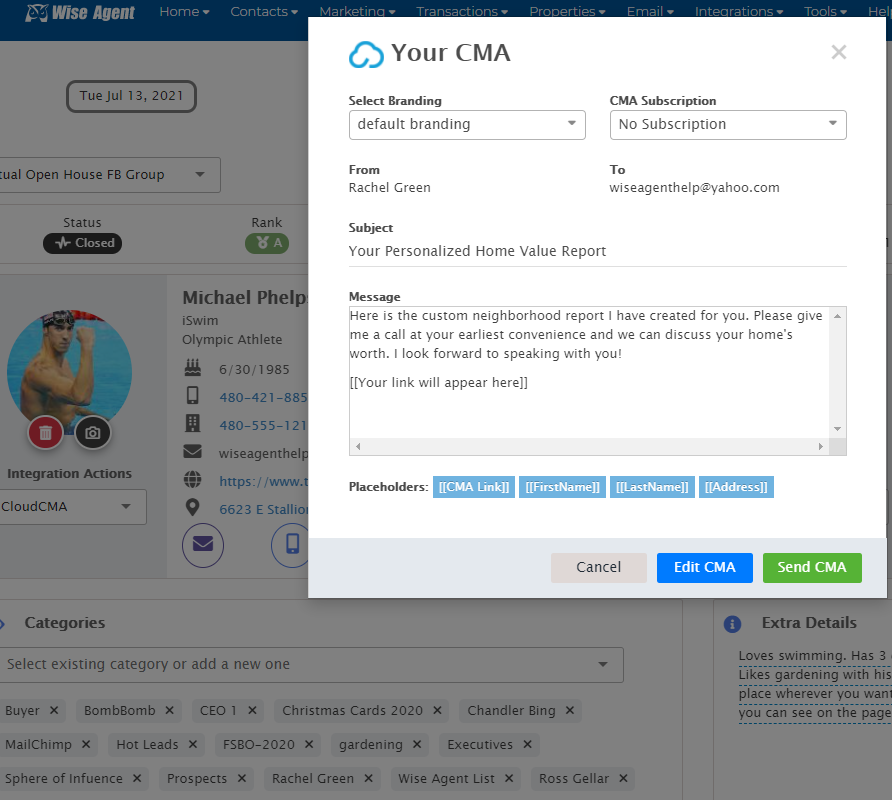
Note: You can send monthly CMA reports by making a selection from the subscription drop-down if you wish for that specific contact to get the reports monthly and then click “Send CMA”
Example Message: “I thought you might enjoy seeing the value of your neighborhood!”
Click here for a video tutorial.