


Step 1: Obtain your User Token from CloudStreams
Log in to your CloudStreams account.
Navigate to the top right corner and click on the Account drop-down.
Select Settings from the options.
Within the Settings page, go to the Lead Generation tab.
At the bottom of the Lead Generation page, click on the Advance Usage link to copy your User Token.
Step 2: Activate your CloudStreams User Token in Wise Agent
Log in to your Wise Agent account.
From the sidebar, select Integrations, then Settings.
Paste your CloudStreams (User Token) API key into the provided field and click Activate.
Step 3: Sending a Report
From the sidebar, select Contacts then Contact List.
Search for the desired contact and click on their name to view their Contact Summary.
Select the Integration Actions dropdown, then click CloudStreams.
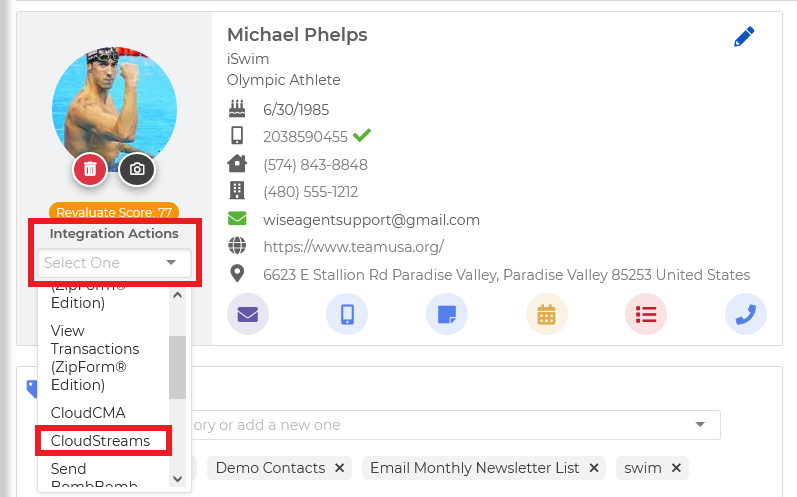
A window will appear confirming the successful invitation to CloudStreams.