


Obtain Your Unique Wise Agent Lead Capture Email
From the sidebar, select Integrations, then click Settings from the menu.
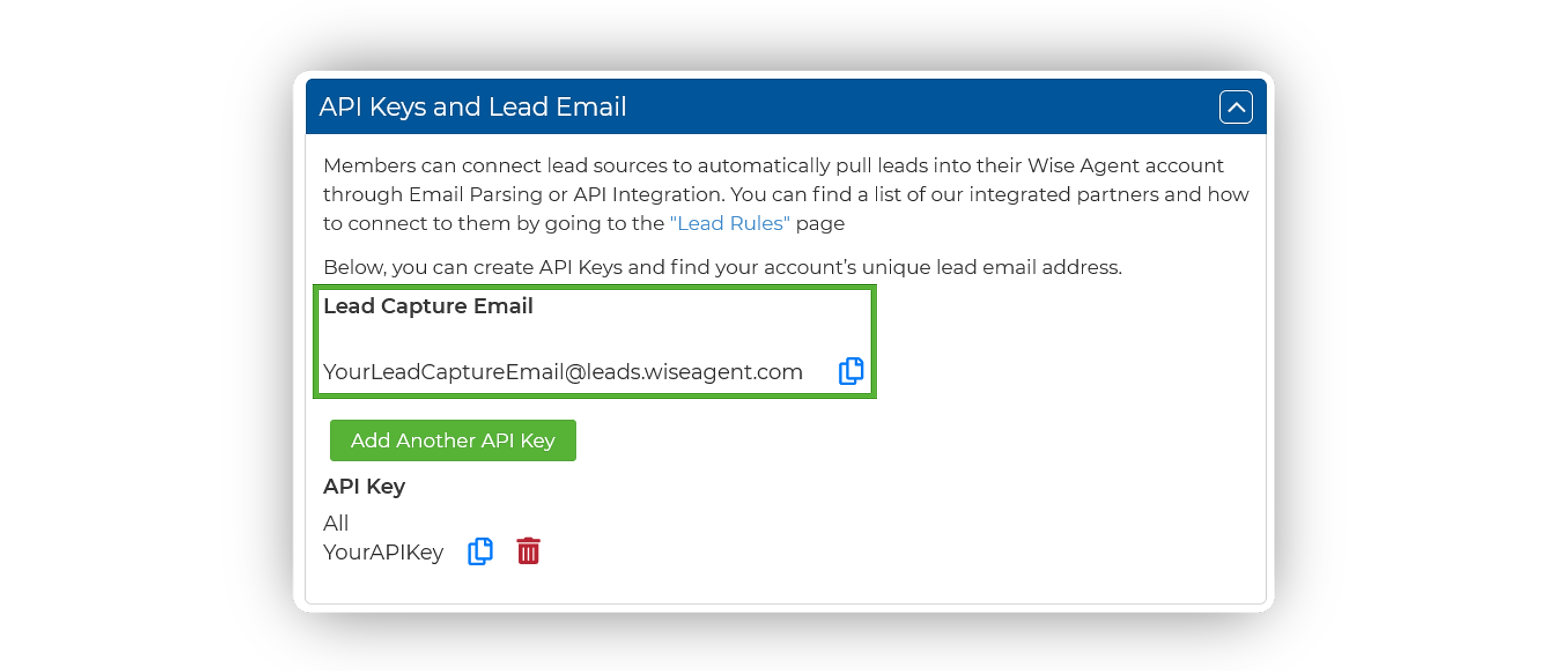
On the Integrations Settings page, locate and click on the API Keys and Lead Email tab and click to expand.
From this section, locate and copy your Lead Capture Email. This email address is specific to your Wise Agent account and is used to capture leads from various sources.
Adding Your Lead Capture E-mail To GoDaddy
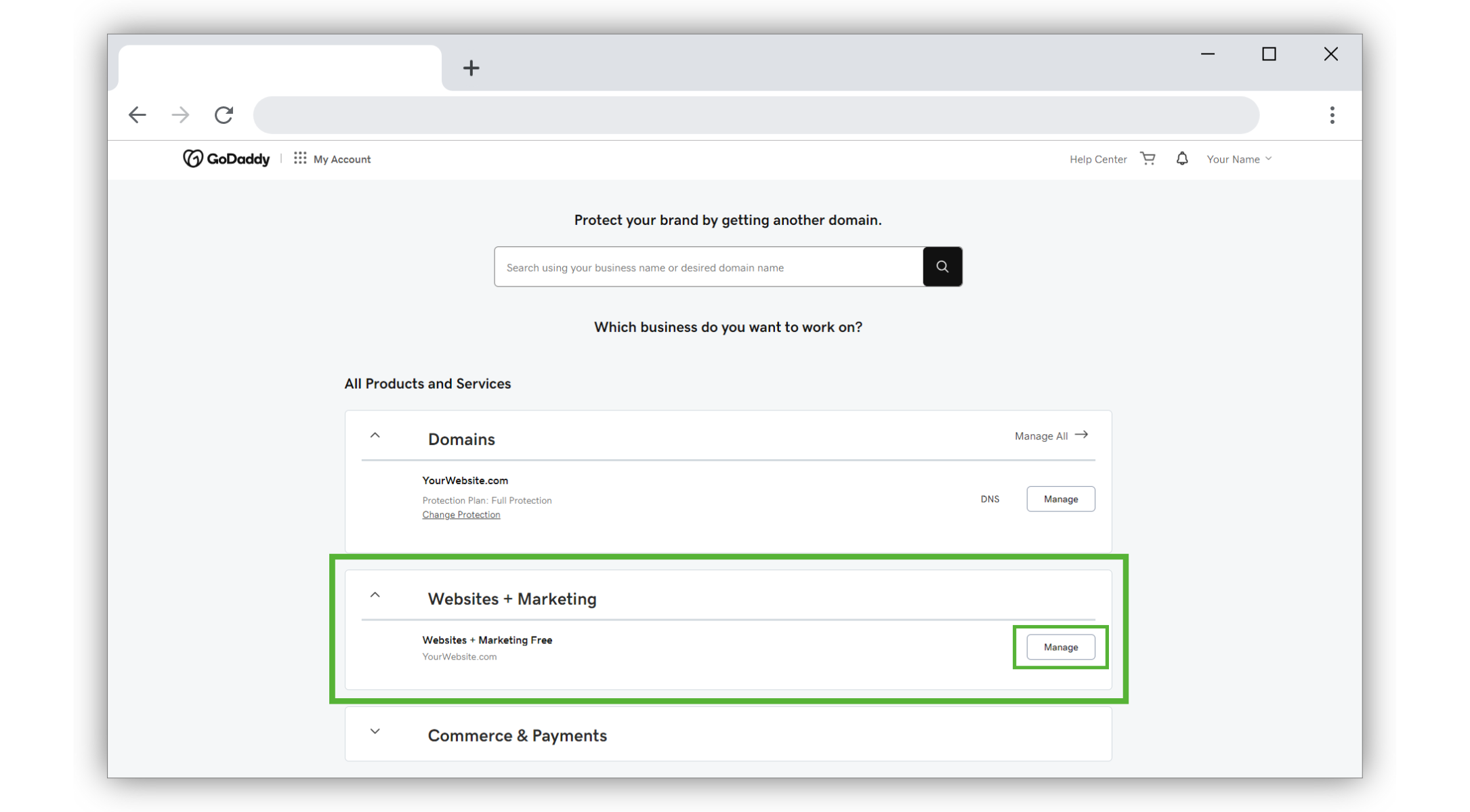
Go to your GoDaddy product page.
Scroll to Websites + Marketing and select Manage next to your site.
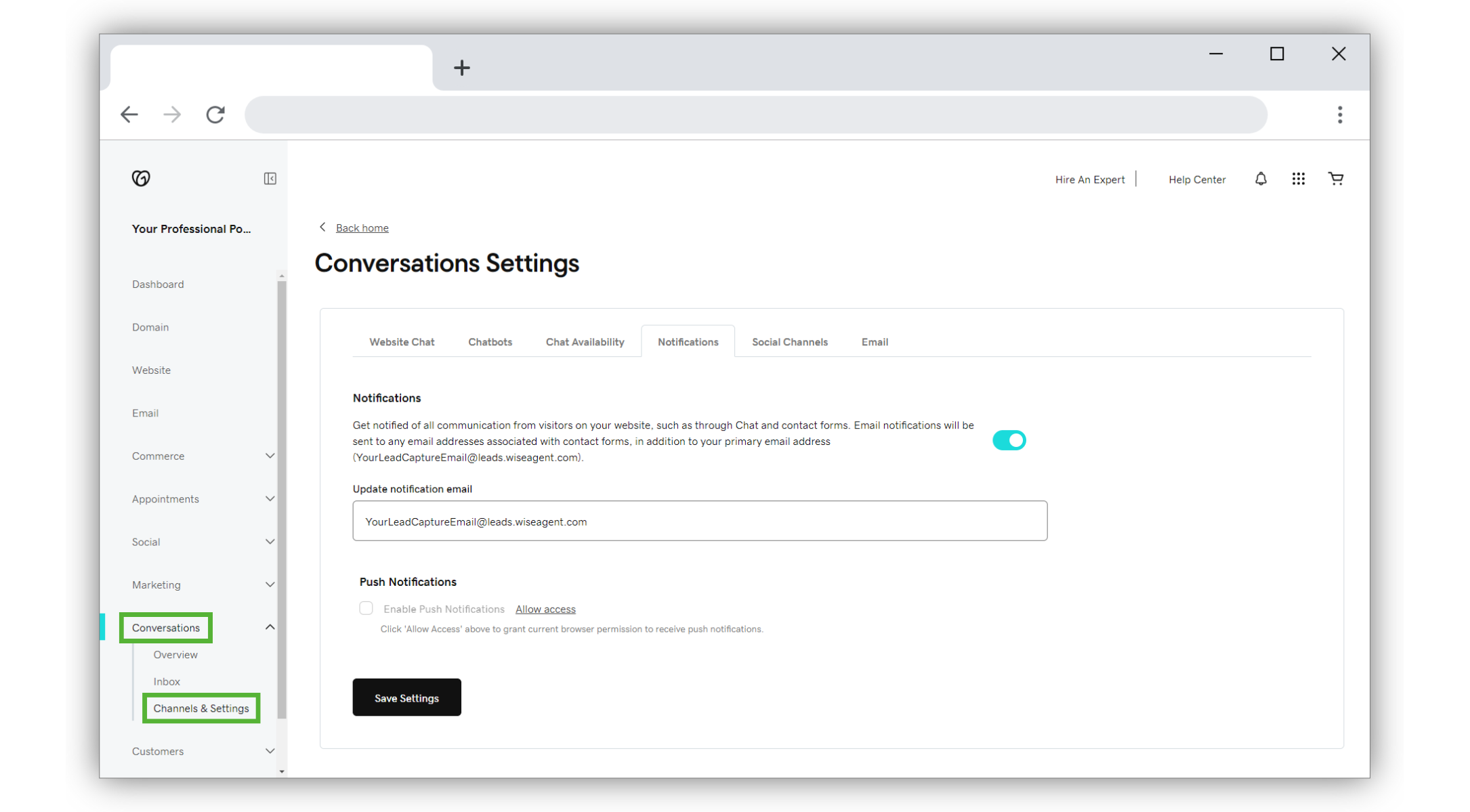
In the menu on the left, select Conversations and then Channels & Settings.
Select Notifications.
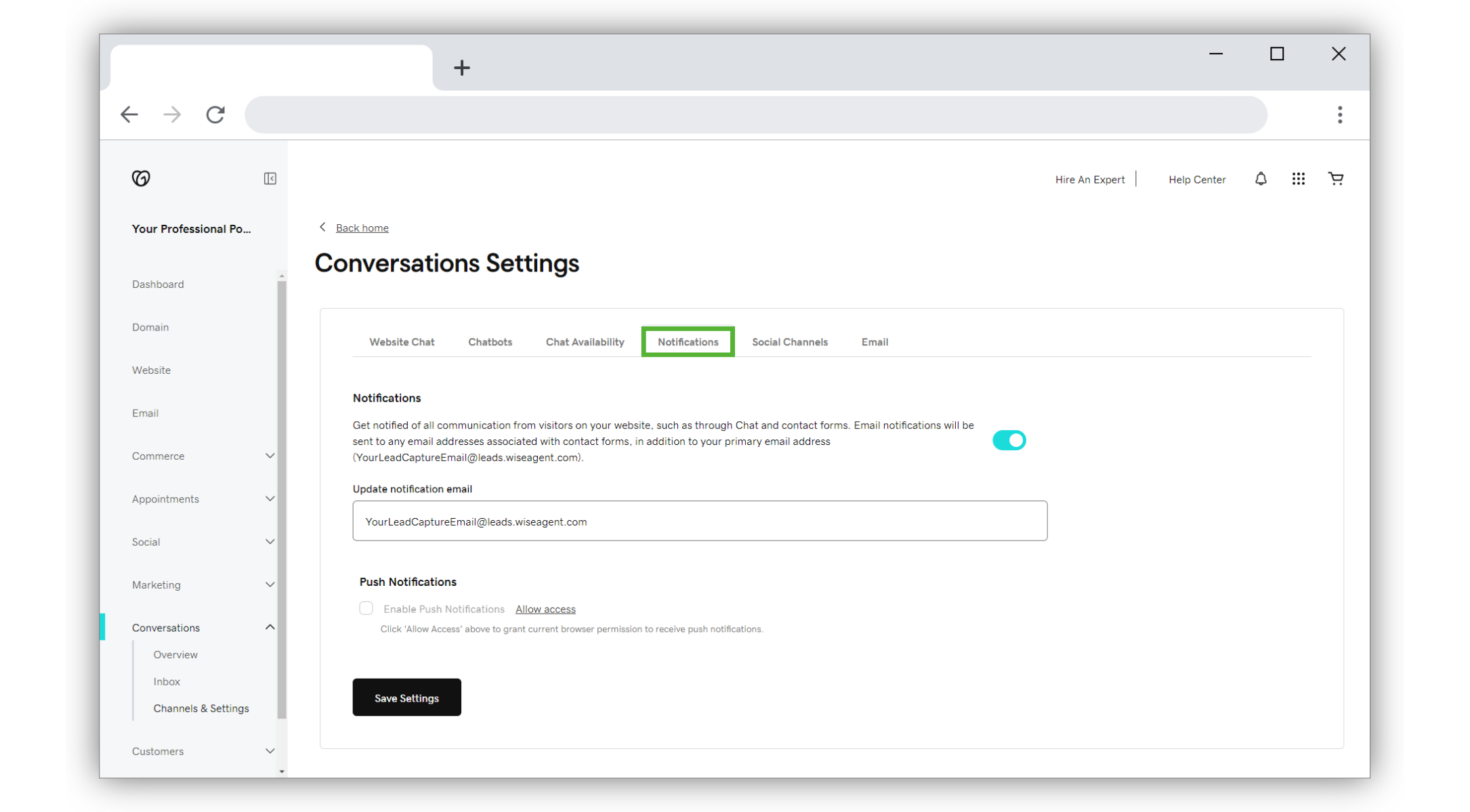
To receive chat messages through email, turn the toggle on (shows green).
In the Update Notification Email box, input your Wise Agent lead capture email.
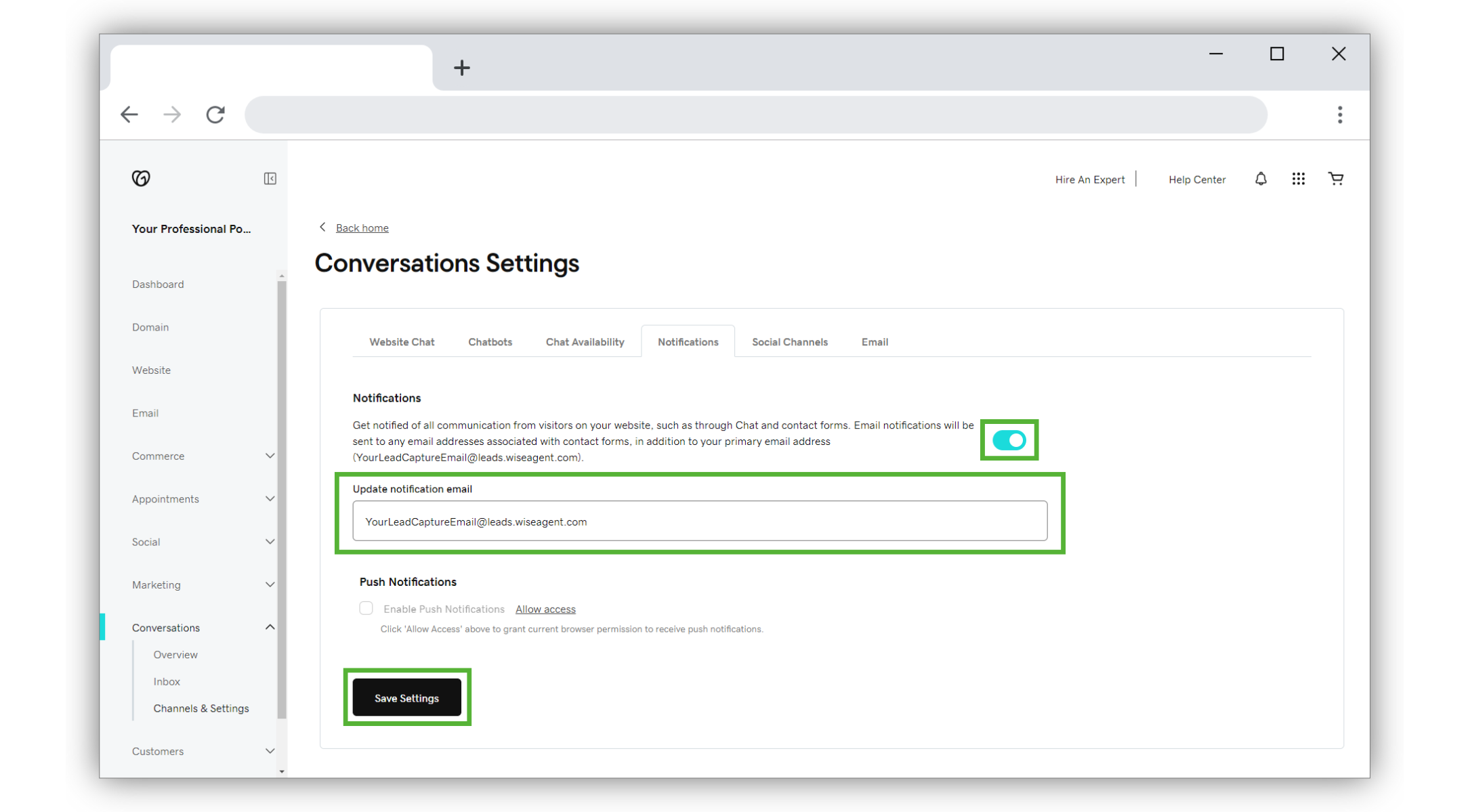
Click Save Settings, and that's it!
Testing the Integration
Submit a test inquiry through the connected form on your website, ensuring you use information that does not already exist in your Wise Agent contacts.
Wait for the email notification to arrive in your email inbox.
Check your Wise Agent contact list to ensure that the lead has successfully entered your Wise Agent account.
If you receive the email notification, but the lead does not enter your Wise Agent account, please forward the email notification to help@wiseagent.com. In your forwarded email, mention that you are trying to set up Email Parsing through GoDaddy, and our team will assist you in troubleshooting the issue.
Please note that the entire email message body will also be saved in the Wise Agent contact record under the "Notes" section for your reference. With this in mind, any additional submitted fields that are outside of our supported fields can be referenced in the notes!