

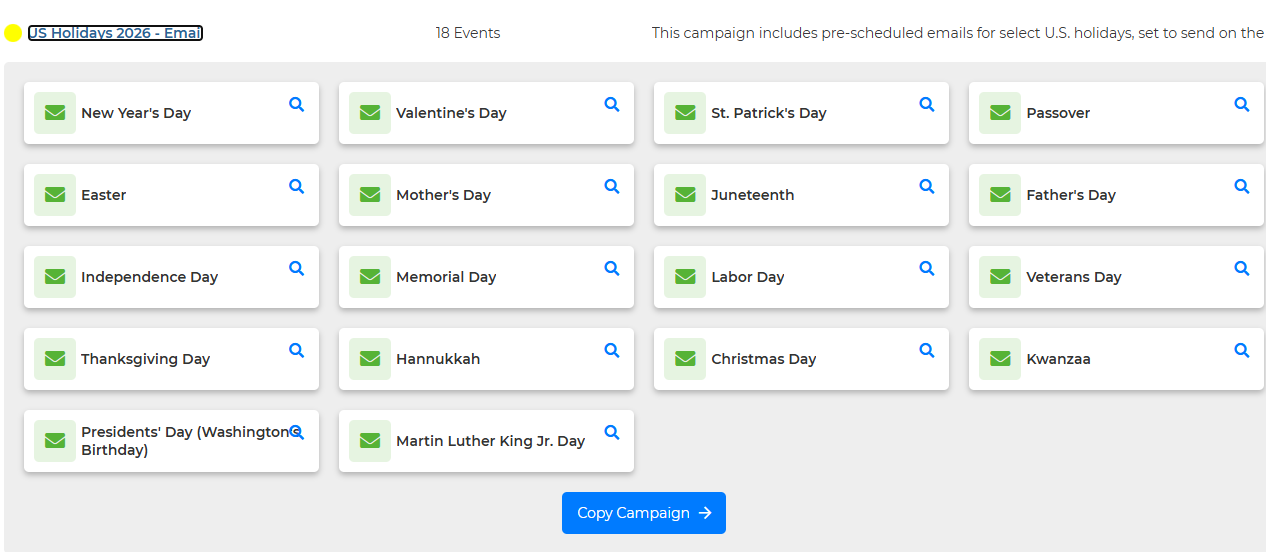
Steps to use the Campaign:
1. Click Marketing, then Drip Campaigns.
2. Select "+ Campaign>Stock Campaign" if you have campaigns, or click "Use a Template" if it's your first campaign.
3. Find "US Holidays 2026-Email" and click it. This will open the events, where you can click the magnifying glass to preview each one or select "Copy Campaign."
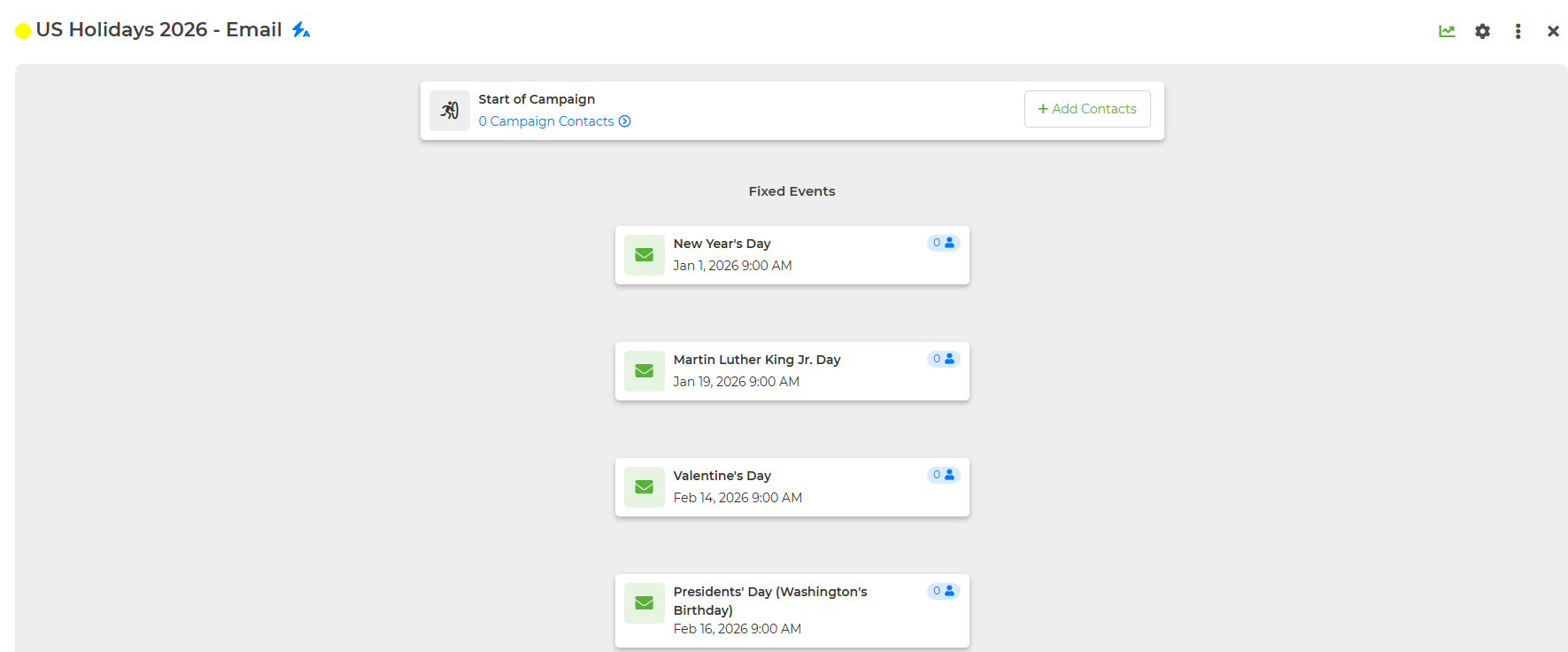
4. Make any changes to your campaign by hovering over the event, and clicking the blue pencil icon. You can also click the event and select "Edit Event".
5. Once your happy with how everything looks, click "+ Add Contacts"

Select the contacts you'd like to add to the campaign and click "Add Contacts." Now your clients will receive a Holiday email on every holiday included on the list!