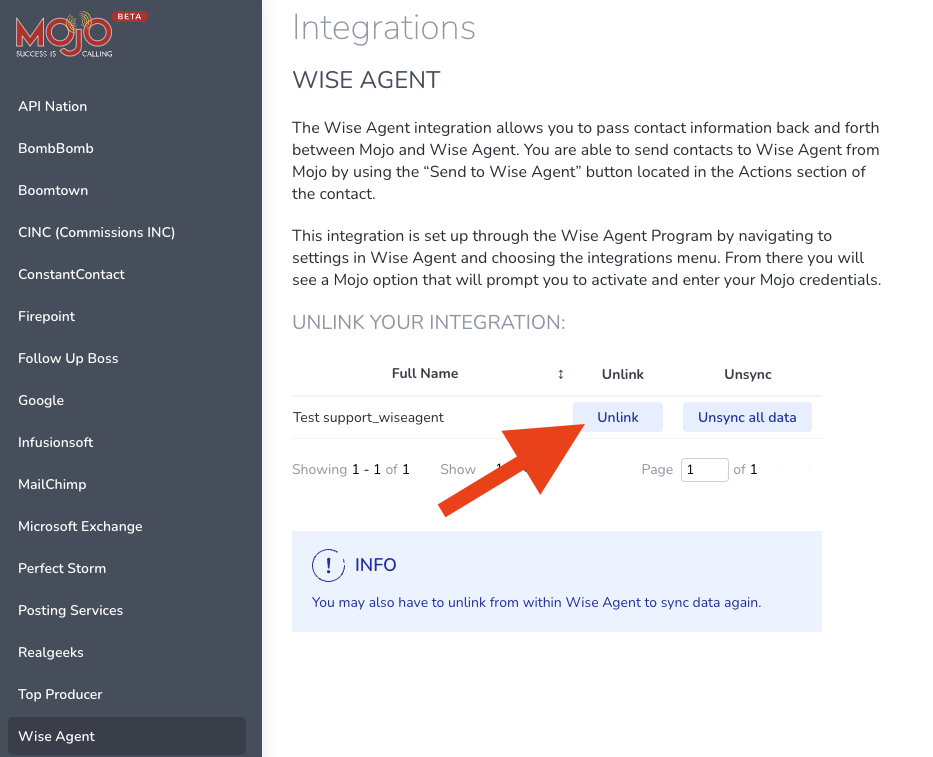
To disconnect the Mojo integration you must follow both steps for Wise Agent and Mojo.
First, you will need to disconnect the integration from Wise Agent:
Log into Wise Agent
Click on the integrations drop-down and then on Settings.
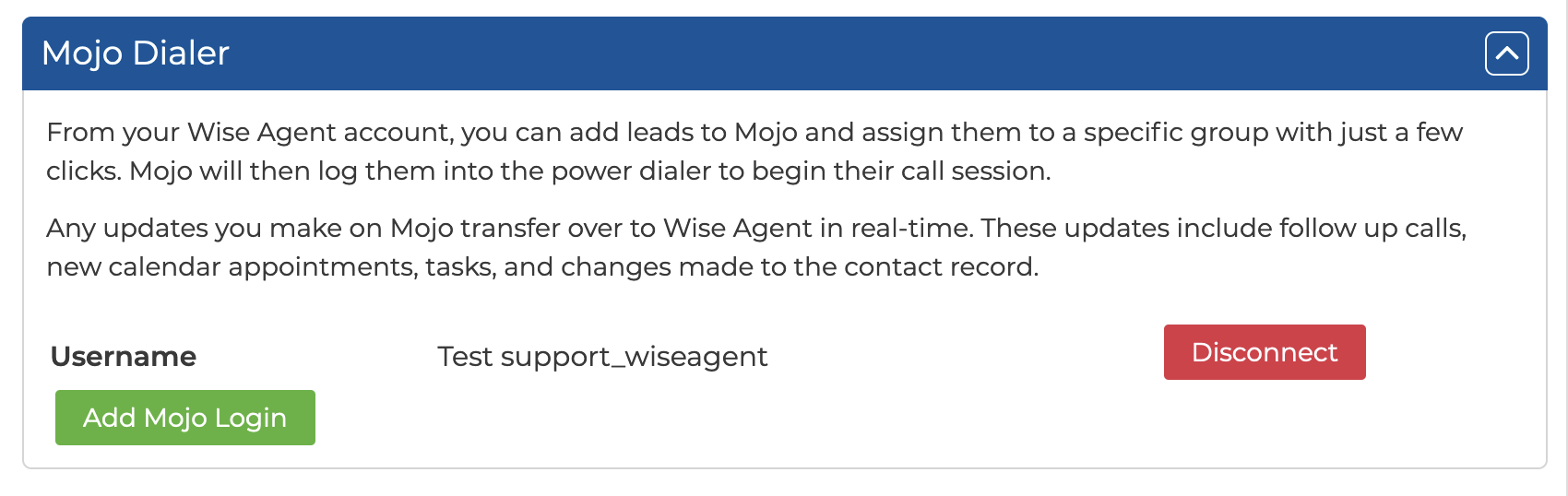
On the Integrations settings page, click on the arrow on the Mojo Dialer header.
From this section click on the "red" disconnect button.
Now to complete the process, you will need to "Unlink" to the integration from your Mojo dashboard.
Log into Mojo
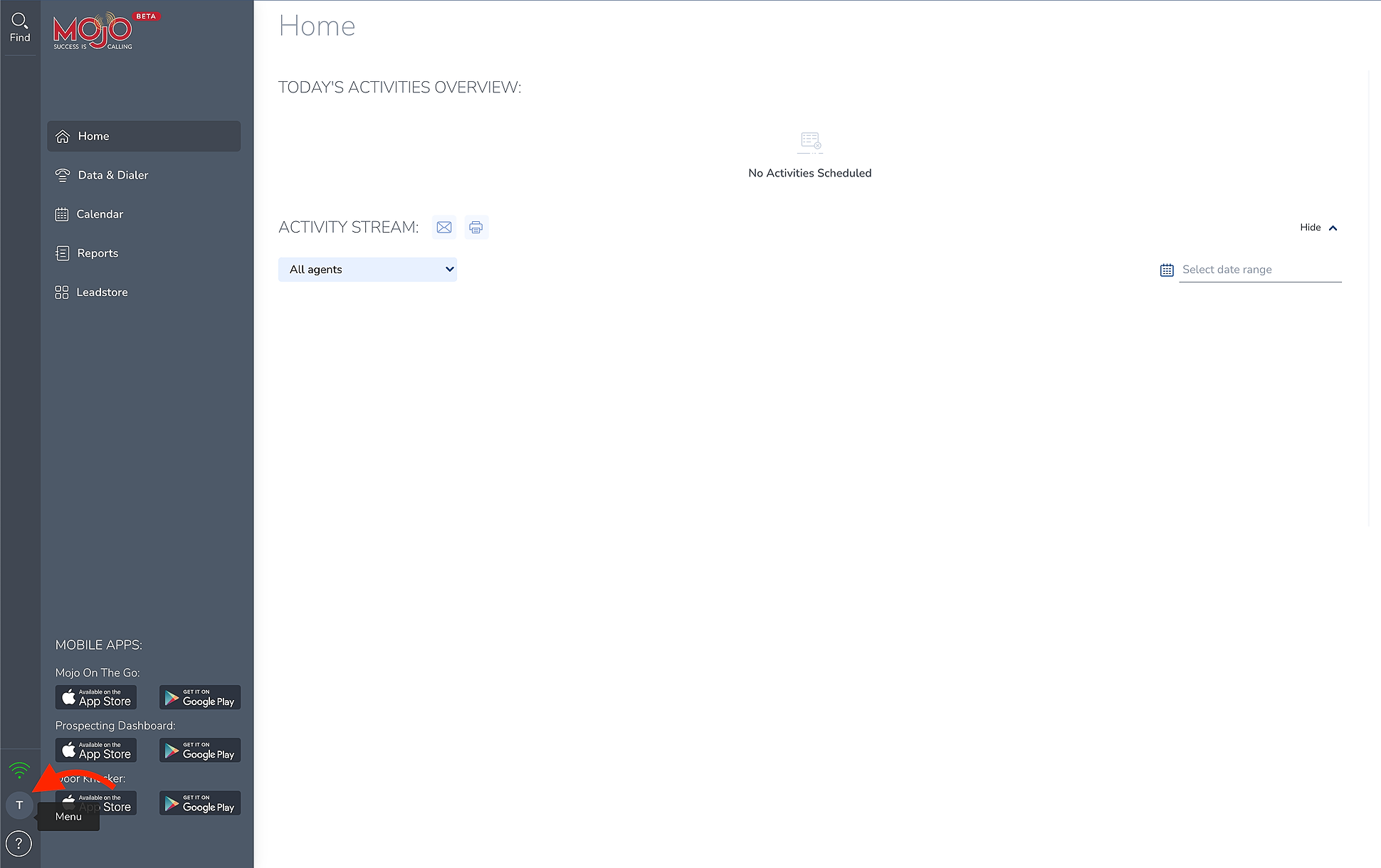
Click on the menu icon on the bottom left-hand side of the screen.
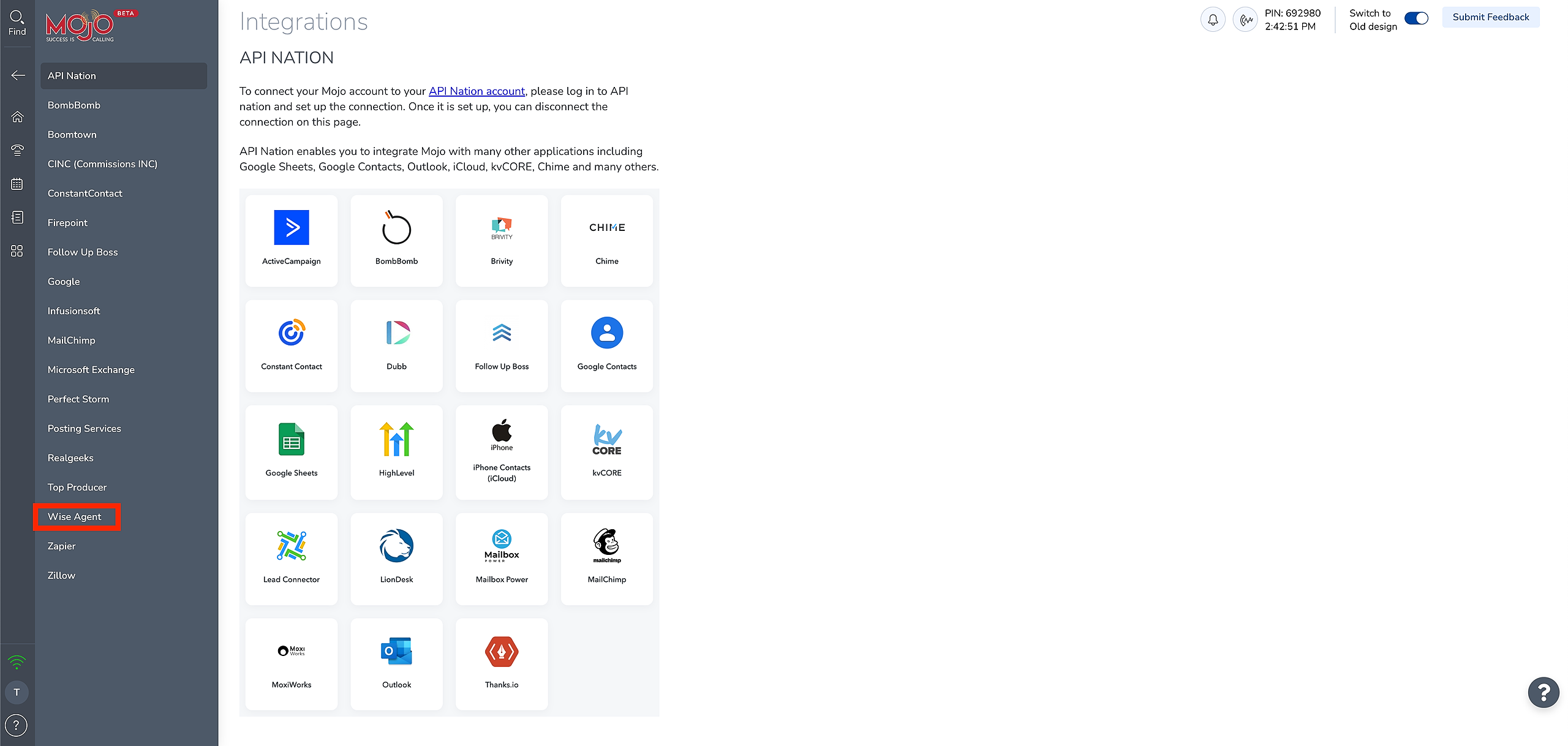
From the menu, select Integrations
On the Integrations page, select Wise Agent
Once you are on the Mojo + Wise Agent integrations settings select "Unlink" to disconnect the integration from Mojo's end.