

Logo

What are you looking for?

Get help straight from our team...

Creating Checklist Templates

Transaction Management

Creating Checklist Templates

Each transaction checklist is created from your template. Wise Agent provides customizable templates to assist you in keeping track of all the critical dates, real estate data, tasks, transaction notes, and contacts. You can reuse your template once you've created it whenever you have a listing or a closing.

Last updated on 29 Oct, 2024

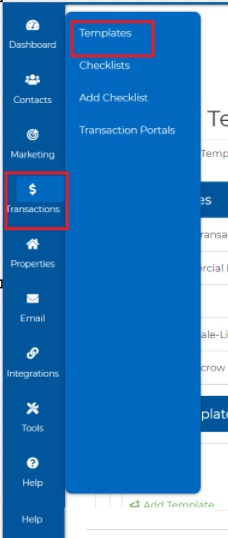
1. On the side navigation bar select Transactions > Templates.
Image

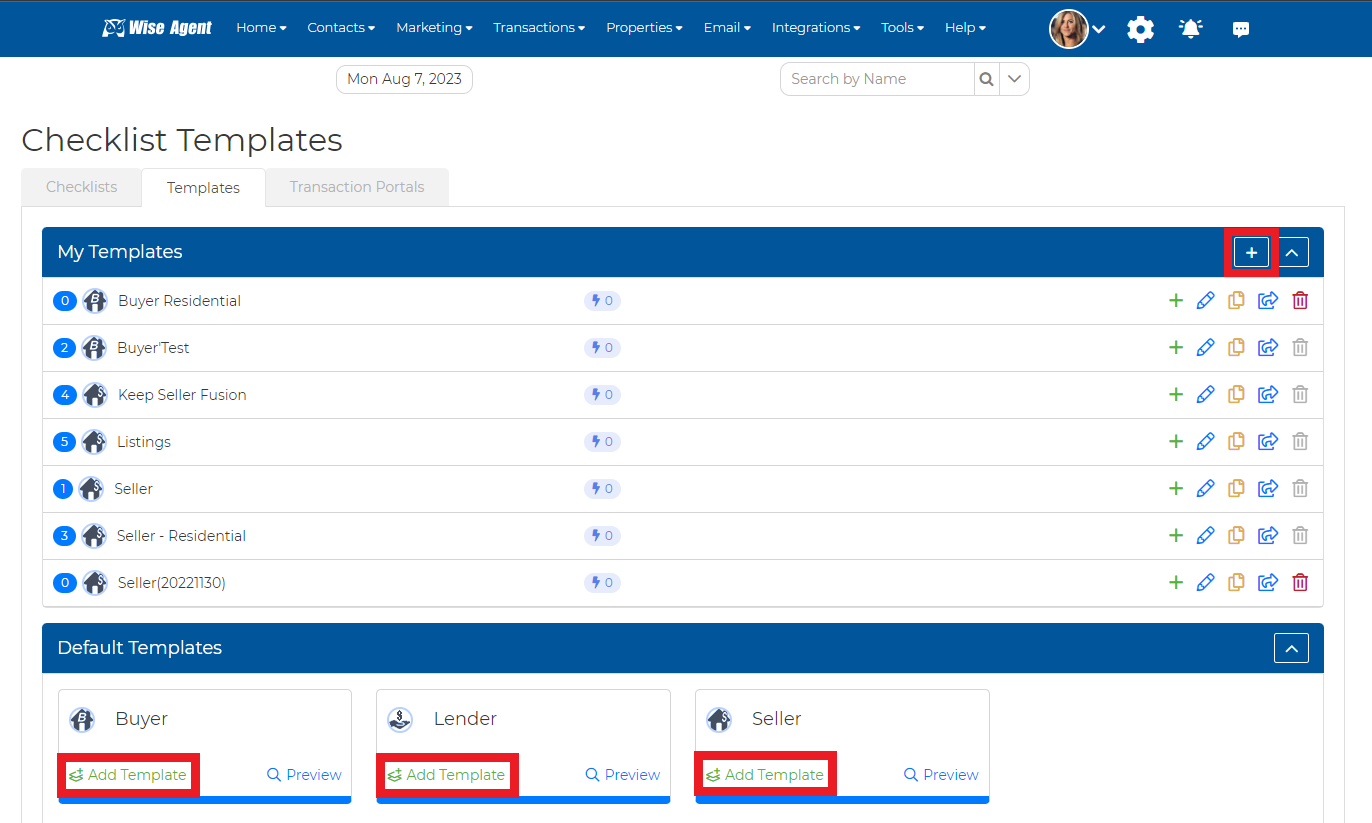
2. Click on the "+" to create a custom template, or use one of our Default Templates by clicking on the Add Template button.
Image

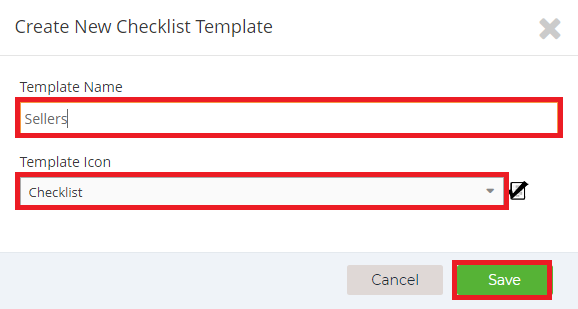
3. Now, you can give your checklist template a name and icon, then hit Save.
Image

4. It will then walk you through selecting your Dates, Form Fields, Checklist Contacts, and Tasks. For further information on how to set up "Checklist Triggers" for your tasks, click HERE!

Once you finish those steps, your template is complete and ready to be used to create your checklists!

Image
Did you find this article helpful?
Previous

Transaction Templates

Next