

1. From the "Properties" drop-down, select "Property List"
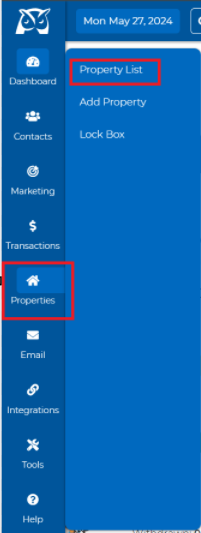
2. Once on your Property List, click on the property you wish to email a flyer for.
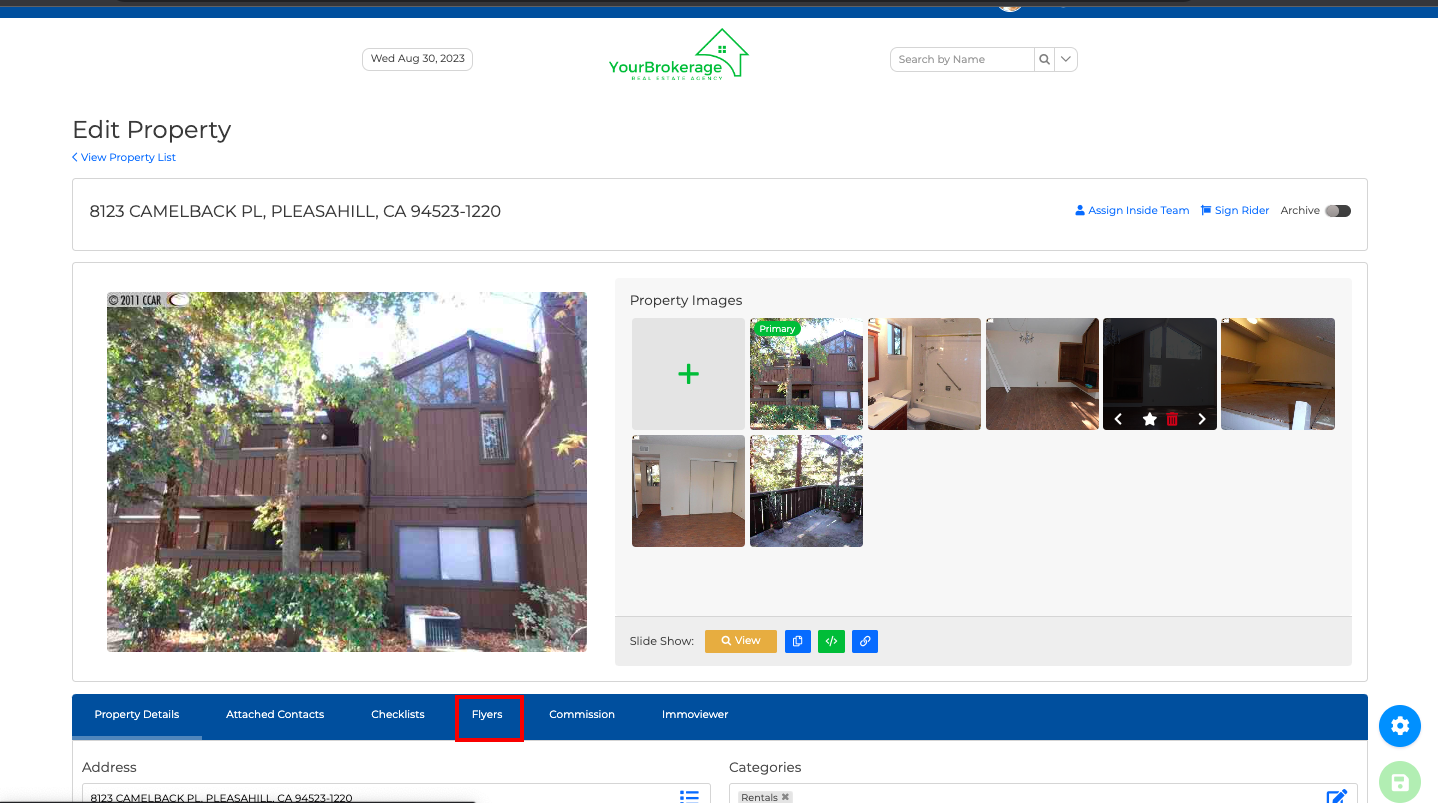
3. Once on the "Property Details" page, then click on Flyers.
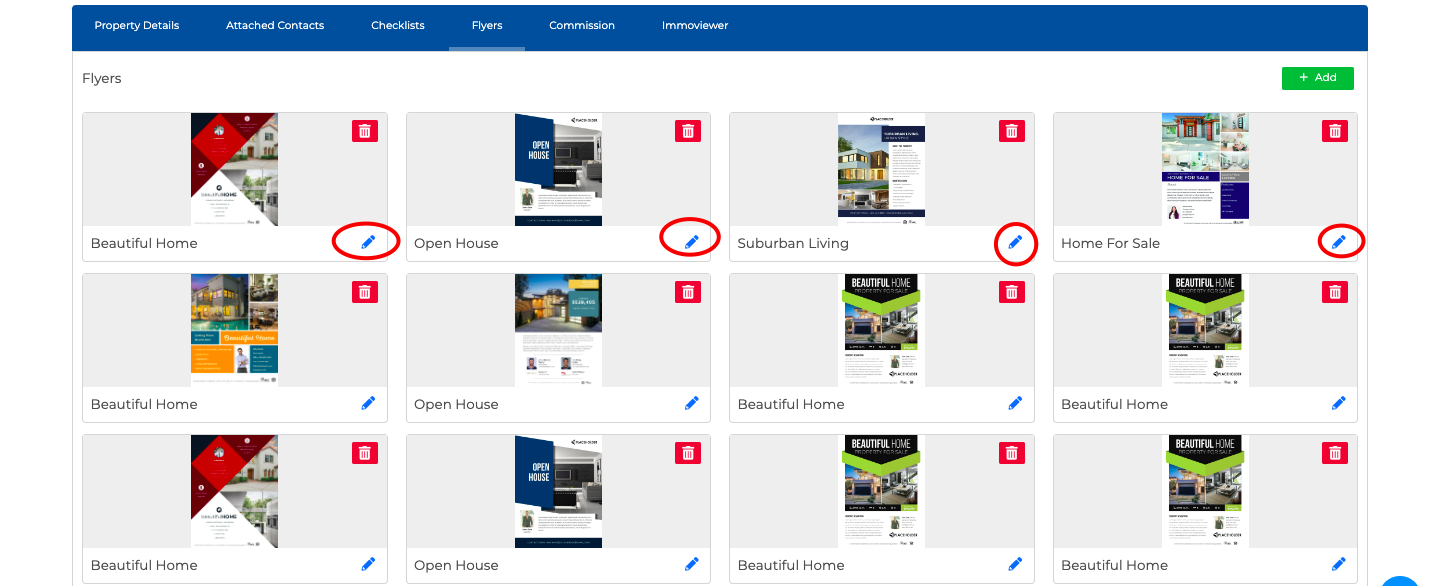
4. Click on the blue pencil icon for the flyer you wish to send. If you have not yet created a flyer, click HERE for the steps!
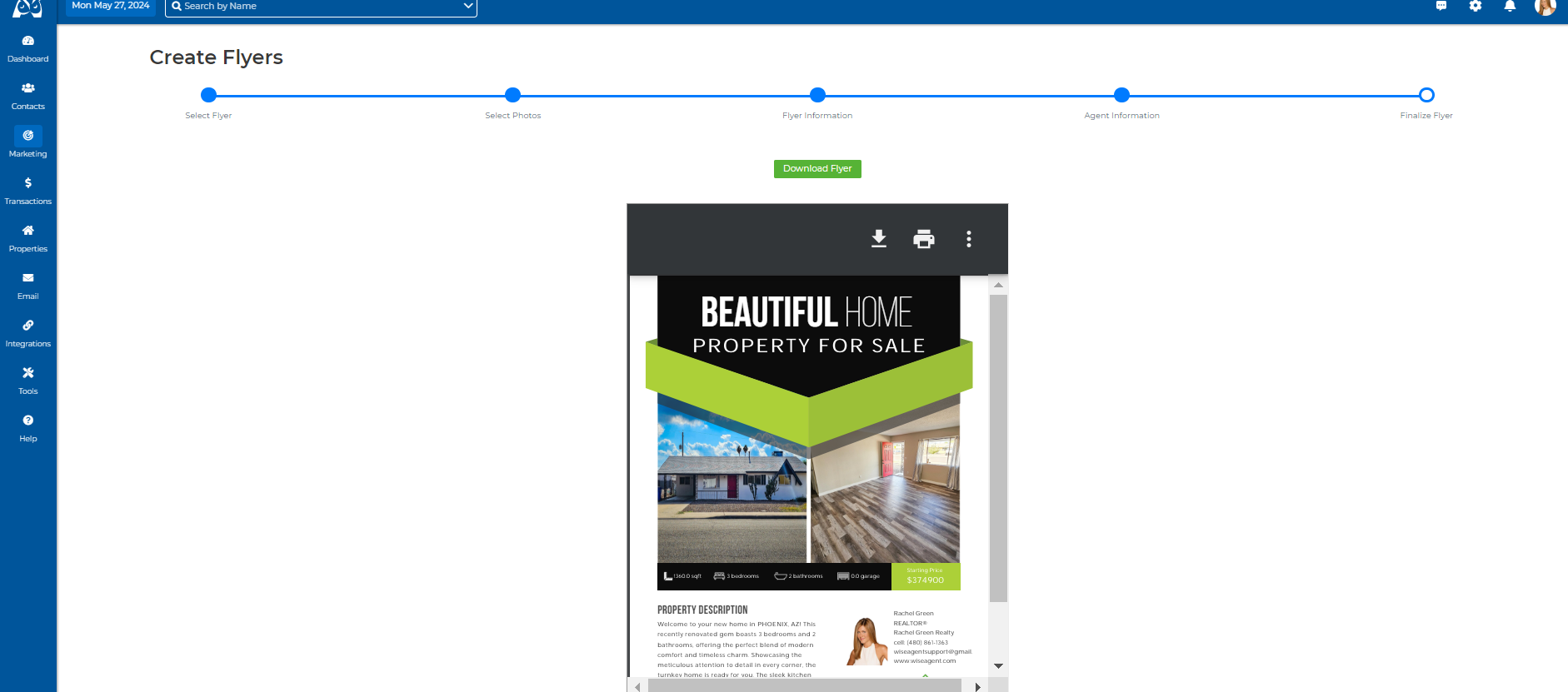
5. Once selected, this will open your flyer. Click on the "Download Flyer" button.
6. Once downloaded, you will need to use a file converting platform to convert the PDF to a JPG or PNG image. Additionally, we recommend resizing the image to a width of 650px (letting the height adjust itself) once converted, to ensure it is not too large within your email.
7. Once converted to an image and resized, you will want to import this into your image gallery, you can find these steps HERE!
8. Once the image is imported, you will then want to add it as an image into your email, you can find these steps HERE! & you are all set!