

Uploading Your Images
Navigate to your image gallery by clicking on Tools from the sidebar, then selecting Images.
Within the image gallery interface, locate and click on the Upload button. Once selected, the Upload Image window should appear.
Drop your files into the designated spot or click to select images from your computer.
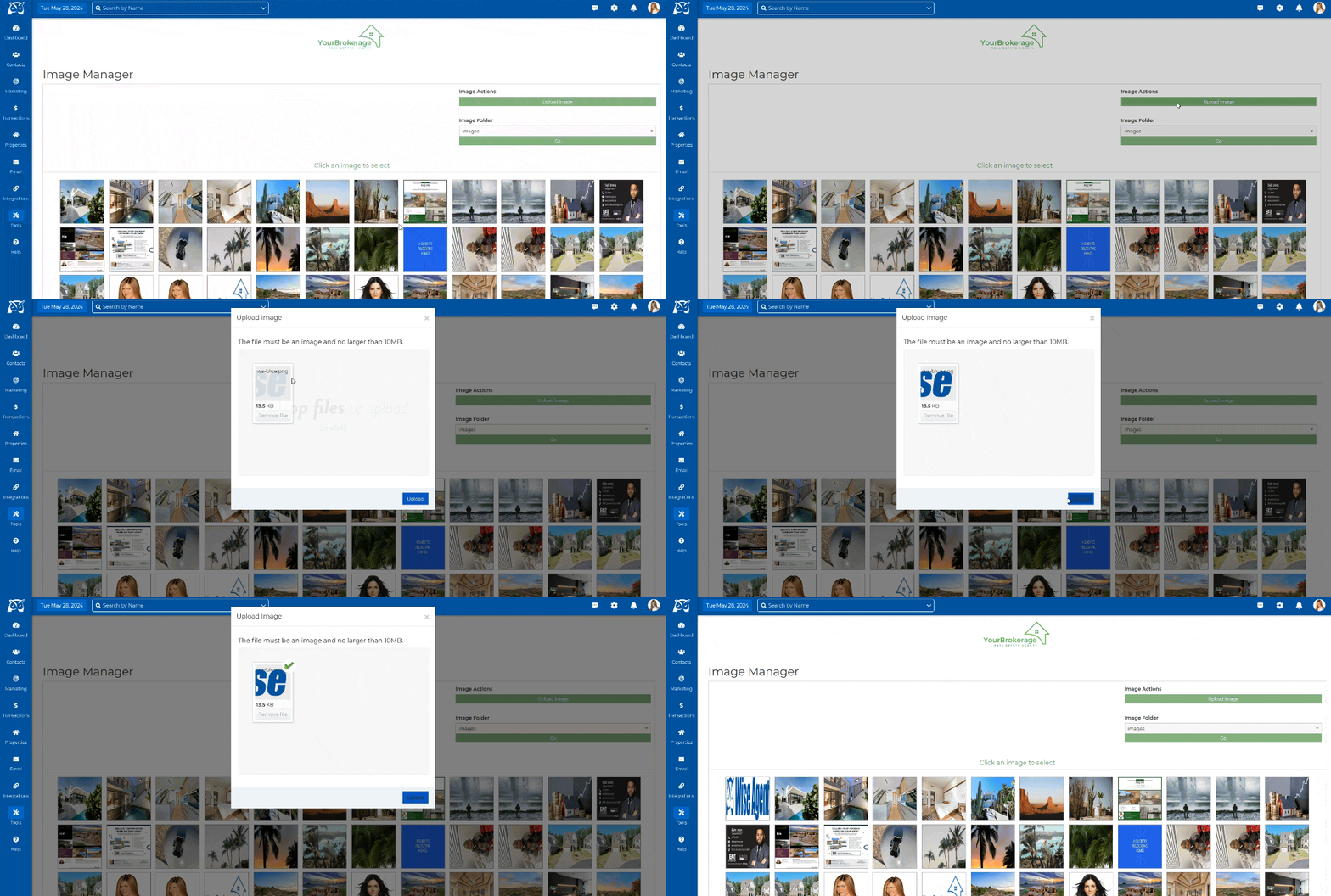
Once added, click on Upload and that's it!
Adding Images To Your Content Within The Content Library
Your Content Library can be found under your Marketing drop-down alongside your other real estate marketing tools in Wise Agent. You can manage, edit, and share your saved real estate content from this page in your CRM.
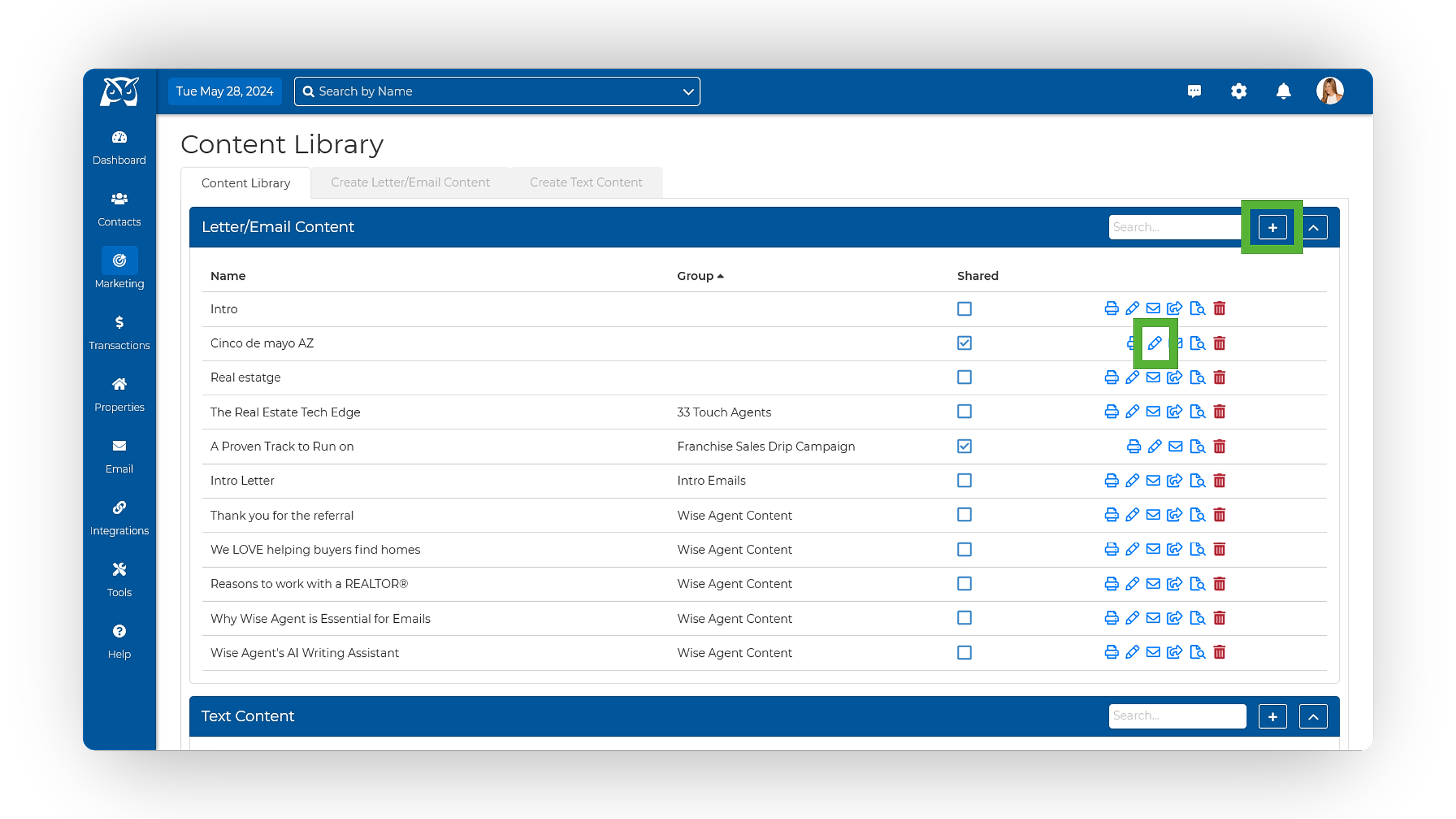
From the sidebar, select Marketing ➜ Content Library.
On the Content Library, click on the plus sign icon ⊞ to open a new piece of content, or select the pencil icon to edit your existing content.
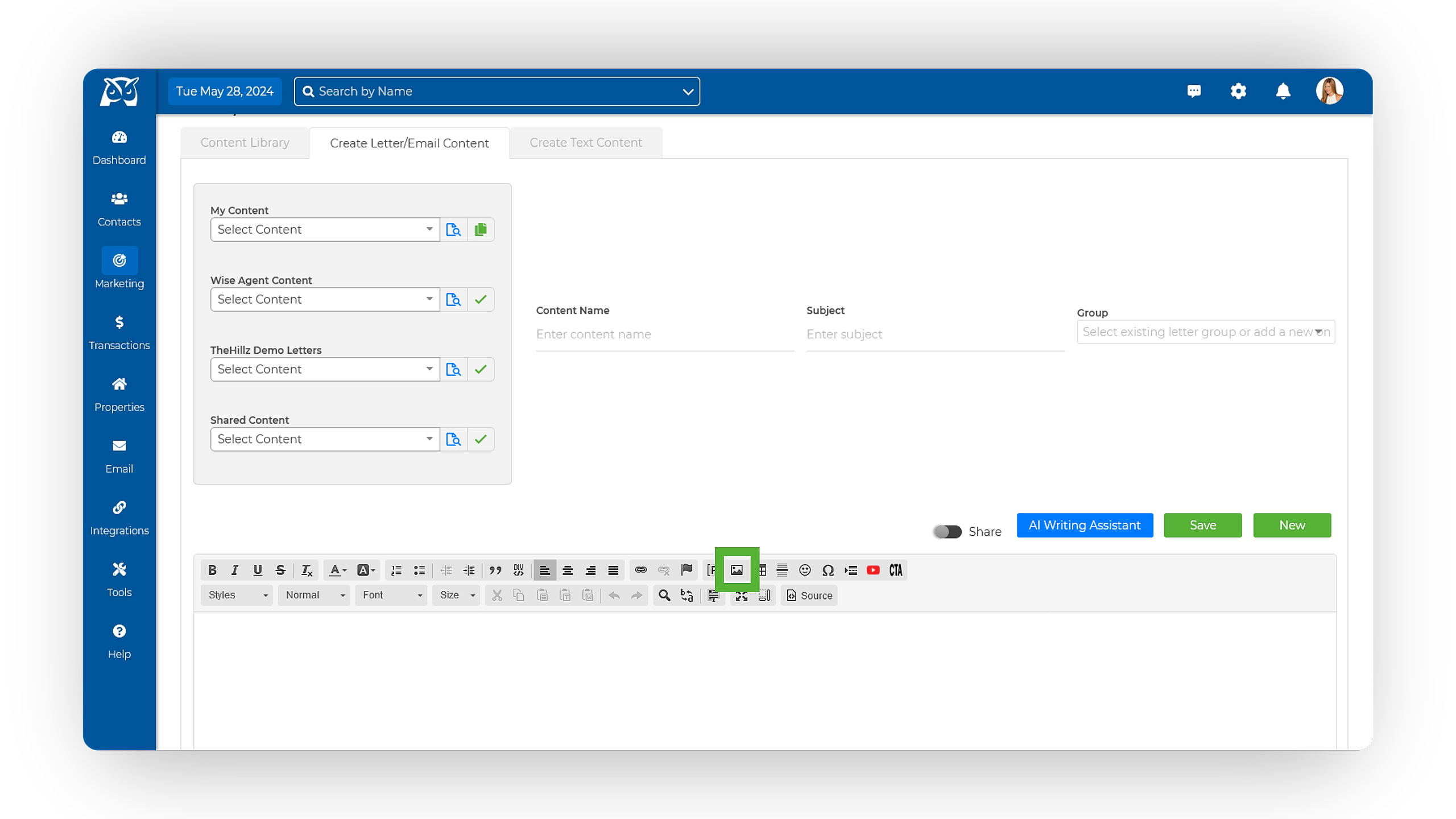
In the text editor toolbar, locate and select the Image button located at the top right (represented by a mountain clip-art icon).
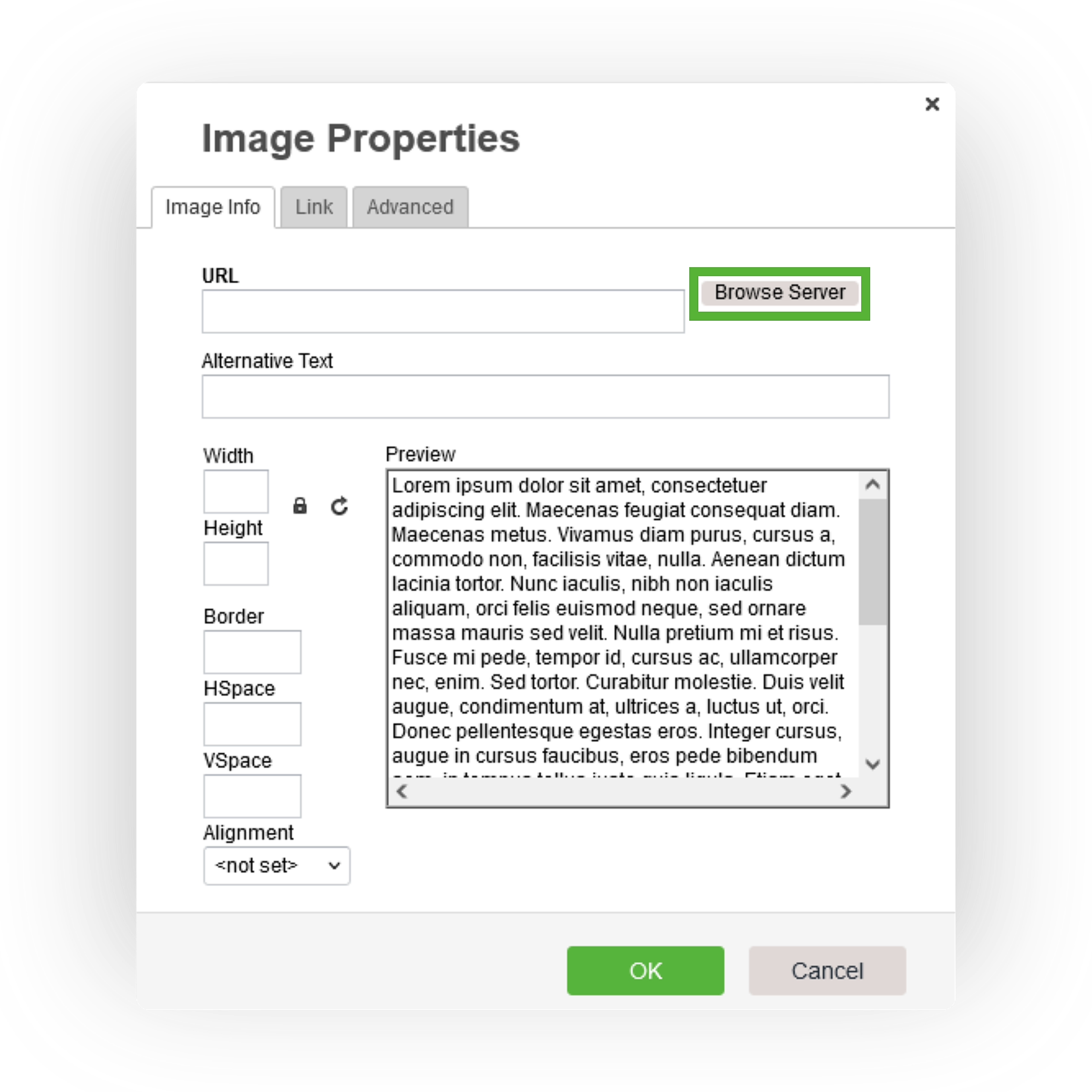
When the pop-up window appears, click the Browse Server button to open your image gallery.
Once opened, double-click the image you wish to insert.
Once inserted, click Save to maintain your changes when finished.