

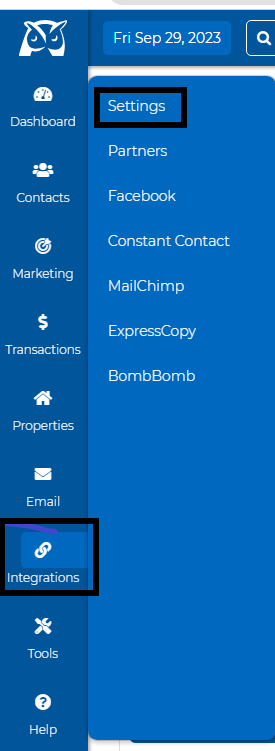
Go to the "Integrations" dropdown and click on "Settings."
Click the arrow-down button under Google Contacts, then click the "disconnect" button.
Our support team will then receive an email request to disconnect the sync.
We will respond to that email asking why you want to disconnect. If an issue occurred during the syncing process, please provide details of what happened so we can assist you with correcting the problem.
We will process your request from our backend as soon as we receive the confirmation or the reason for your request. We'll send you a confirmation email once it is done.
Tips from the pros: If you plan on syncing Google contacts, we do not recommend disconnecting and reconnecting the sync repeatedly. This may cause duplicate records in your contact list.