Locating Your Wise Agent API Key & Lead Capture Email
Login to your Wise Agent account.
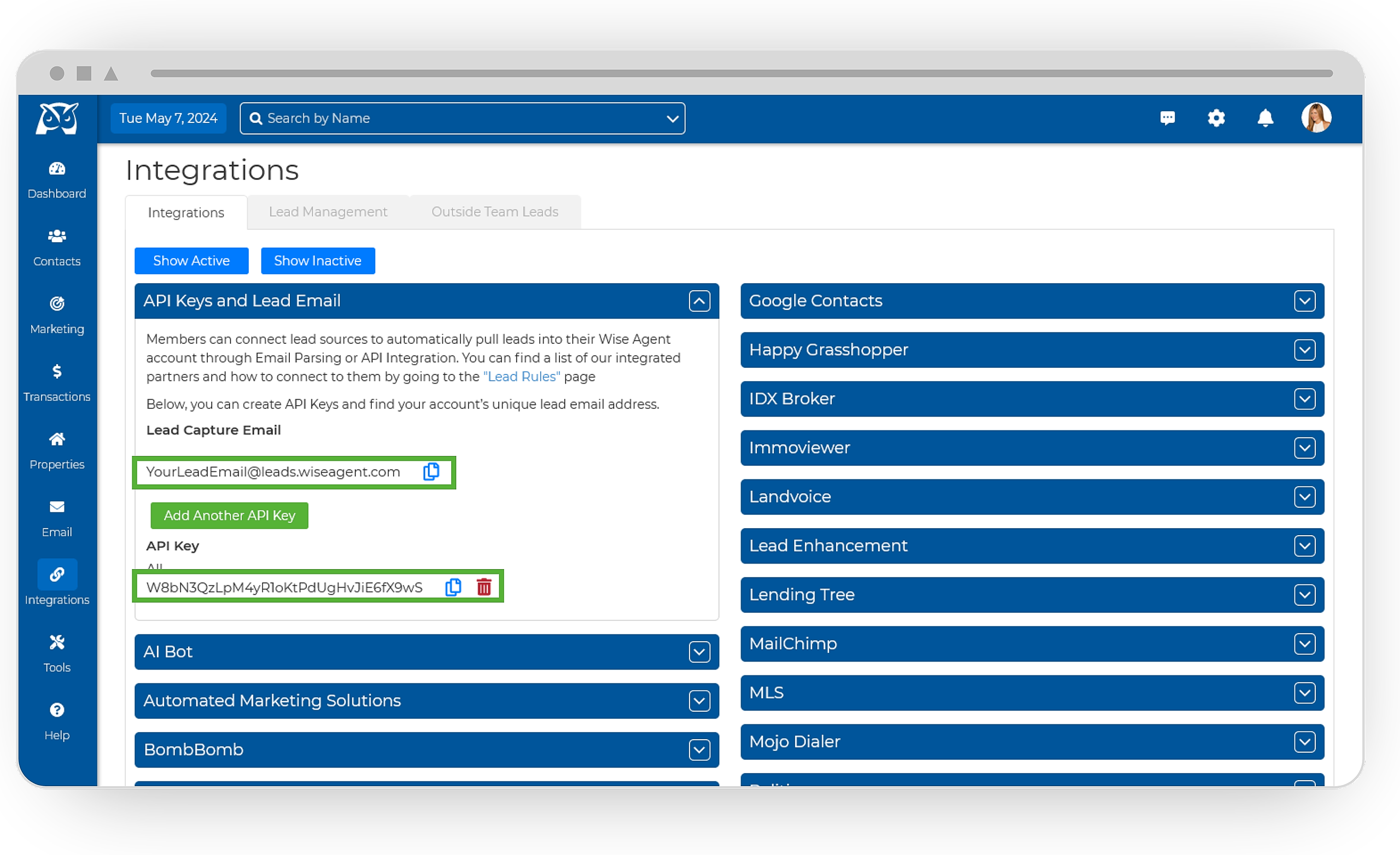
From the sidebar, select Integrations, then click Settings from the menu.
On the Integrations Settings page, locate and click on the API Keys and Lead Email tab and click to expand.
From this section, locate and copy your API Key and/or Lead Capture Email. Your API Key & Lead Capture Email are both specific to your Wise Agent account and are used for capturing leads from various sources.
Our Integrated Partners
You can find a list of our integrated partners and how to connect to them by going to the Lead Rules page within your Wise Agent account!