

💡 IMPORTANT NOTE: Pausing the script does not cancel your Wise Agent Leads account. It only stops website visitor tracking.
Step 1: Access the Leads Console
Log in to your Wise Agent account.
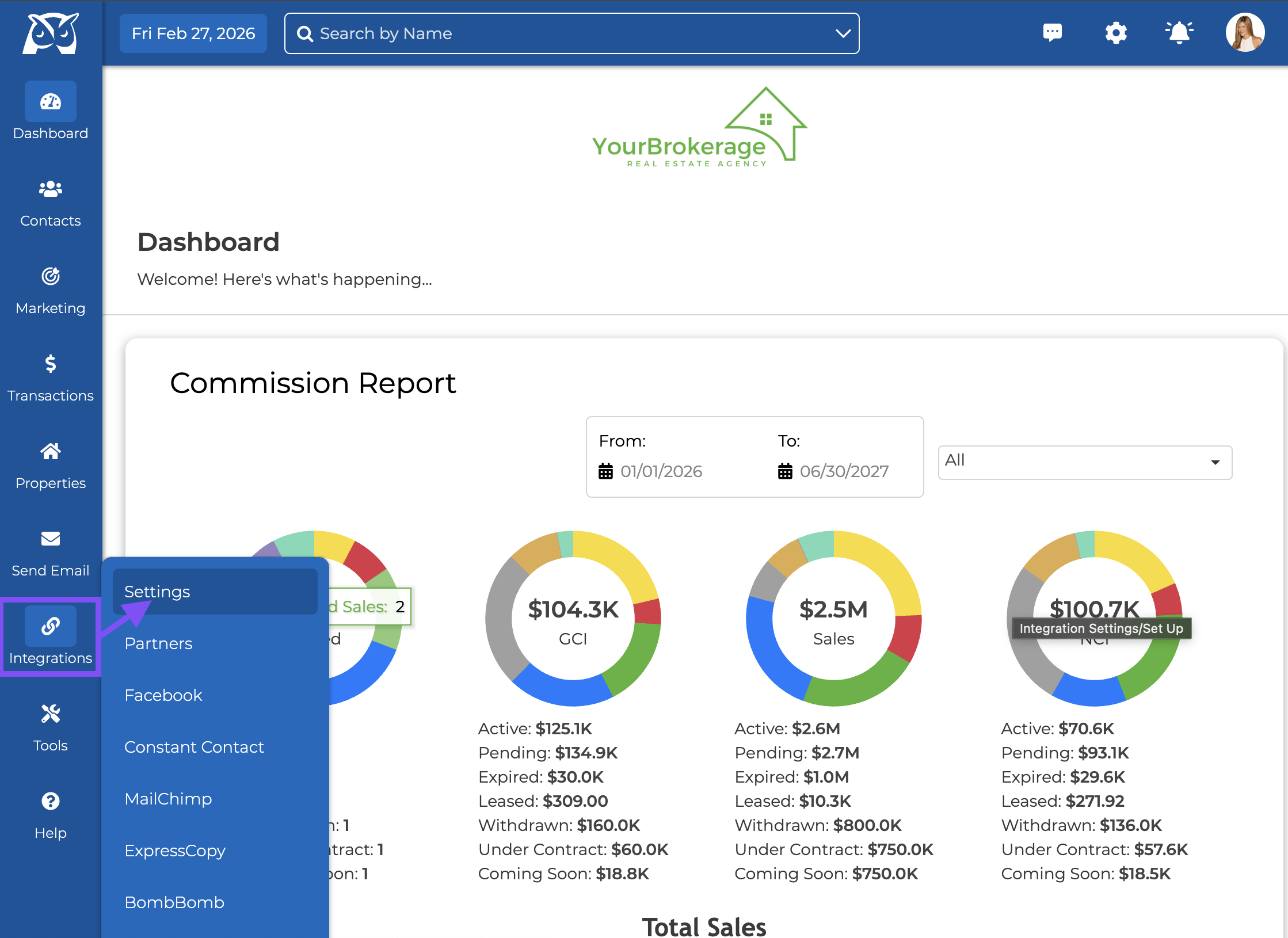
Click Integrations.
Select Settings.
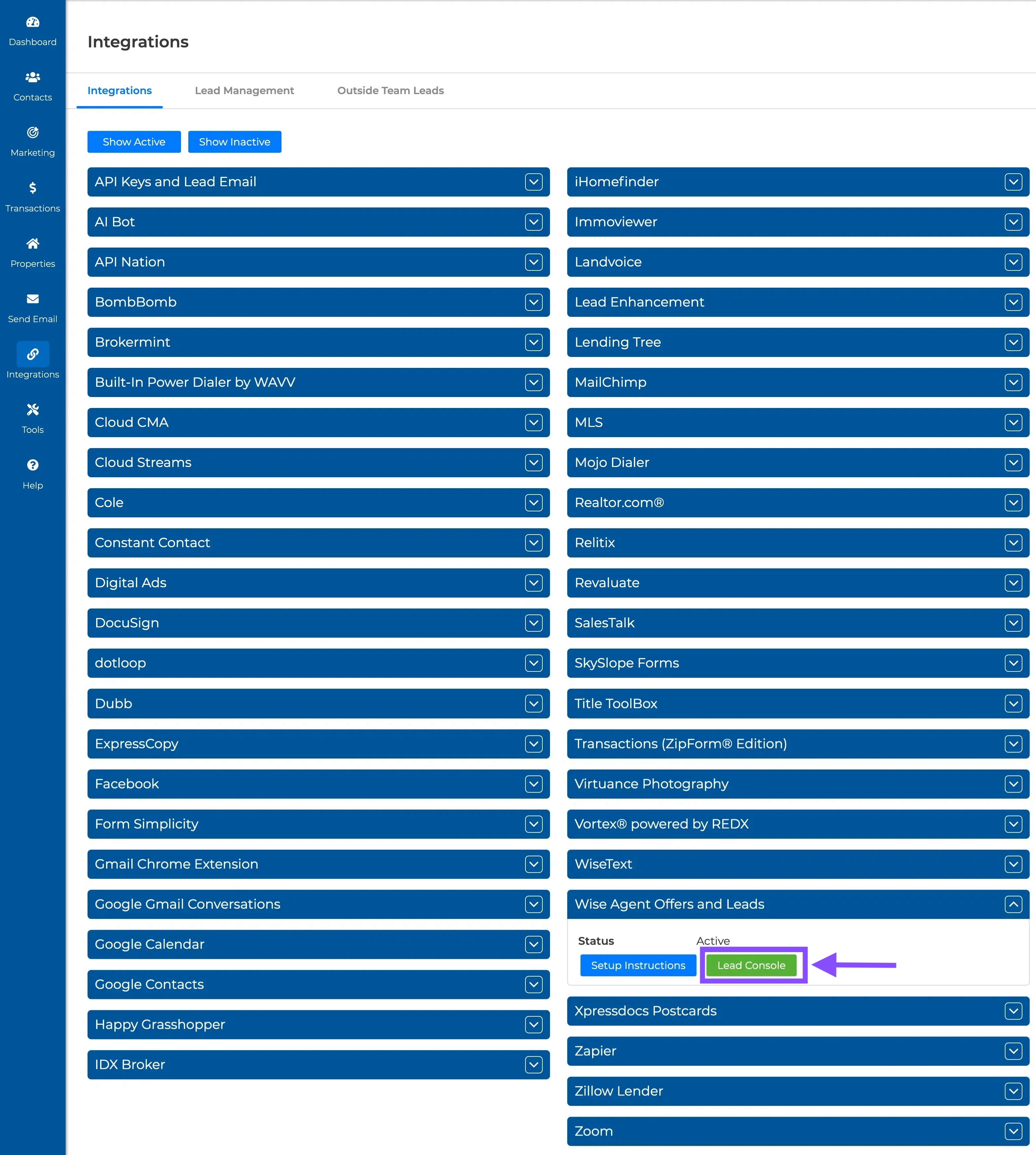
From the Integrations page in Wise Agent, navigate to the "Wise Agent Offers & Leads" Header.
Click the header
Then click on the green "Lead Console" button.
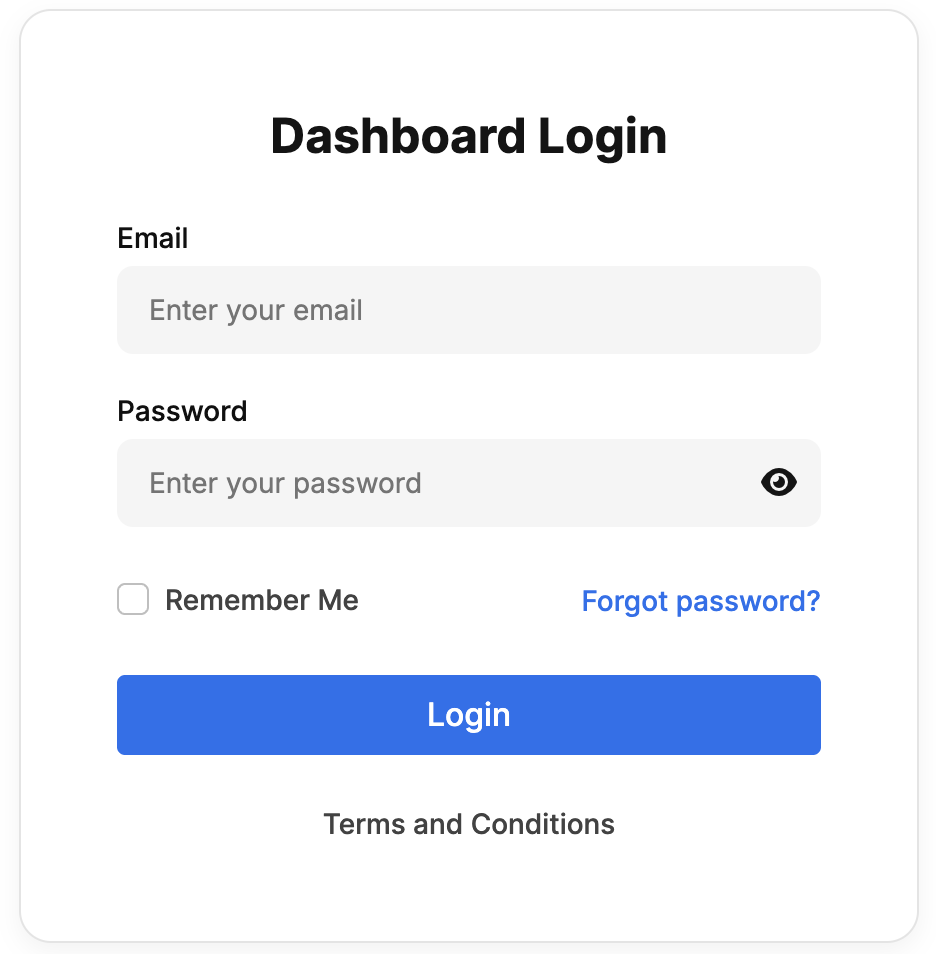
You'll then be redirected to a screen to log into your Wise Agent Leads Dashoard.
Step 2: Navigate to Website Setup
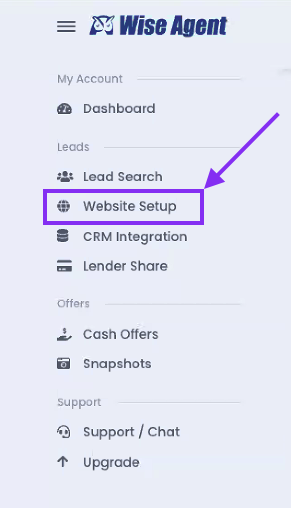
Once inside the Leads Console, in the left-side navigation menu, click Website Setup under the Leads section.
From the Website Leads set up page, click on the blue "Domain Setup" button .
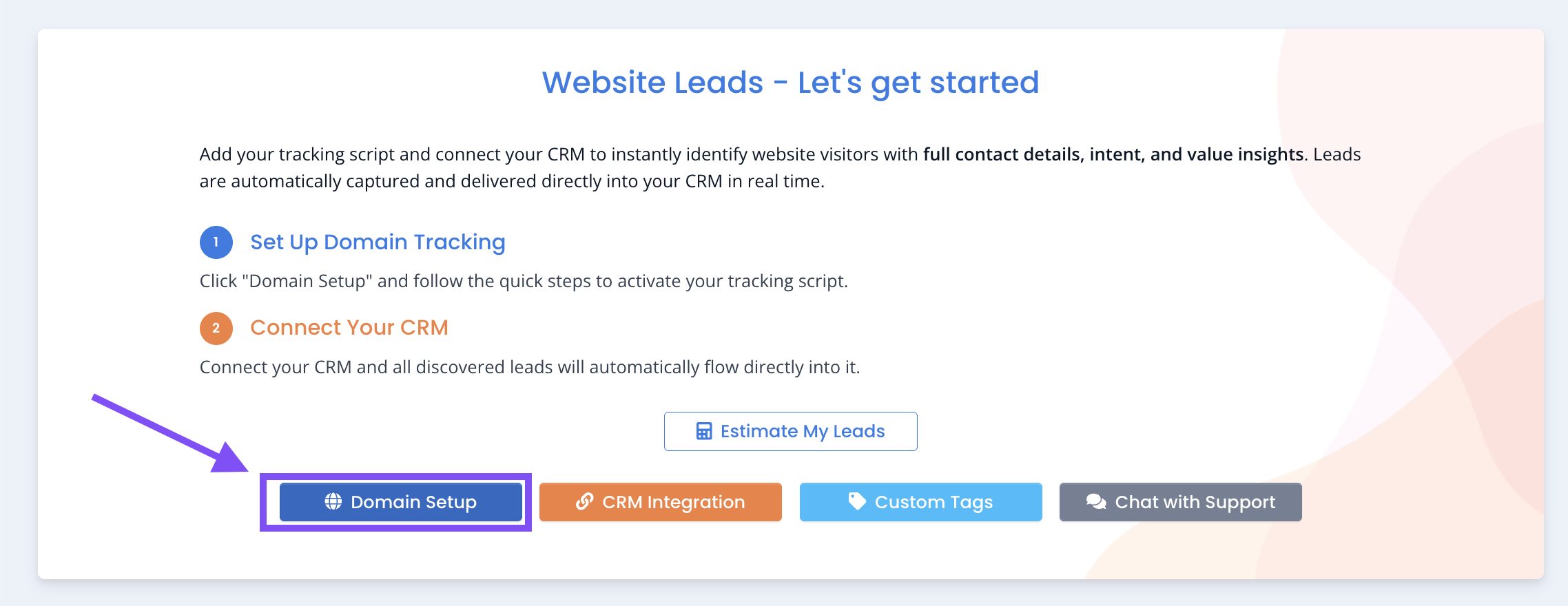
This will take you to the Domain & Script Setup, where all active domains are listed.
Step 3: Remove the Tracking Script
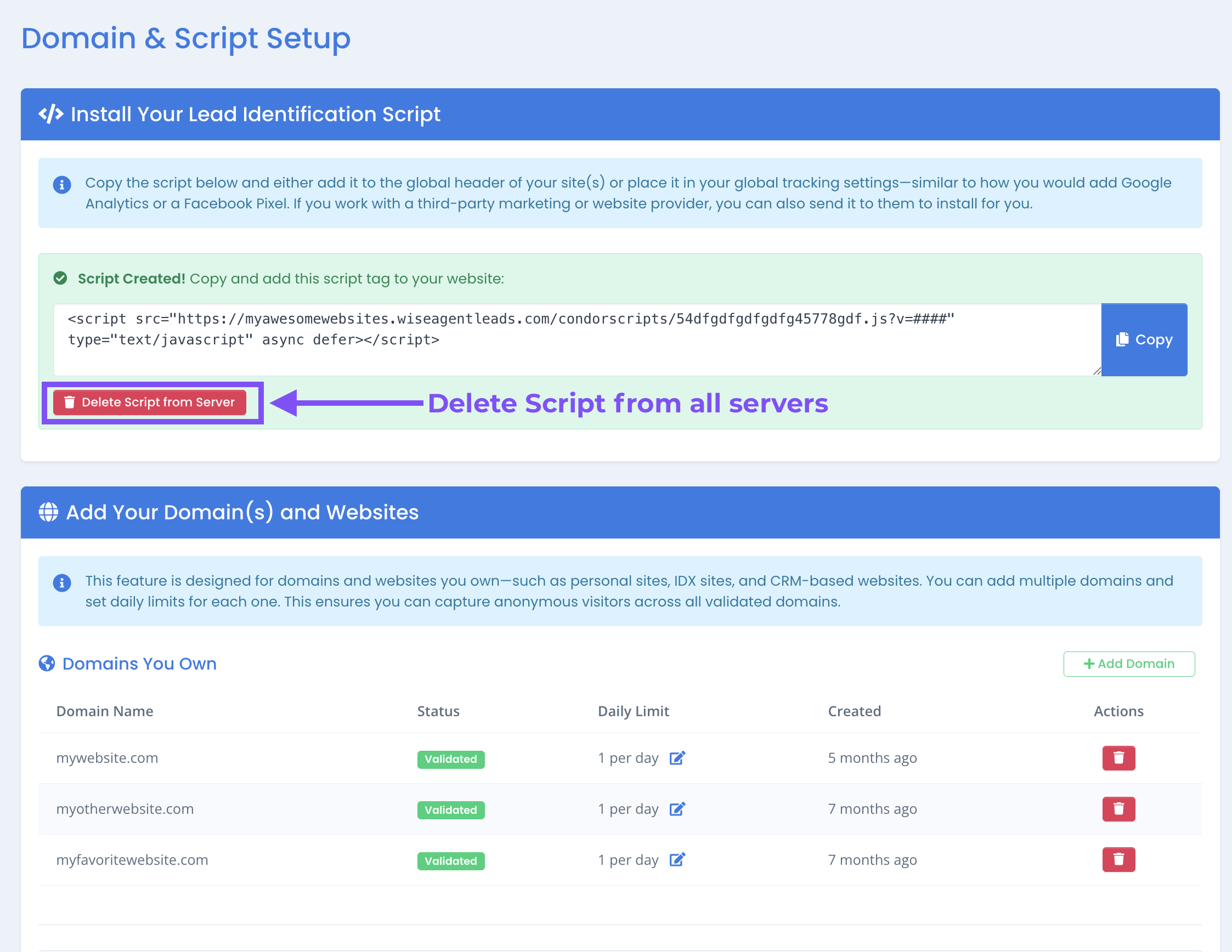
To Remove Lead Tracking on All Domains:
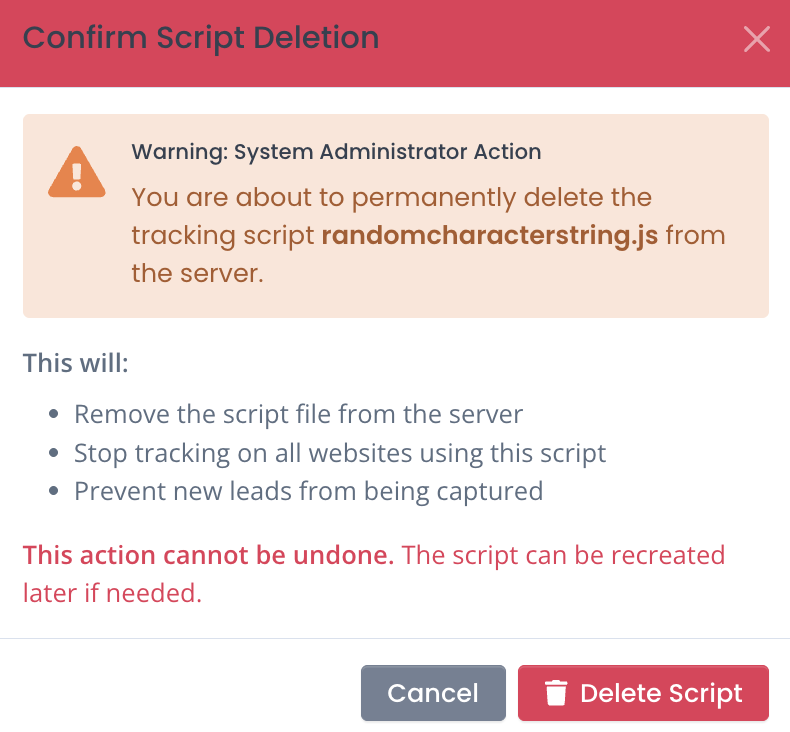
Click the red Delete Script from Server button.
A confirmation pop-up will appear. Click "Delete Script" to proceed.
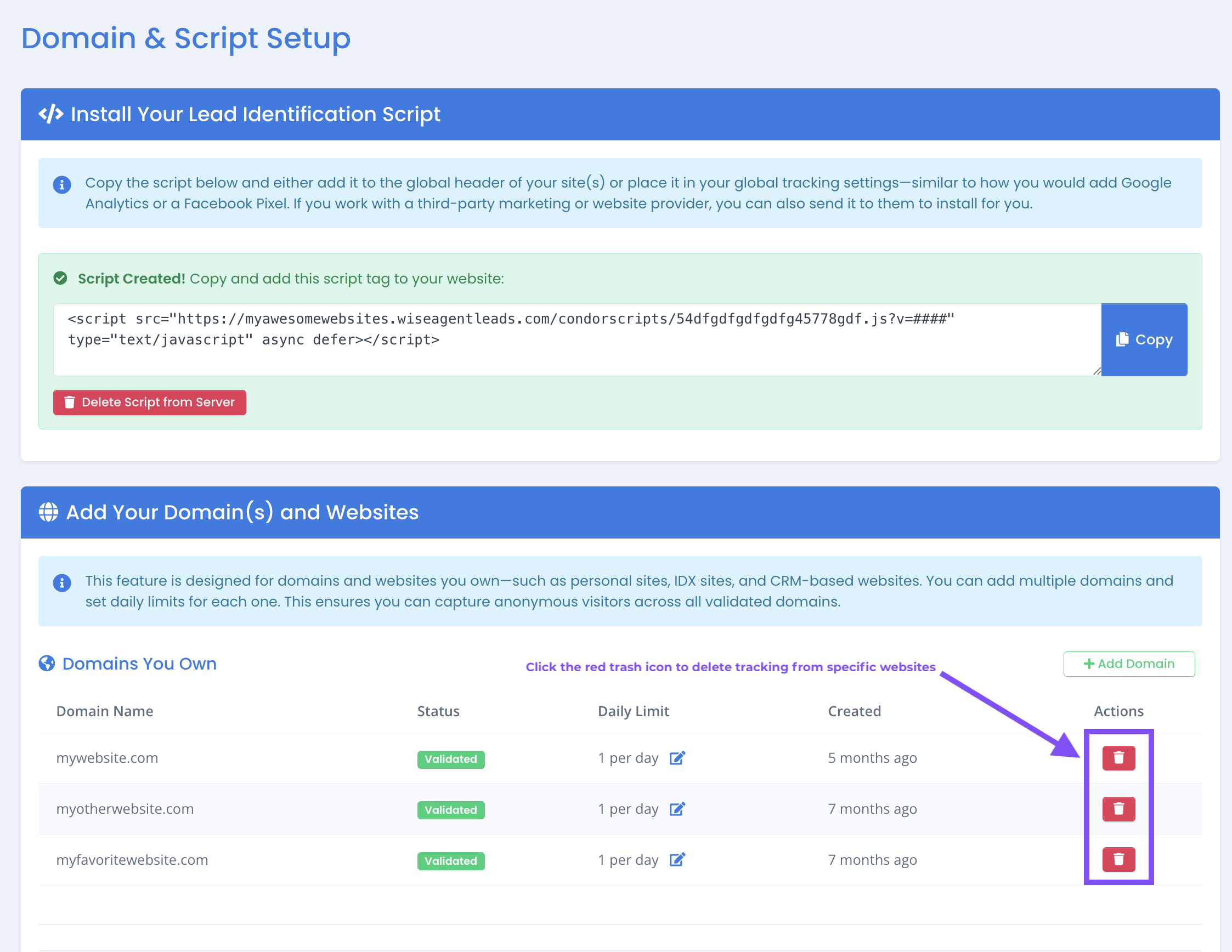
To Pause Leads on a Specific Domain:
If you do not wish to remove the lead tracking script from all websites, click the trash can icon next to the individual domain you want to pause.
This allows you to stop tracking on one website while keeping it active on others.
Alternatively, if you do not plan to reactivate Wise Agent Leads, we recommend contacting your website developer to remove the tracking script directly from your website(s).
If you need assistance, please contact our support team at customerservice@wiseagent.com.
Frequently Asked Questions
Will I lose the leads that were already captured?
No. Any leads that were previously identified and sent into your Wise Agent CRM will remain in your account. Pausing or deleting the tracking script only stops future visitor identification.
Does pausing the script cancel my Wise Agent Leads account?
No. Removing the script from your website stops lead tracking, but it does not cancel/deativate your account. If you would like to cancel your Wise Agent Leads subscription, please contact our support team at customerservice@wiseagent.com.
Can I reactivate the Wise Agent Leads script later?
Yes. You can recreate and reinstall the tracking script at any time from the Leads Console under Website Setup → Domain Setup.
Should I remove the script directly from my website instead?
If you do not plan to reactivate Wise Agent Leads in the future, it is best practice to remove the feature from the lead console and have your website developer remove the tracking script directly from your site(s) to ensure complete removal.