

Getting Started with Wise Agent Leads
Wise Agent Leads is a feature available through the Wise Agent Offers & Leads Premium Subscription, designed to help you identify and capture potential clients visiting your website, even if they never fill out a form.
By adding a small tracking script to your website, Wise Agent Leads can identify up to 25% of your website visitors using publicly available data and sync those leads directly into your Wise Agent CRM for follow-up.
💡 Important: The Wise Agent Leads feature is only available with the Premium Subscription. Members using the free/basic version of Wise Agent Offers will not have access to lead tracking, website visitor identification, or lead capture tools.
Before You Begin: Choose Your Subscription Type
Wise Agent Offers & Leads currently offers two account options:
Basic Access (FREE)
This option will NOT include the option to add a script on your website to track lead visitors. However, you do have the option to upgrade from within your console if you would like this feature enabled.
Premium Subscription – $99/month
Premium accounts include:
Wise Agent Leads
Up to 50 included leads per month
Instant Cash Offers & Home Valuations
Marketing Tools
Property Pages
Seller-Focused Lead Capture Features
A valid credit card is required to activate Premium access.
How to Register
Before continuing with setup, please review the registration instructions and select the account type that best fits your needs:
➡️ Visit the Wise Agent Offers + Leads FAQ & Registration Guide HERE
This article includes:
Registration links
Premium vs. Basic account details
Required registration information
Invite code instructions
Billing information
Setup walkthroughs
💡 Important: To access the Wise Agent Leads feature, you must register for the Premium Subscription.
Account Registration
First, you will need to register for an account using the following link:
https://offers.wiseagentleads.com/
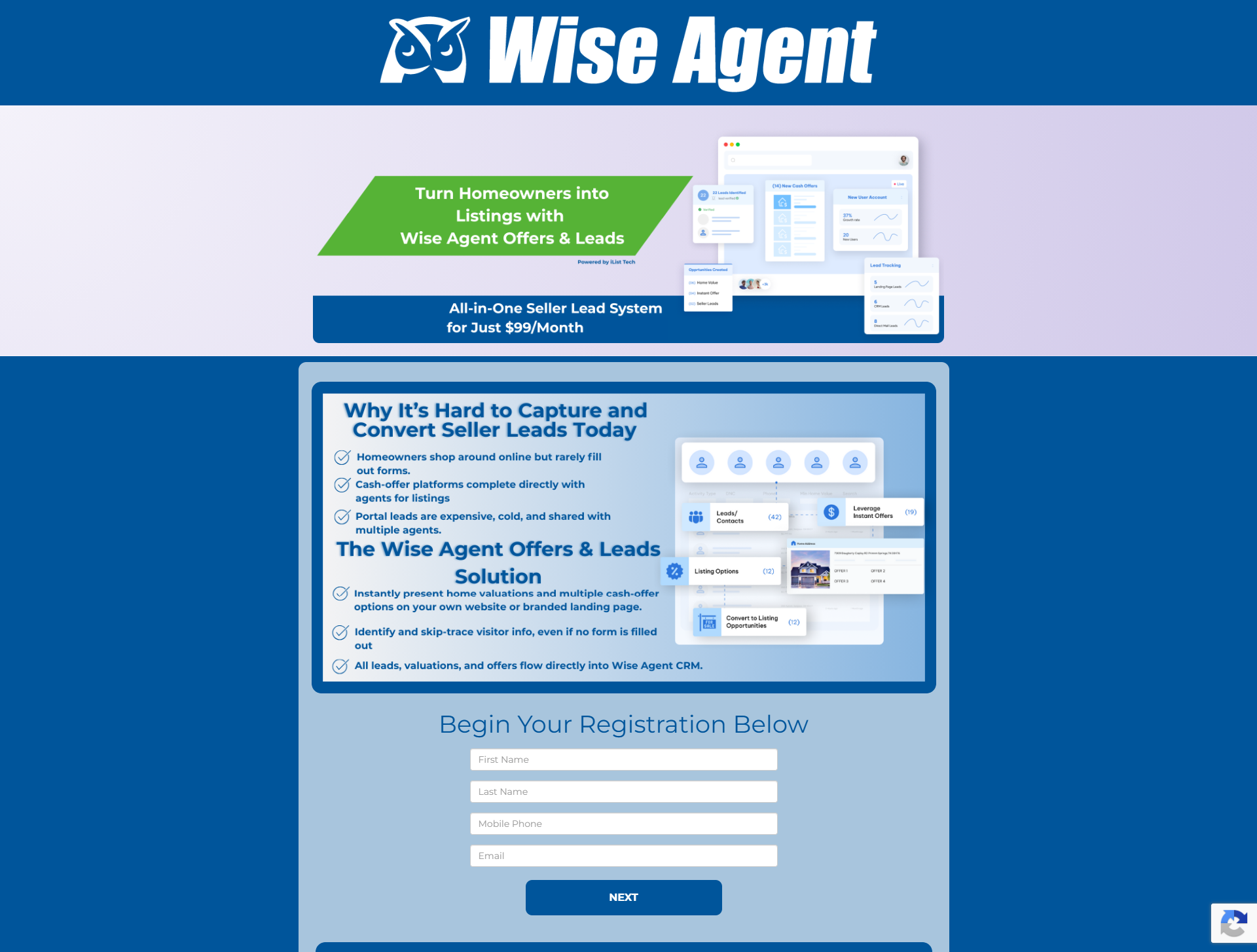
Once you complete the first page, you'll be directed to the second and final page of the registration process, where you can add payment details for the premium subscription.
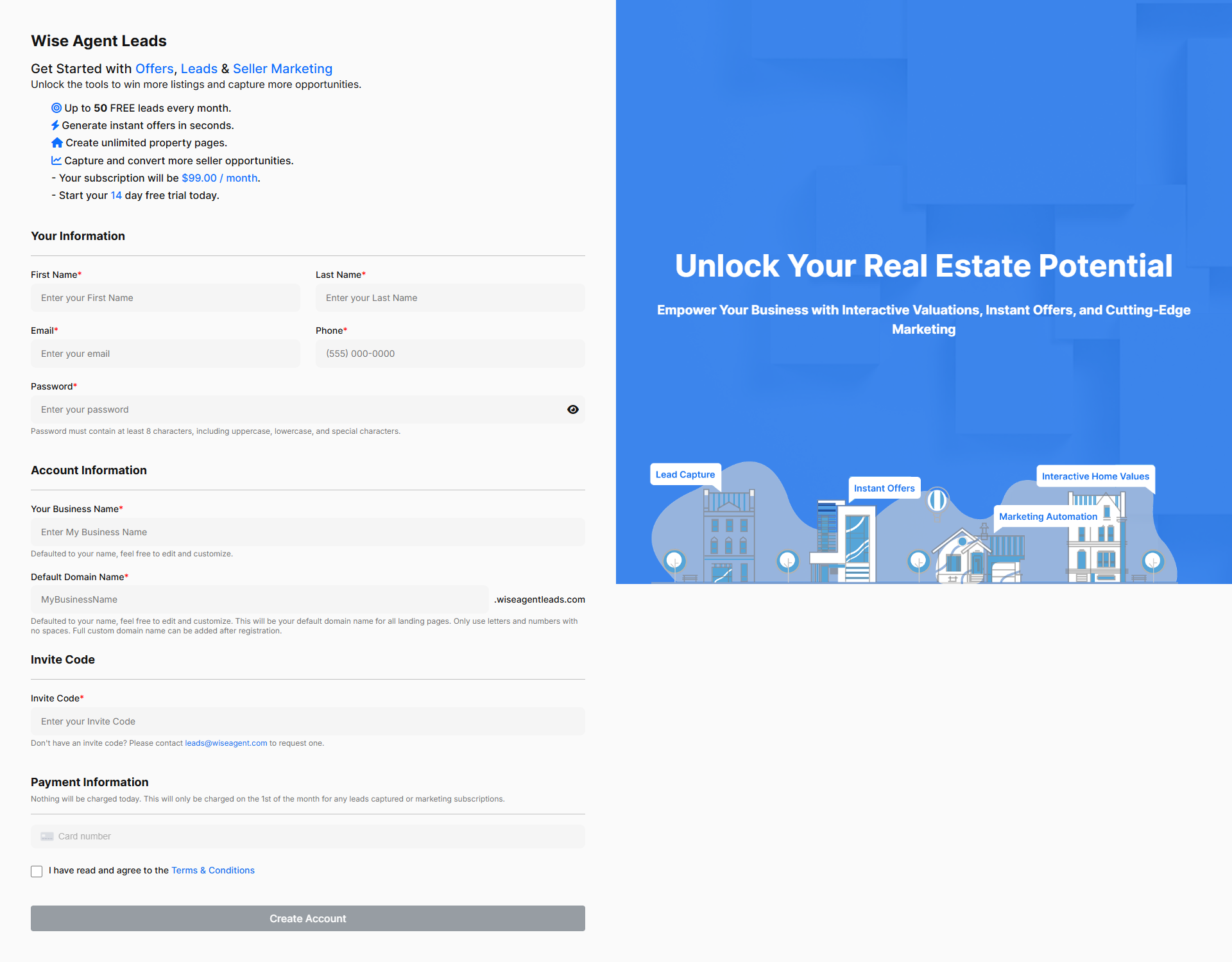
NOTE: You will need to use the code: WISE to complete your registration.
Once you fill out the required information, you will receive a pop-up stating that your registration was successful. Click on the sign-in link in the message to access your account. You will also receive an email with login instructions.
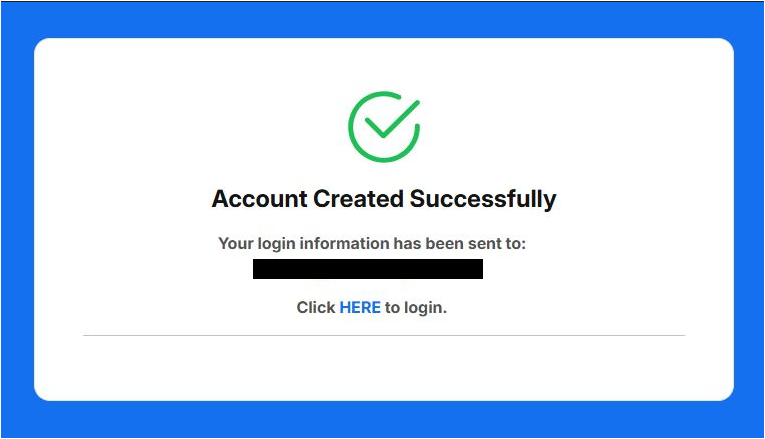
NOTE: If you do not receive an email with login instructions, you can access your account by visiting https://console.wiseagentleads.com. Your username is the email address associated with your account, and password is selected upon registration. Click the Forgot Password link to reset your password
Connect Your CRM
Once you are logged into your main Wise Agent dashboard, follow the steps below to connect your Wise Agent Leads to your Wise Agent CRM account.
In a new tab, log in to your Wise Agent dashboard and click the Integrations menu, and select Settings.
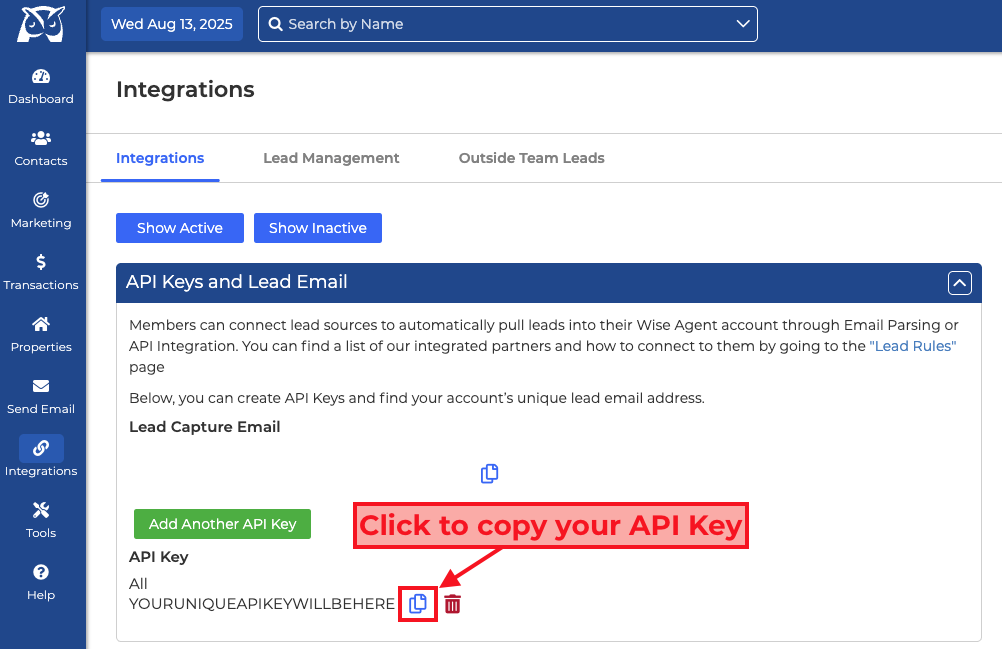
Copy your Wise Agent API Key by selecting the API Keys and Lead Email option. Then click the Copy icon next to your personal API key.
Back in your Wise Agent Leads Dashboard:
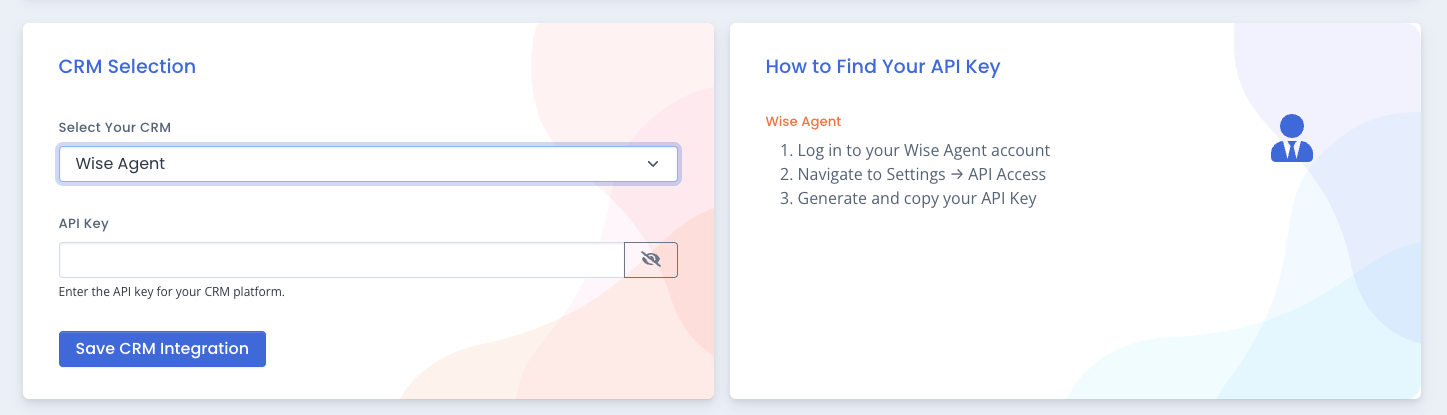
Click on the "CRM Integration" menu option.
Select Wise Agent under the CRM Selection header and enter your API Key in the provided field.
Click the blue "Save CRM Integration" button to complete the integration connection.
Script Setup for your Domain
Once connected, you can then click on Website Leads and create your script.
💡Third Party Sites: You can add your tracking script to any third-party website where you have a landing page and the ability to include tracking scripts. This includes platforms like Zillow Premier Agent, Realtor.com, or any custom landing pages hosted on external domains. If you don't add your primary domain above but install the script on your main website, it will also be treated as a third-party site and count towards this limit.
Navigate to the Wise Agent Lead dashboard menu and select "Website Leads".
From the Website Leads Page, click on "Domain Setup."
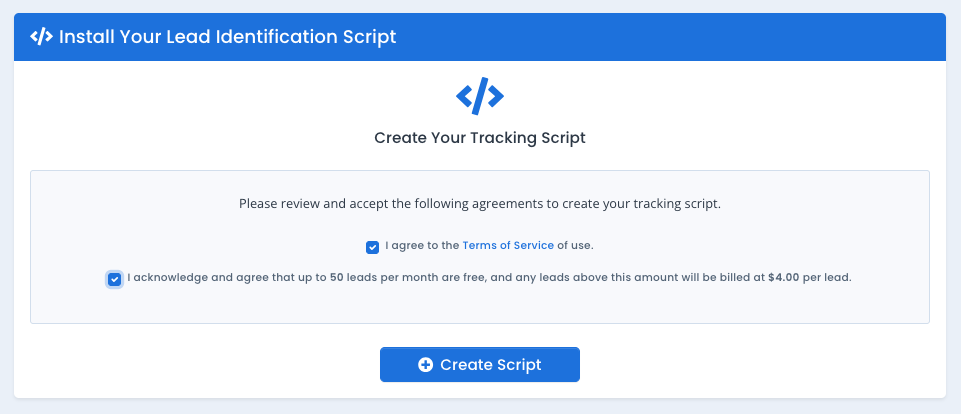
From the "Domain & Script Setup" page, you will first need to agree and acknowledge the Terms of Service and the $4 per lead cost after 50 leads per month disclaimer by selecting both options.
Once you have selected both acknowledgement boxes, you will then click on the "+Create Script" button to generate a unique tracking script for your domains.
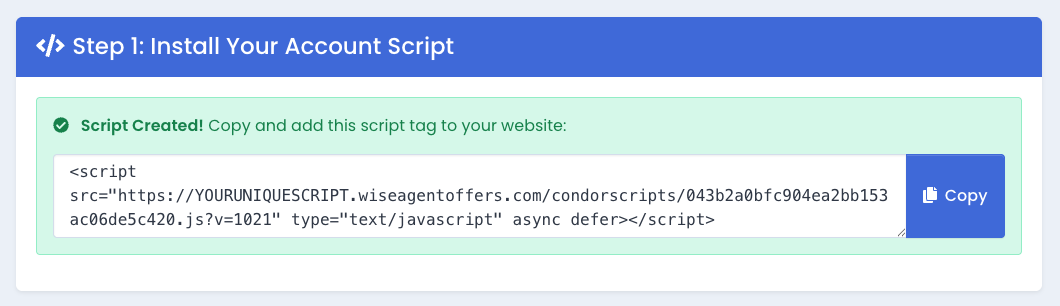
The page will then refresh with your generated script
Next, add the domain(s) of the website you will be adding the script to for lead tracking and select your daily lead limit.
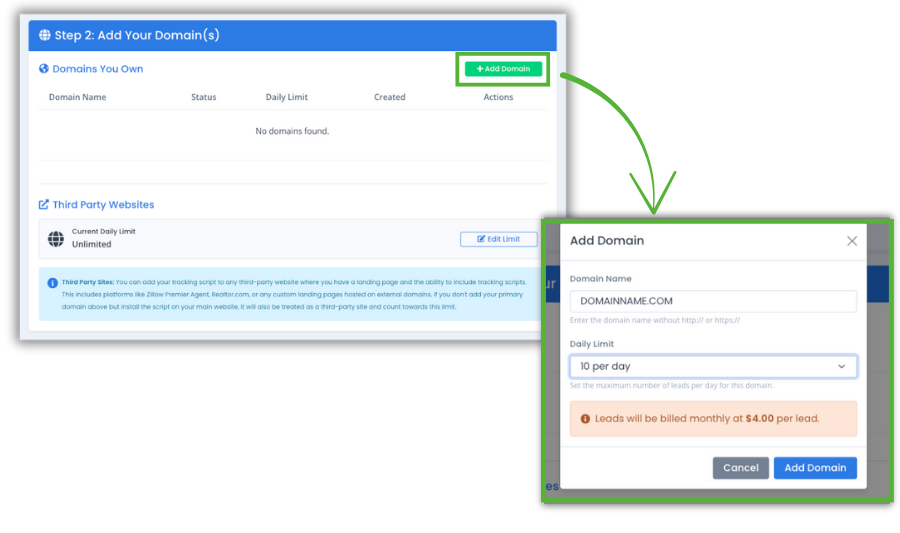
Before proceeding to step 3 of the "Domain & Script Setup" you will need to complete the script application process in the section below (4. Add Tracking Script to Your Web Domain)
Add Tracking Script to Your Web Domain.
If you don’t have direct access to edit your website pages, you’ll need to contact your webmaster and provide them with your unique tracking script so they can add it to your site’s domain. For your convenience we have created a template that you can use to send a request to your webmaster. Click here for access to instructions on how to add your tracking script, or request assistance from your webmaster.
You will need to add this script to the head of every page on your website. Most website administrators will add this script next to their other tracking scripts, like Google or Facebook.
Once the script has been applied, return to the Domain Setup page in your Wise Agent Leads dashboard to complete the “Validate Your Domains” step. During validation, the system will automatically scan your website’s HTML to confirm that the tracking script is installed correctly. Once the domain is approved, your Wise Agent Leads tracking will be active.
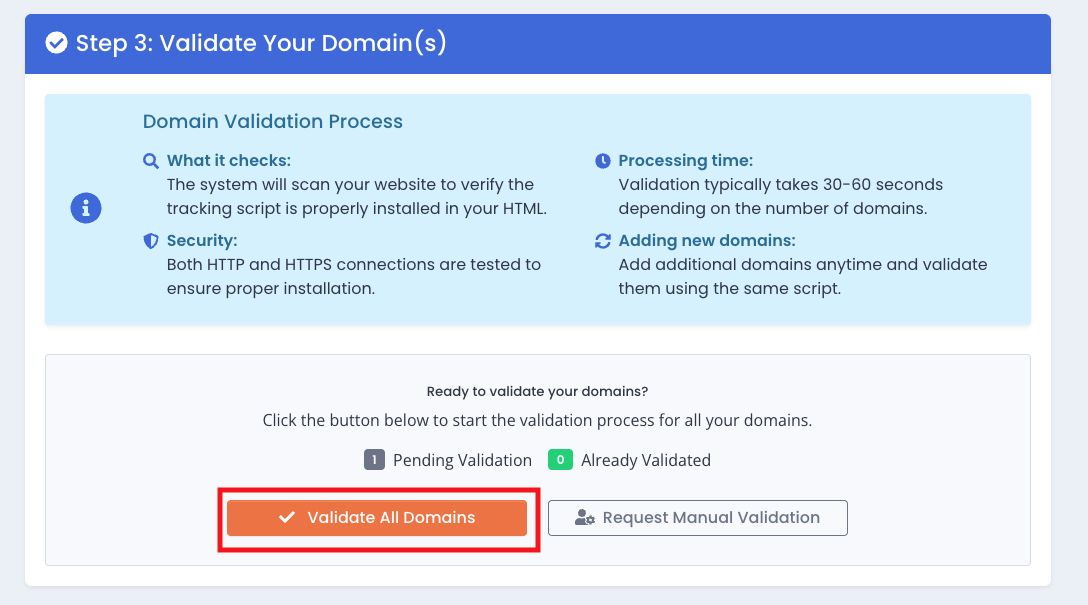
Once your domain has been validated, leads will flow into your Wise Agent CRM under the source (Wise Agent Leads). You can also view visitor leads in your Wise Agent Leads dashboard under Lead Search.
💡Tips for Success:
Double-check that your script is installed correctly before validating.
You only pay for verified leads; there’s no charge for unmatched visitors.
Leads typically start appearing within 24 hours of script installation.
Have a follow-up plan in place for approaching hidden website leads, once they are revealed.
*Wise Agent Leads is Powered by iList