

Even without the Premium subscription, you can still market your home valuation and cash offer links to potential sellers and capture seller inquiries directly through those tools. For more information on the options available, click HERE!
Connect Wise Agent Offers to Your Wise Agent CRM
To ensure your Wise Agent Offers dashboard is connected properly to your Wise Agent CRM, follow the steps below.
If you need assistance at any time, please contact the Wise Agent Support Team at:
📞 (480) 836-0345
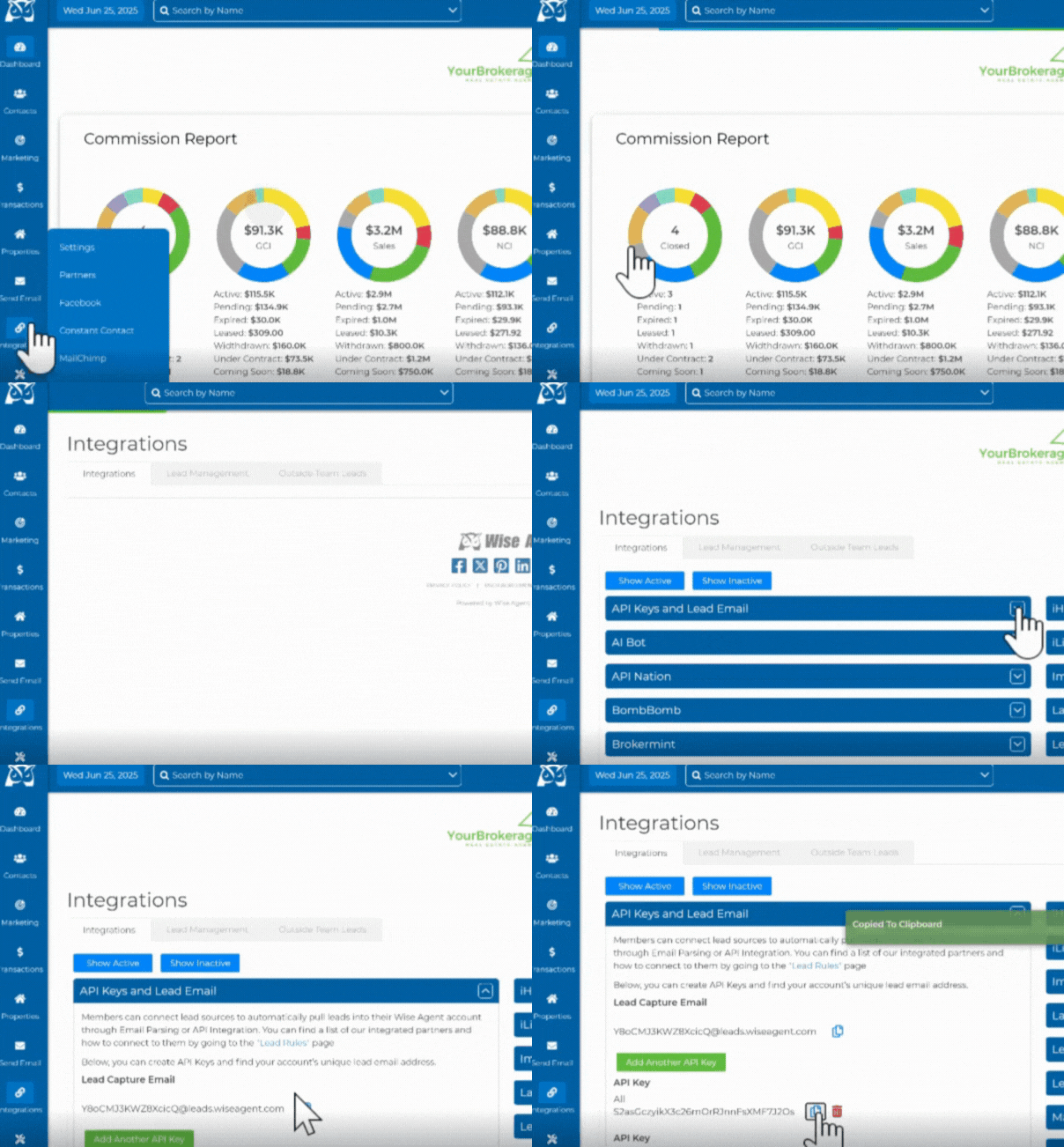
Login to your Wise Agent dashboard and click the Integrations menu and select Settings.
Copy your Wise Agent API Key by selecting the API Keys and Lead Email option. Then click the Copy icon next to your personal API key.
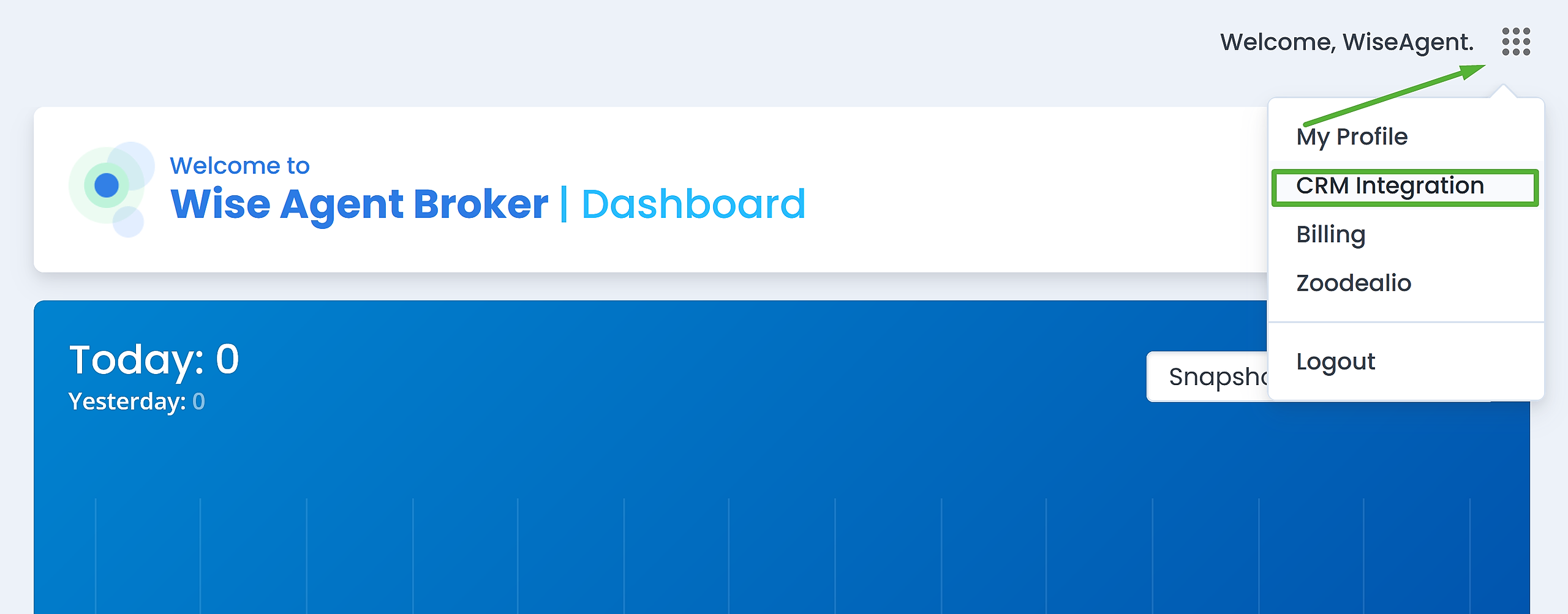
Log in to your Wise Agent Offers dashboard by visiting https://console.wiseagentleads.com
In the top right corner, click the menu icon next to your name and select the CRM Integration option.
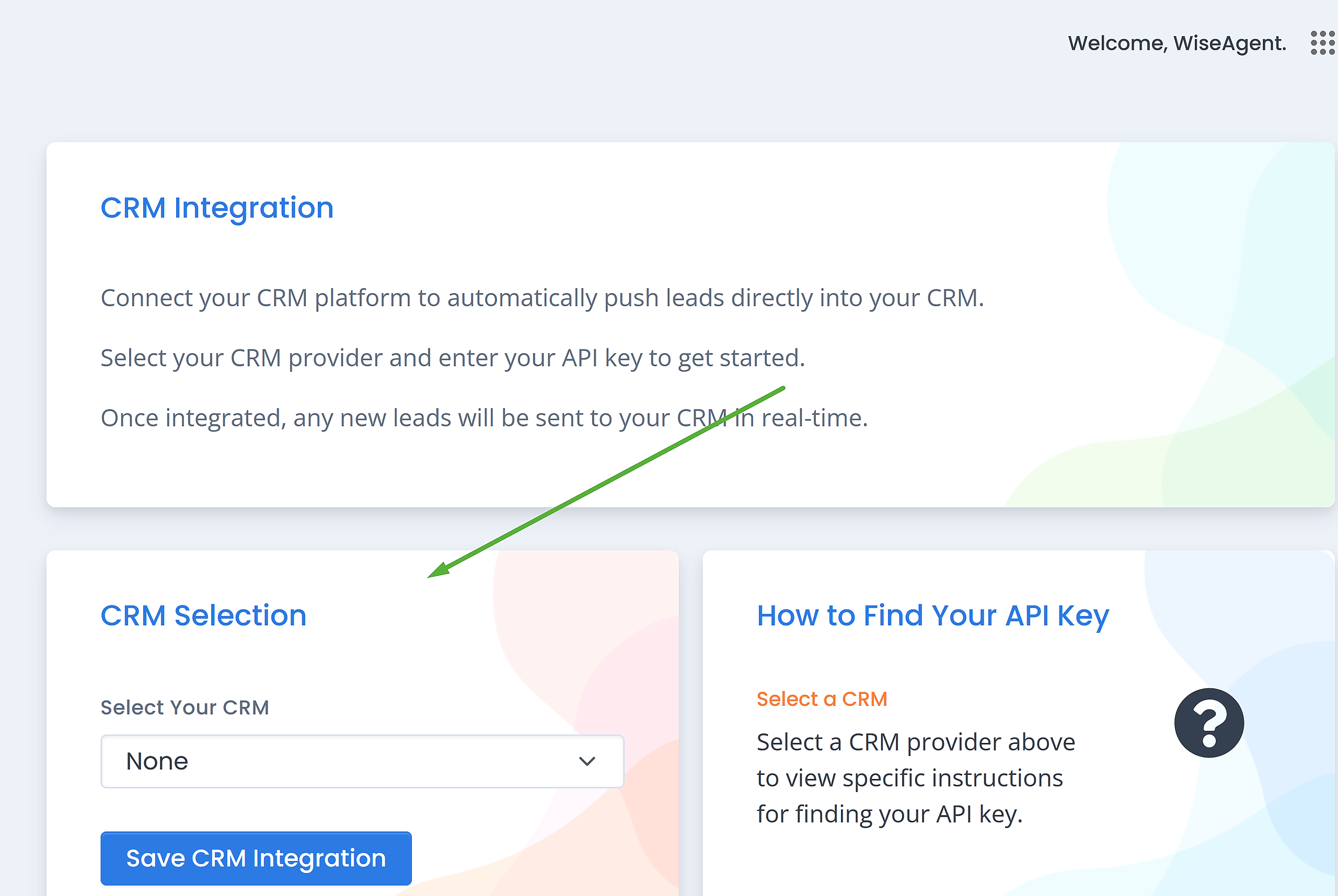
Scroll down to the CRM Selection and locate the Wise Agent option from the Select Your CRM drop down menu.
Paste your Wise Agent API Key in the API Key field and click Save CRM Integration.
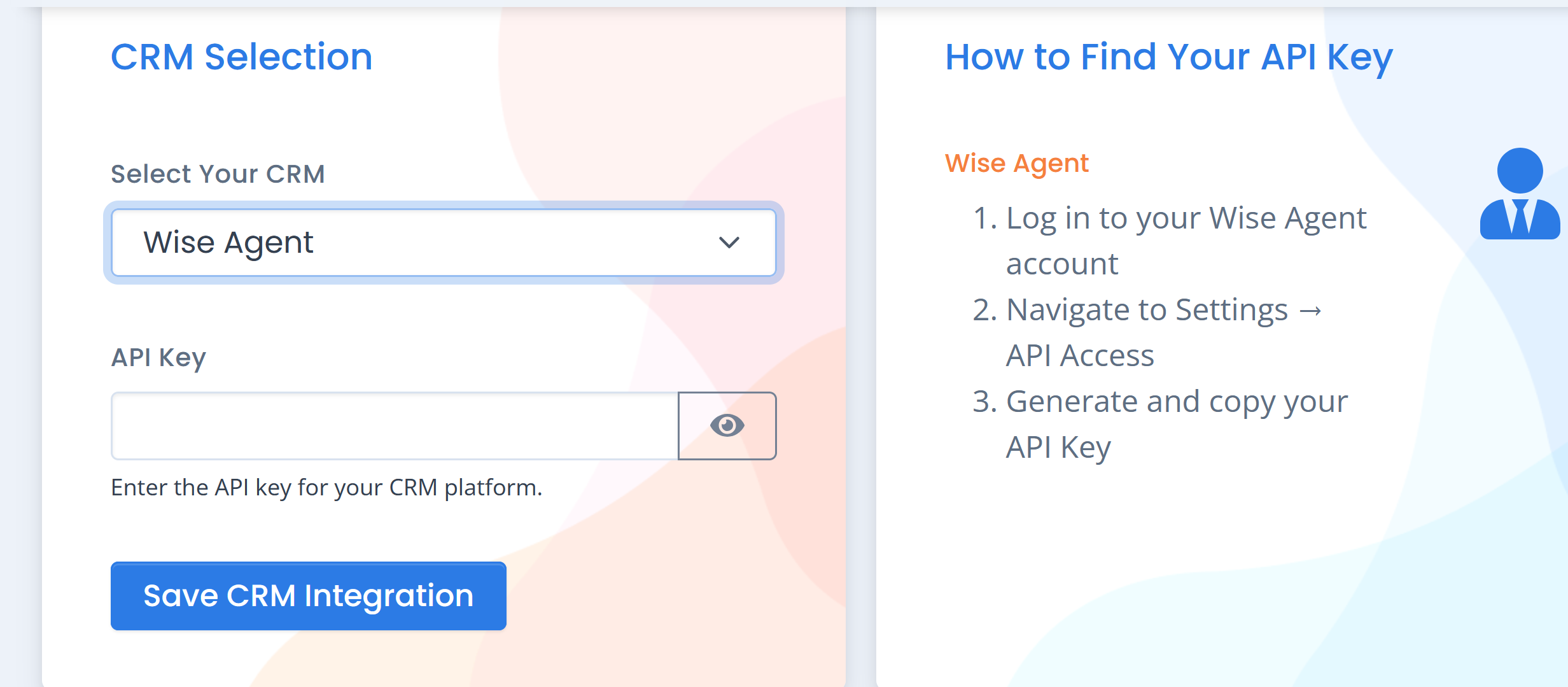
That's it! Now your Wise Agent CRM and Wise Agent Offers dashboard are connected.
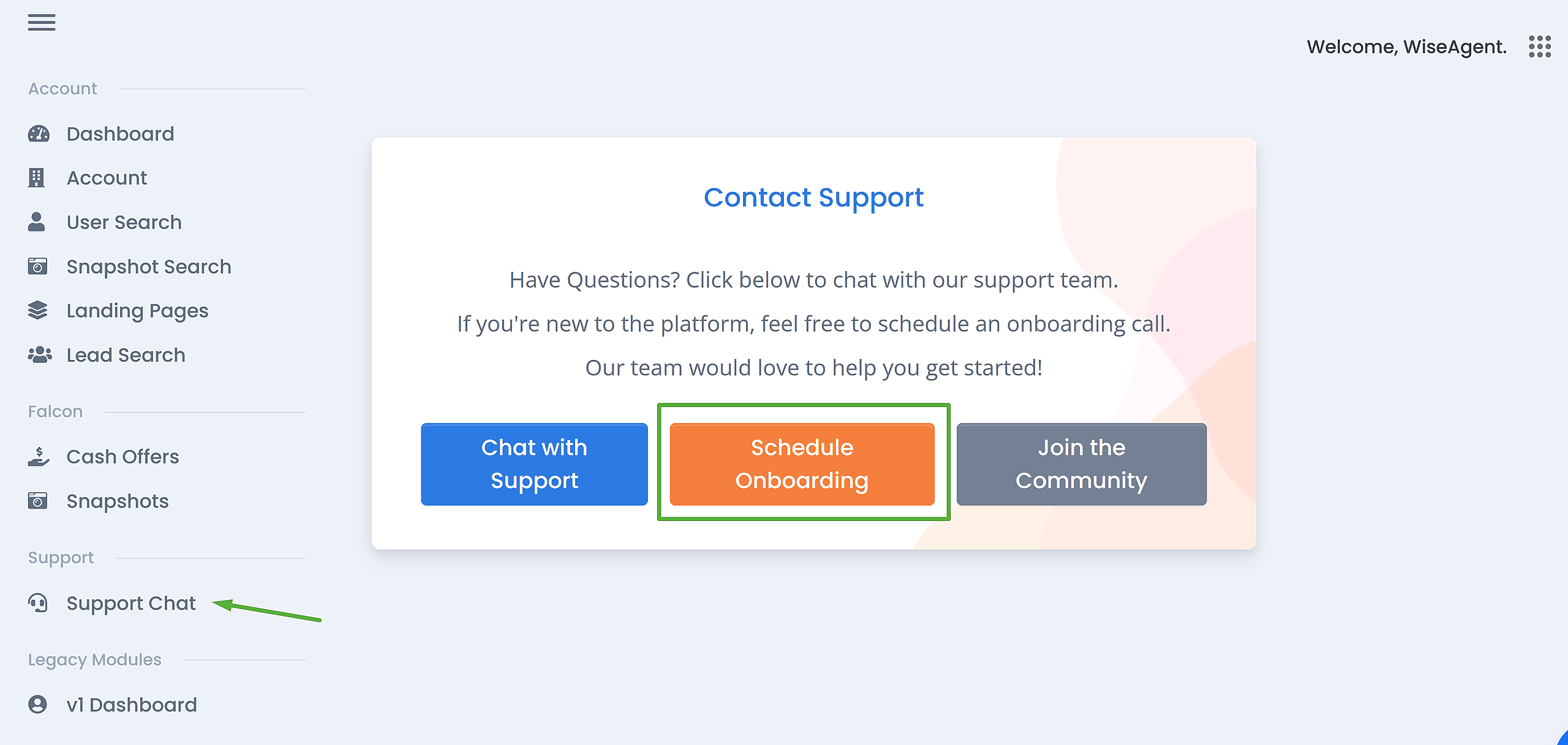
To get started with using your Wise Agent Offers dashboard, we recommend setting up an onboarding call to get familiar with your dashboard. If you have any additional questions about the features you can access the Wise Agent Offers support team from the Support Chat menu option from the navigation menu.
IMPORTANT NOTE:
Any feature that is only available under the Wise Agent Offers & Leads Premium subscription will be blocked by a paywall. You may update to a premium subscription at any time by adding payment information or by contacting the Wise Agent Support team.
For additional assistance, feel free to contact the Wise Agent Support team at support@wiseagent.com or by phone at (480)836-0345
* Wise Agent Offers is Powered by iList