

You can track your Lock Box numbers in Wise Agent!
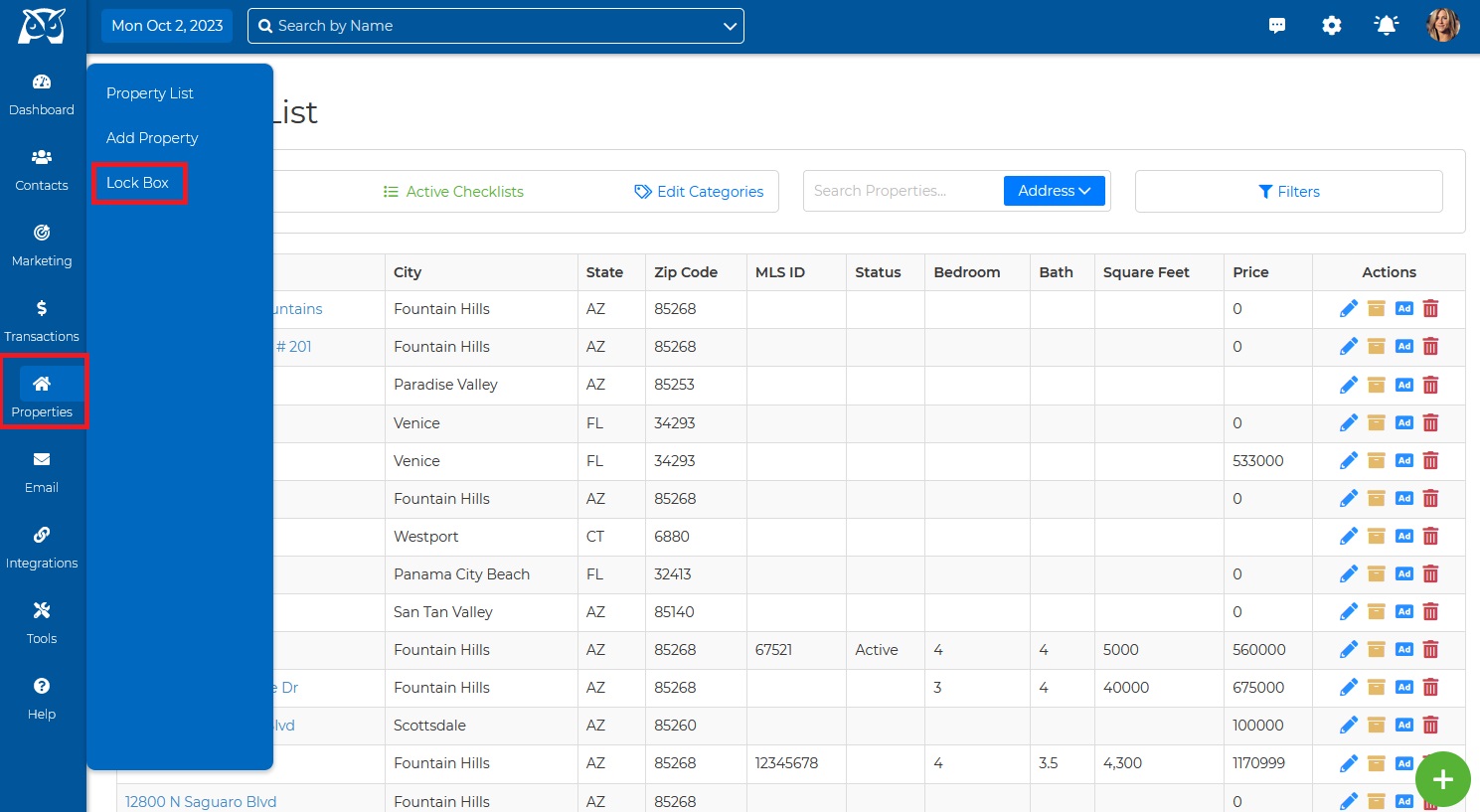
1. Under the Properties drop-down click on Lock Box.
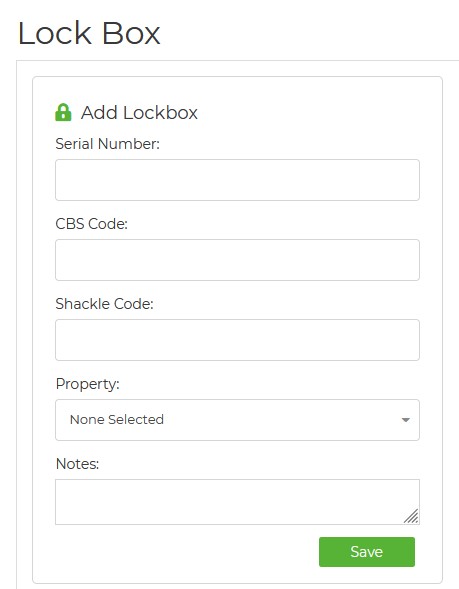
2. Then enter all your Lock Box information.
Why Are Lockboxes Disappearing from Our List?
There is no limit to the number of lockboxes that can be added to our tracking list. However, each lockbox is linked to a specific property. Therefore, if a property is deleted from the system, any associated lockboxes will also be removed. This explains why it seems like lockboxes are disappearing from the list.
To prevent this issue, if you are deleting or archiving a property, make sure to unassign the lockbox first. This will ensure that the lockbox remains on the list even after the property is removed.
Wise Agent Blog - Lock Boxes