


Login to your Wise Agent account.
From the sidebar, select Integrations ➜ Settings.
On the Integrations page, locate MLS within the right-hand column and click + to expand the integration settings for our MLS partners.
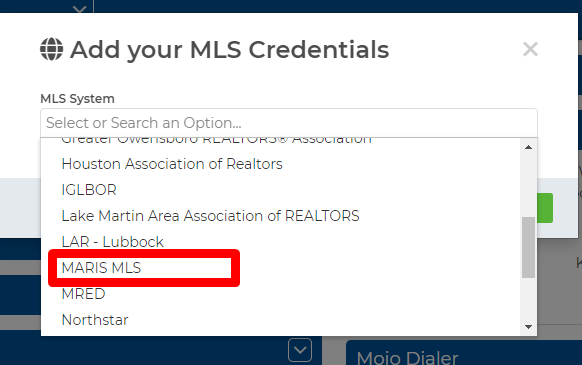
Once you've selected the MLS integration settings, click Add MLS Account, then select MARIS MLS from the drop-down list of our MLS partners. (MLS Partners are listed alphabetically.)
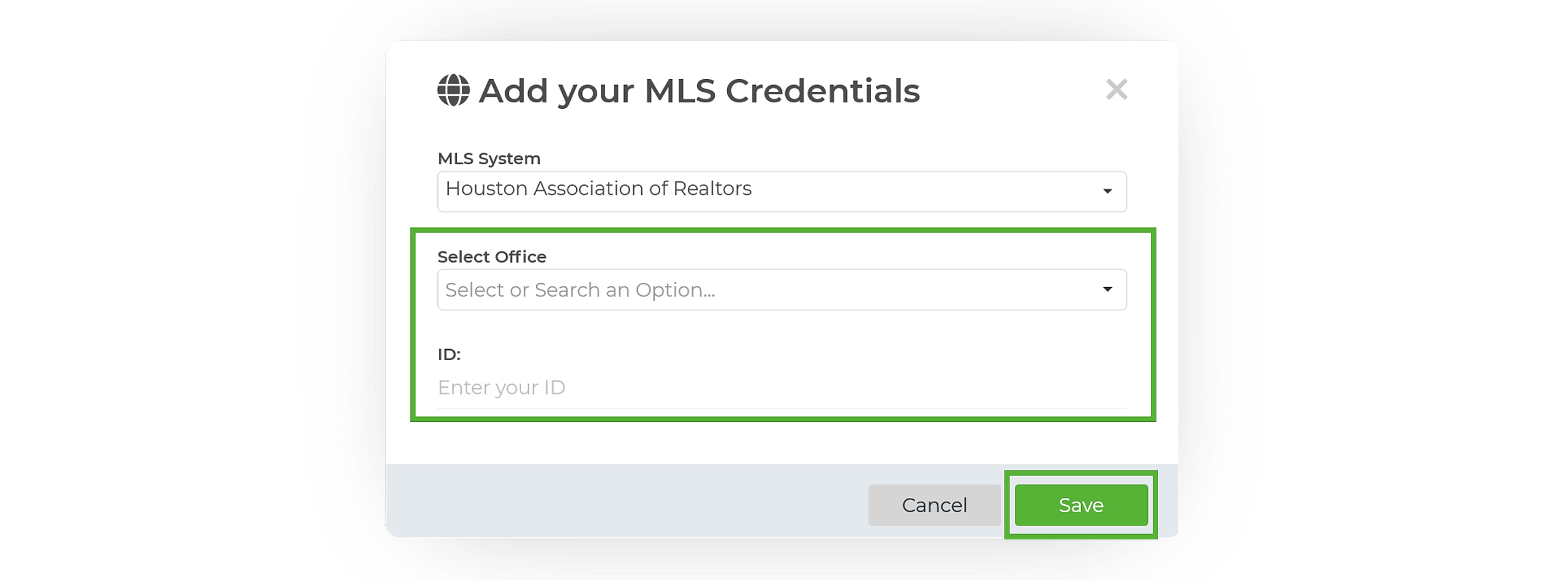
Once MARIS MLS is selected, choose your office from the Select Office pull down, then enter your MARIS MLS Agent MLS ID. Click on Save. (If you do not see your office listed in the Select Office drop-down you will need to follow the steps to Request MARIS MLS Access here.)
Now that you have successfully connected your MLS to Wise Agent you can start adding properties directly from your MLS account to the properties page in Wise Agent. Wise Agent will pull the property information from the MLS including the listing price, property details, images, and the listing date.
From the sidebar, select Properties ➜ Property List.
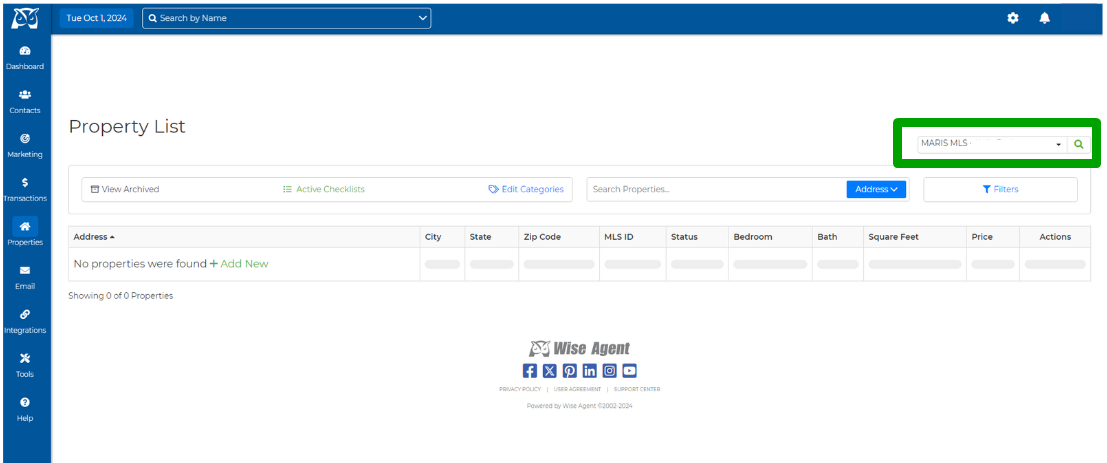
On the Property List, locate the MLS drop-down in the upper right-hand corner, then select the Magnifying Glass icon.
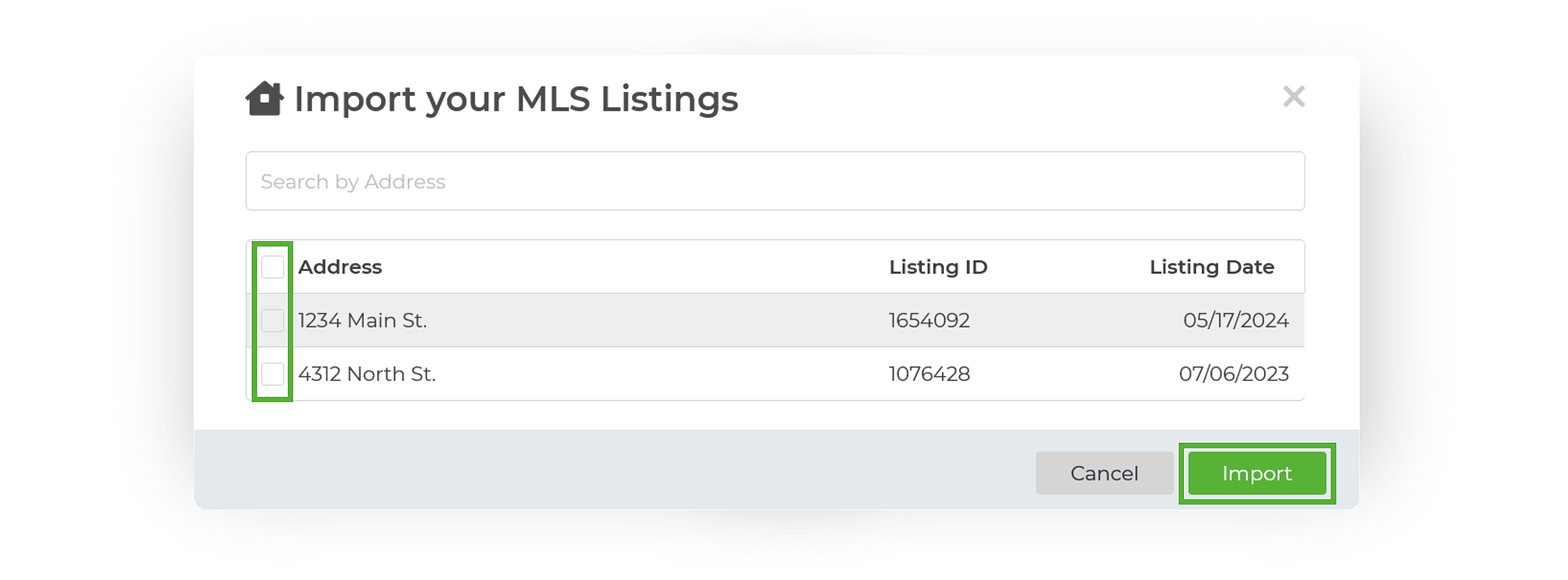
The system will then pull a list of all of the properties listed on your MLS account. Checkbox the properties you wish to import or you can choose the select all option.
Once selected, click on Import & that's it! Your listings will now populate on your Property List.
Now that you've added your properties to your account you'll be able to manage and market your properties directly from Wise Agent!