


Step 1: Link MARIS MLS To Your Broker Only Subscription
If you have not done so already, register for an MLS Grid account and complete the Broker Only Subscription.
Note: Only the designated broker can complete the following steps. If you are not the designated broker, kindly forward these instructions to your broker.
Login to your MLS Grid dashboard.
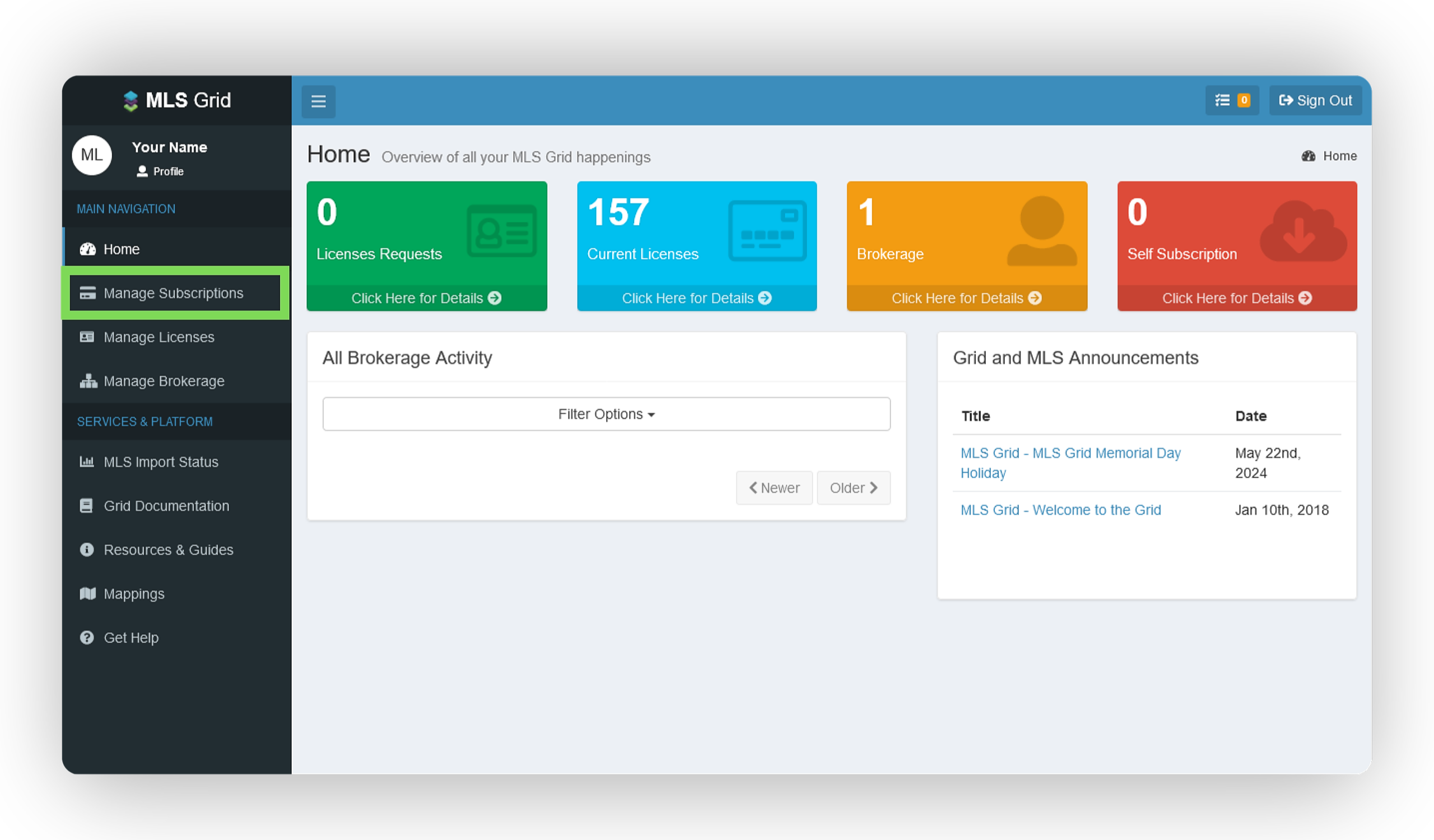
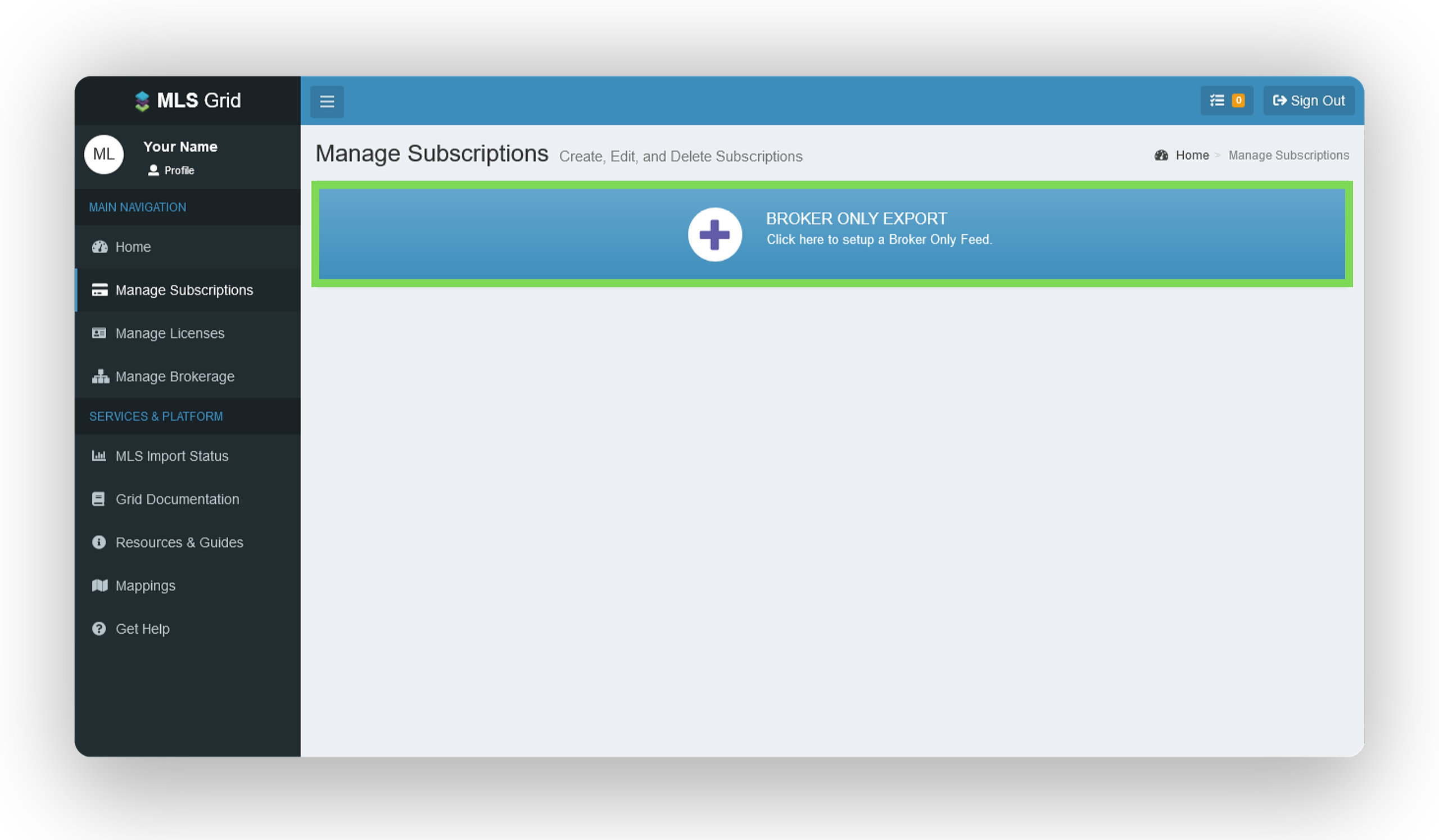
On the left-hand side, select Manage Subscriptions.
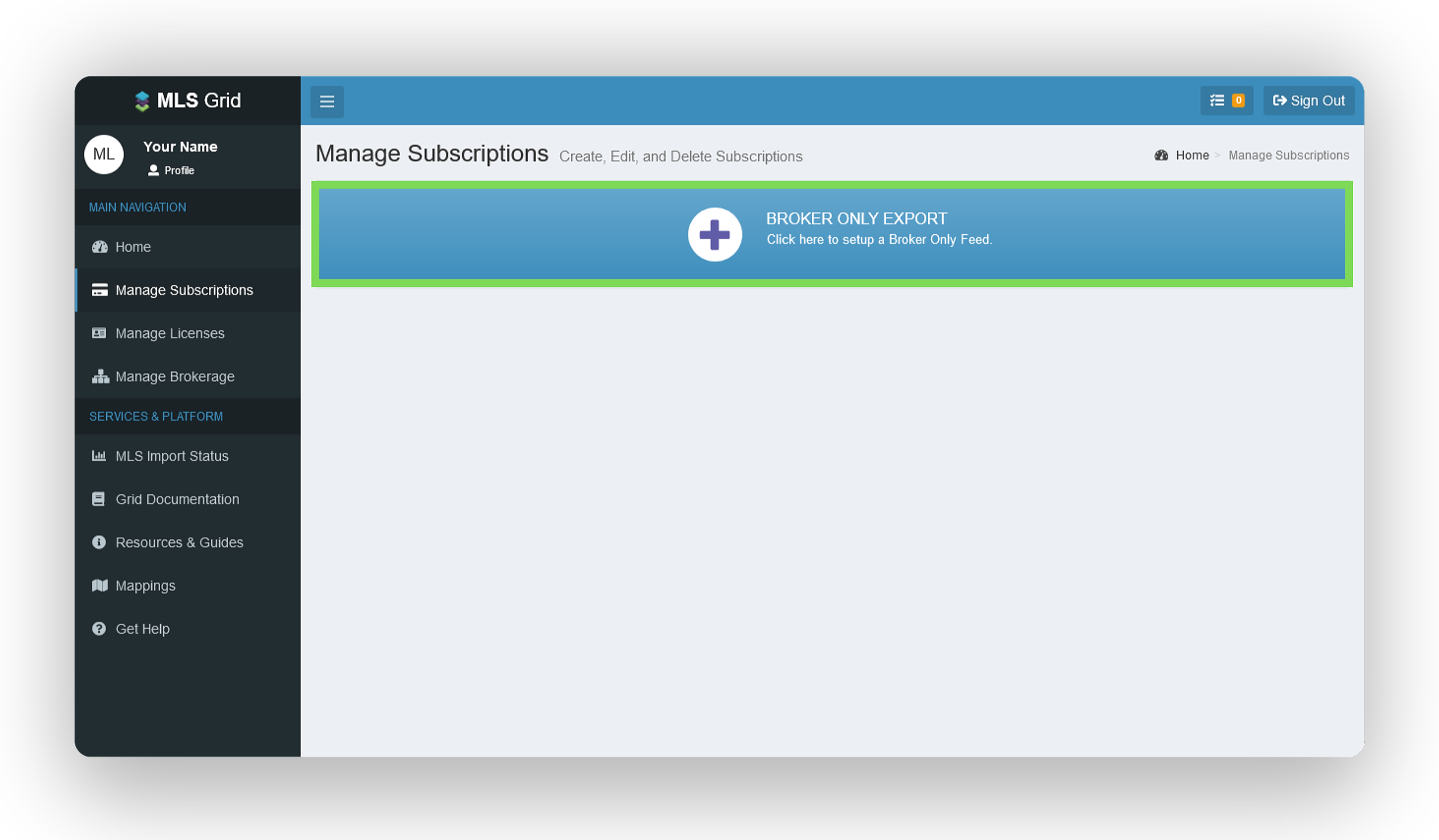
On the Manage Subscriptions page, select Broker Only Export as the data subscription type.
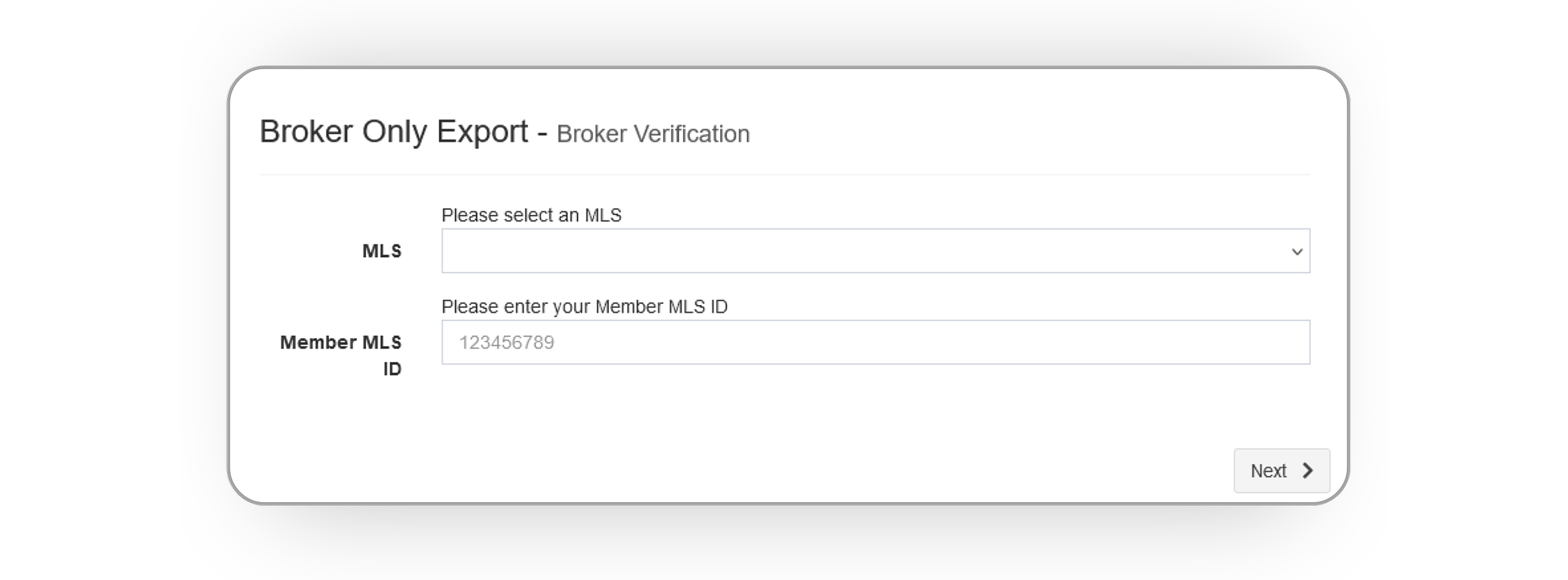
As you create your Broker Only Export subscription, you will be prompted to confirm details of your MLS membership by selecting the MLS you belong to and providing your Member MLS ID. Once entered, click Next.
Upon receiving the brokerage information from your MLS, confirm its accuracy. If correct, click Send Email. If incorrect, contact your MLS before proceeding.
A confirmation email from notify@mlsgrid.com will be sent to the email address associated with your MLS membership. Click Complete Verification in the email upon receipt.
Once confirmed, add yourself (your brokerage) as the recipient and finalize your data access license request, as outlined in this guide.
Step 2: Add Wise Agent As A Vendor
Login to your MLS Grid dashboard.
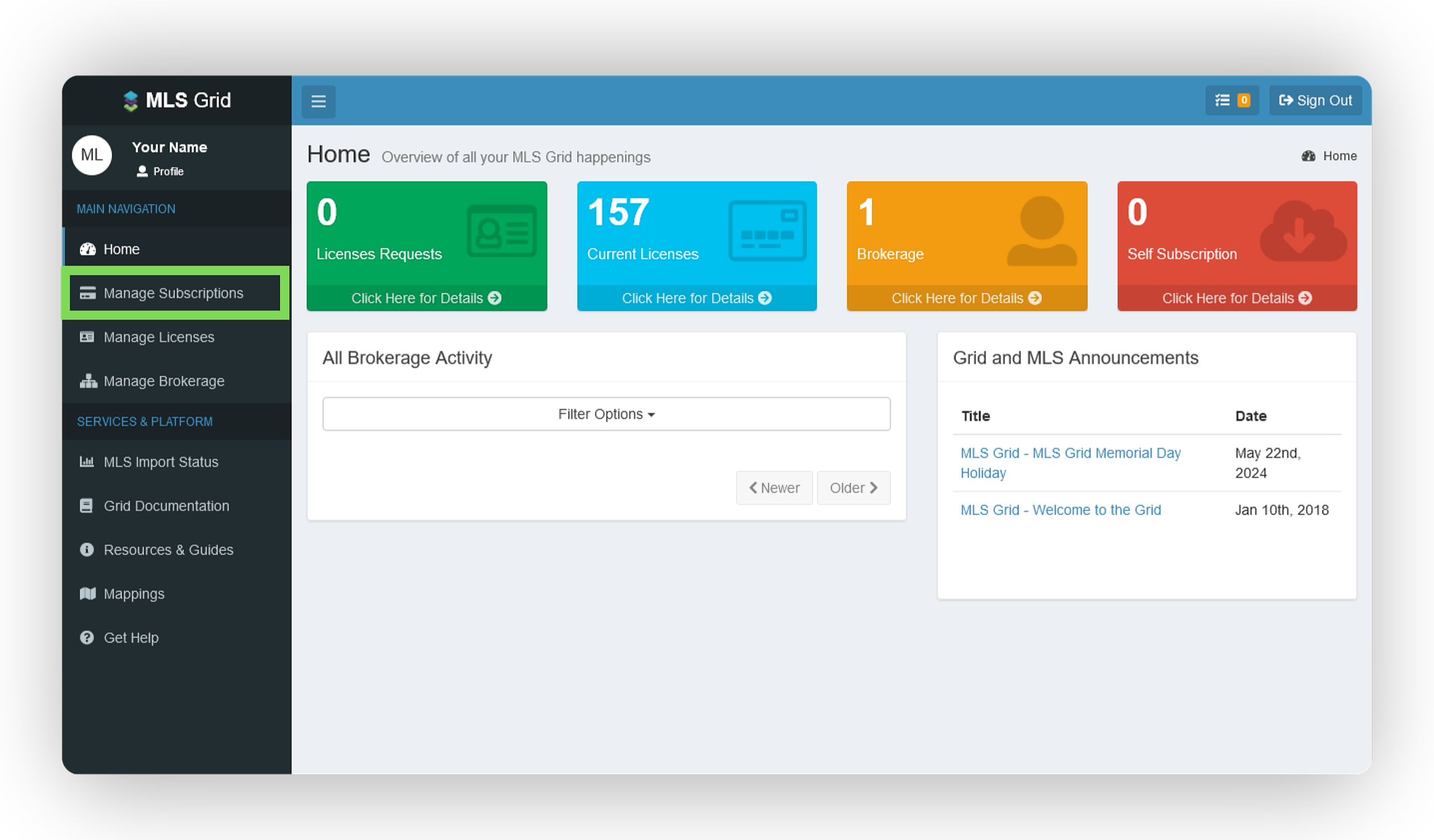
On the left-hand side, select Manage Subscriptions.
On the Manage Subscriptions page, select Broker Only Export as the data subscription type.
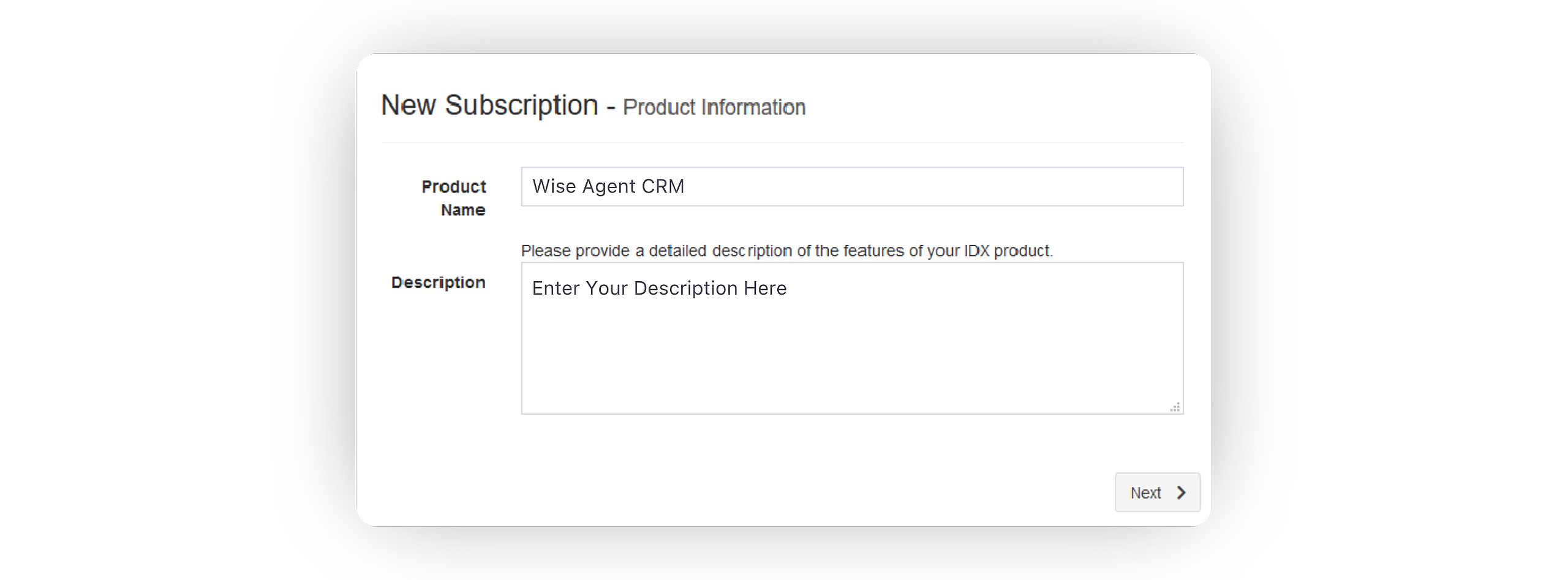
On the New Subscription form, enter Wise Agent as the name and fill in a description of your choice, then click Next.
On the New Subscription - MLS Sources page, toggle 'on' MARIS MLS, then click Next.
On the License Agreement, click Sign & Accept.
Once selected, a form will appear where you will need to add Wise Agent as the vendor using the following details:
Vendor and Contact Info Name: Erika Ornelas
Phone: 480-836-0345
Email: erika@wiseagent.com
Address 1: 16766 E. Parkview Ave
Address 2: #201
City: Fountain Hills
State: AZ
Postal Code: 85268
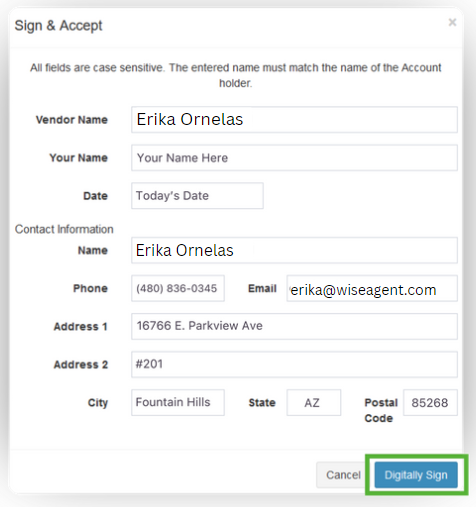
Once entered, click on Digitally Sign.
On the Add Broker or Agent Customers form, enter your broker information, then click Add Customer.
Once submitted, MARIS MLS will review and approve your agreement. Then, your agreement will be sent to Wise Agent and our MLS team will process and finalize the agreement.
After the license agreement approval has been completed; Wise Agent will then grant access to the MARIS MLS integration for the approved brokerage, giving you the ability to activate your integration within your Wise Agent Integration Settings. For information on how to activate your MARIS MLS integration click here.
NOTE: Please allow up to 5 business days for your agreement to be reviewed and processed. If the license agreement is not approved within 5 business days, please contact Wise Agent support by contacting mls@wiseagent.com.