

Logo

What are you looking for?

Get help straight from our team...

Modify Your Settings for Trigger Documentation & Error Notifications

Transaction Management

Modify Your Settings for Trigger Documentation & Error Notifications

To have executed triggers show up in your notes, as well as be notified when a trigger experiences an error, follow the steps below!

Last updated on 29 Oct, 2024

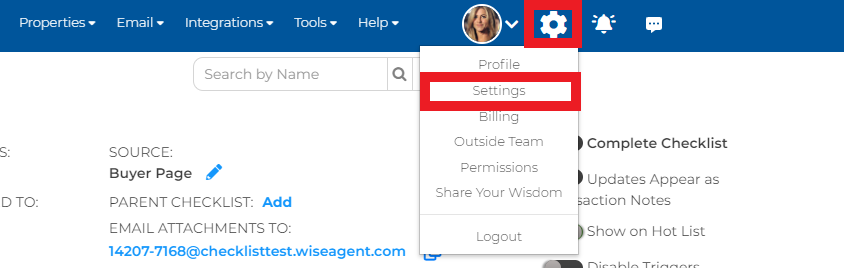
1. Navigate to your settings by clicking on the gear icon, then Settings.
Image

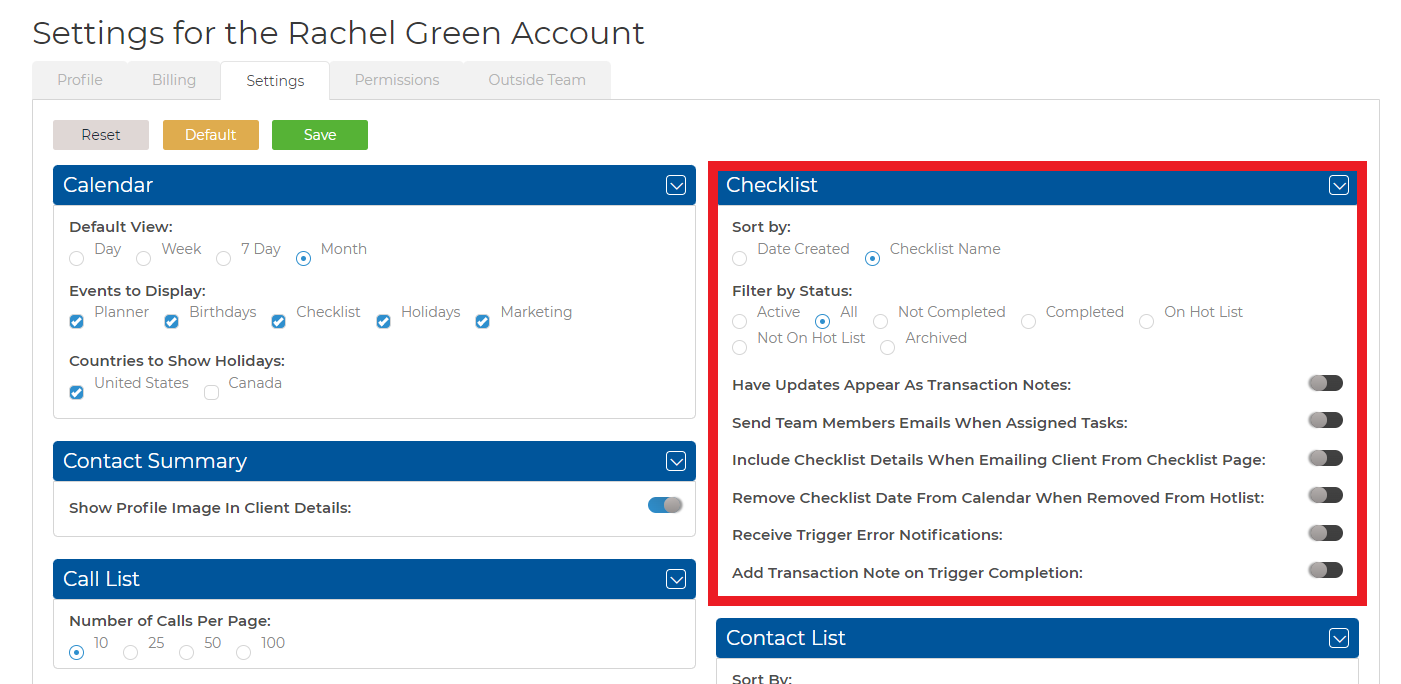
2. Once here, locate Checklist Setting on the right-hand side.
Image

3. Here, you can toggle on/off the settings for Receive Trigger Error Notifications, as well as, Add Transaction Note on Trigger Completion, That's it!

Did you find this article helpful?
Previous

Property Management

Next