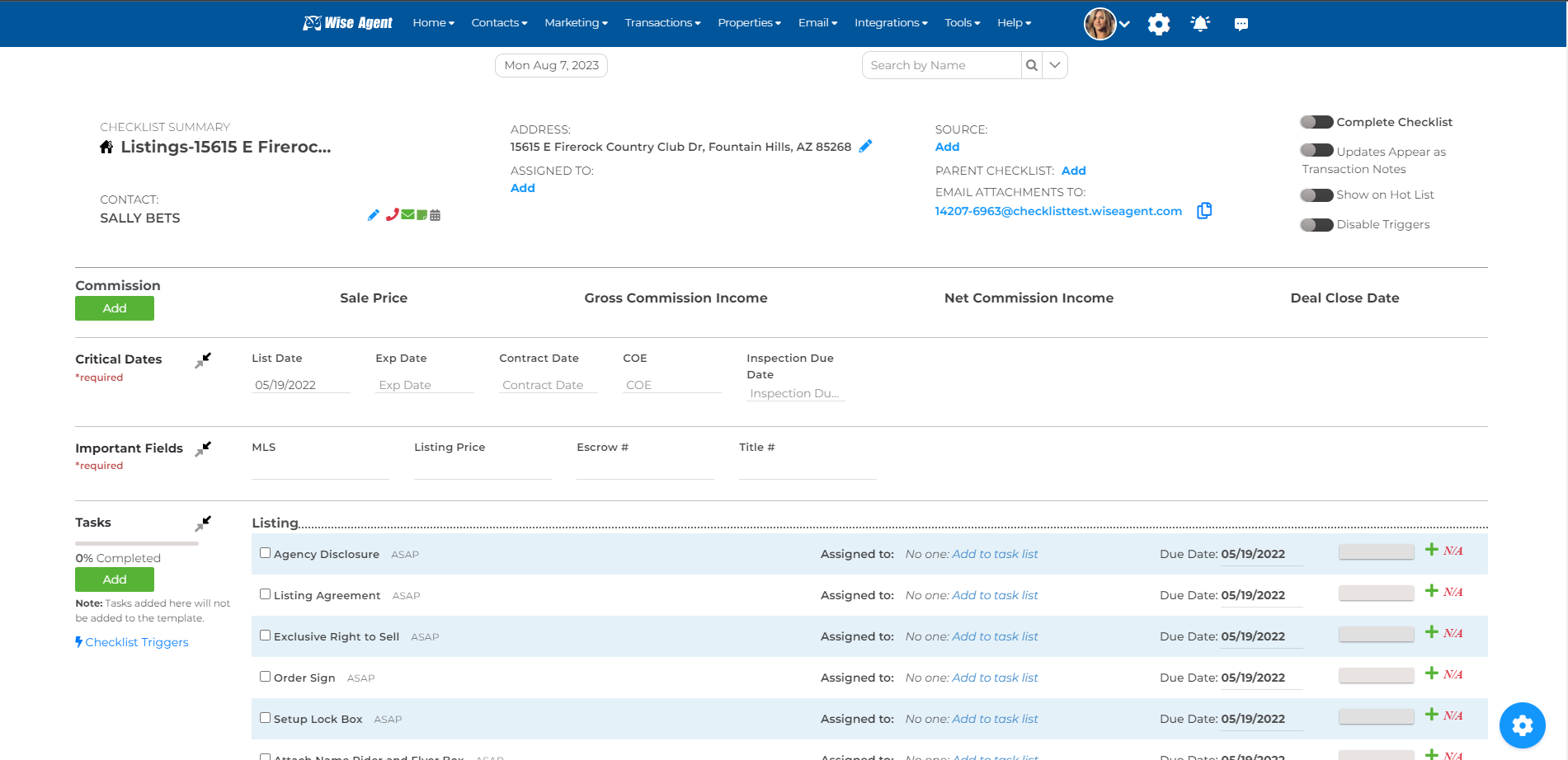
1. First, open your transaction checklist to the "Checklist Summary". This should look like the image below:
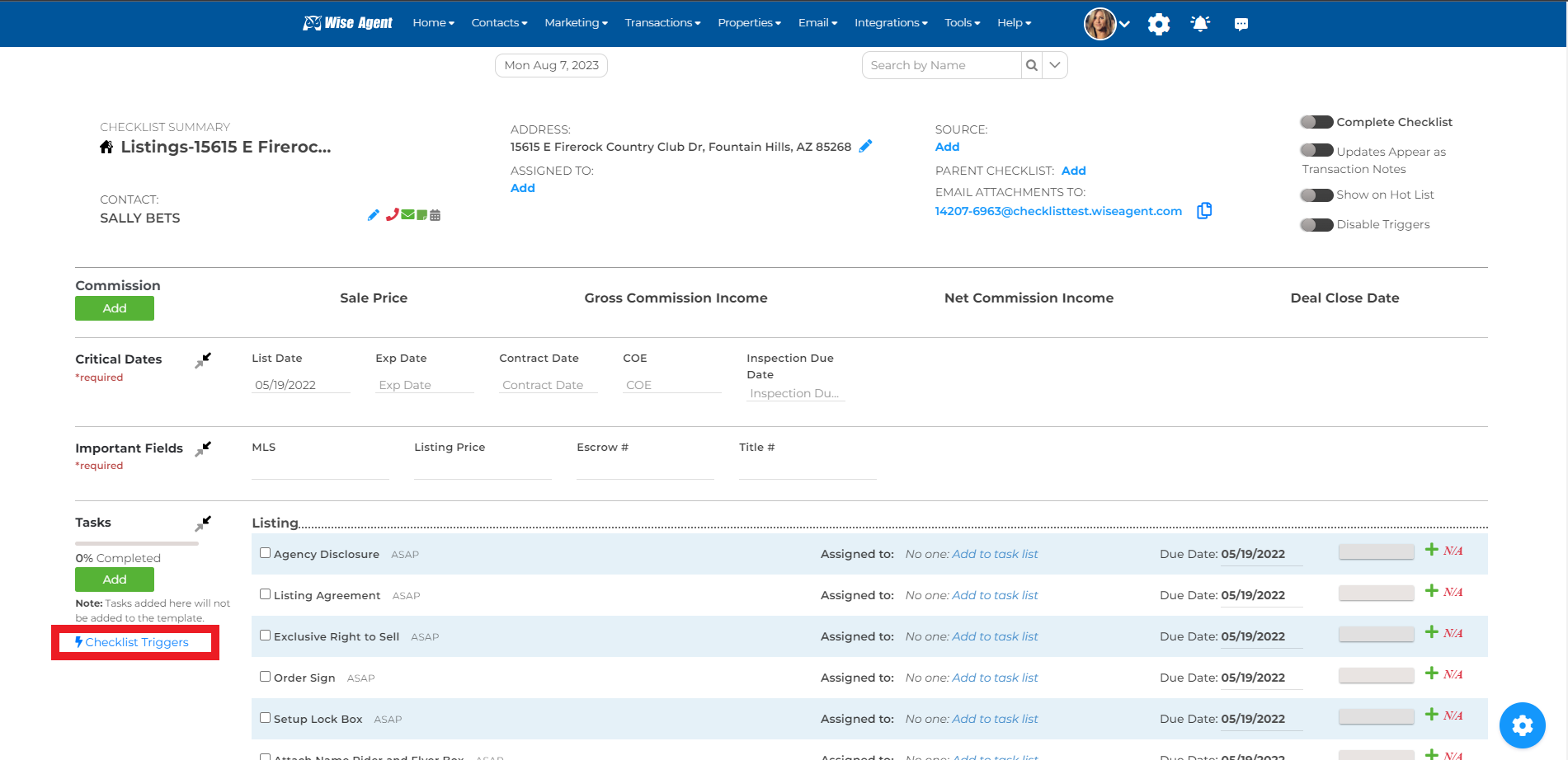
2. Under the Tasks header on the left-hand side, locate and select Checklist Triggers
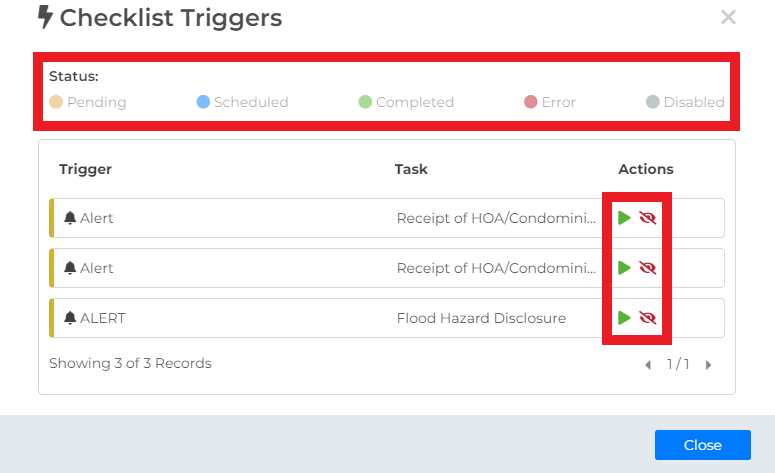
3. Once selected, a window will pop up showing you the triggers that are set for the specific checklist!
For the action icons, you can click the green "play" icon to manually activate the trigger & the red "eye" icon to disable the trigger.
For the "Status" options, you can select these to filter your triggers by a specific trigger status (Pending, Scheduled, Completed, Error, and Disabled)