
1. From the side navigation bar click Contacts > Contact List
2. Search for your contact and then select their name
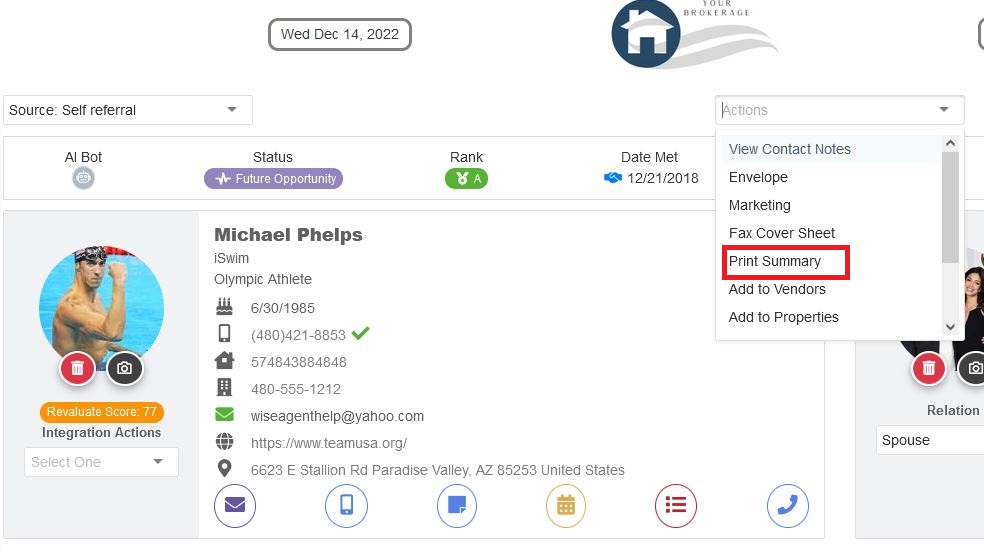
3. Once on the contact summary page for that client from the "Actions" drop-down select "Print Summary"

What are you looking for?
Get help straight from our team...
Integrated Partners
How to print your contact summary page
Last updated on 04 Oct, 2023
1. From the side navigation bar click Contacts > Contact List
2. Search for your contact and then select their name
3. Once on the contact summary page for that client from the "Actions" drop-down select "Print Summary"