To restore an archived checklist:
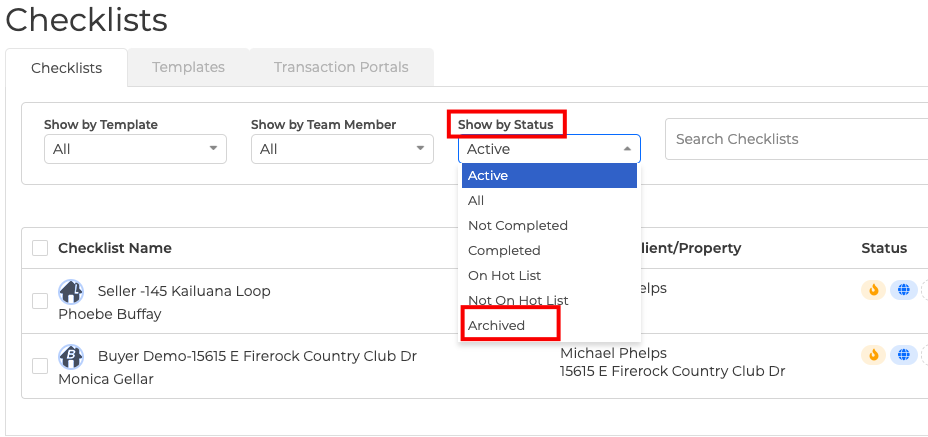
1. Click on the Transactions button, then click Checklists.
2. Using the "Show by Status" drop-down menu - select "Archived".
3. It will then take you to a page showing you all your "Archived" checklists.
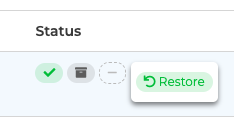
4. Look for the Checklist name of the Archived Checklist that you want to restore and put the cursor on "Status" located at the right-hand side of the screen.
5. Click on the "plus" icon and select "Restore" and that's it!