Logo

What are you looking for?

Get help straight from our team...

Wise Agent Mobile Web App For Android

General Questions

Wise Agent Mobile Web App For Android

Our Wise Agent mobile app has all the main features from the desktop version for a convenient and fast mobile web app. You will be able to have immediate access to every aspect of your business right from your phone. By using the app you are able to connect with your clients even when you are not in the office or in front of a desktop computer.

Last updated on 05 Jul, 2024

  1. Open Chrome.

  2. Navigate to www.wiseagent.com

  3. On the top right corner, click on Login, then enter your Wise Agent login and password. 

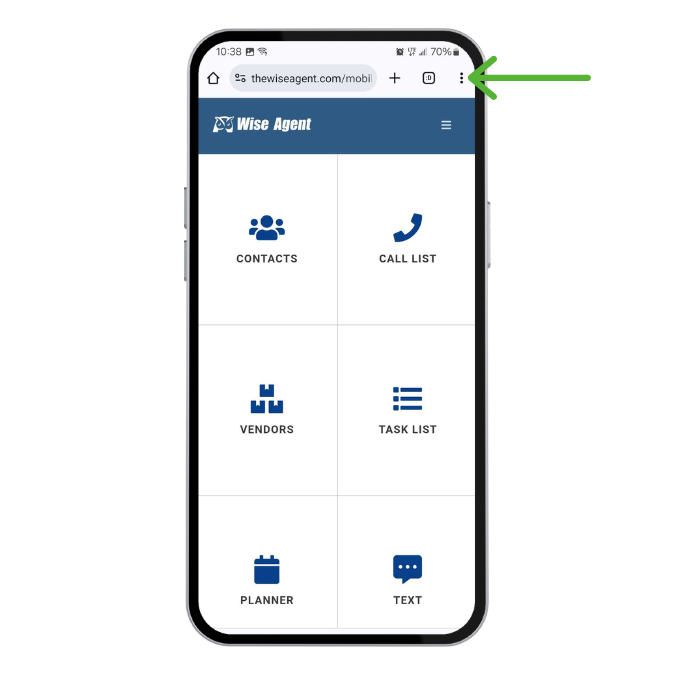
  4. Tap the three vertical dots button at the top right corner of the screen.
Image
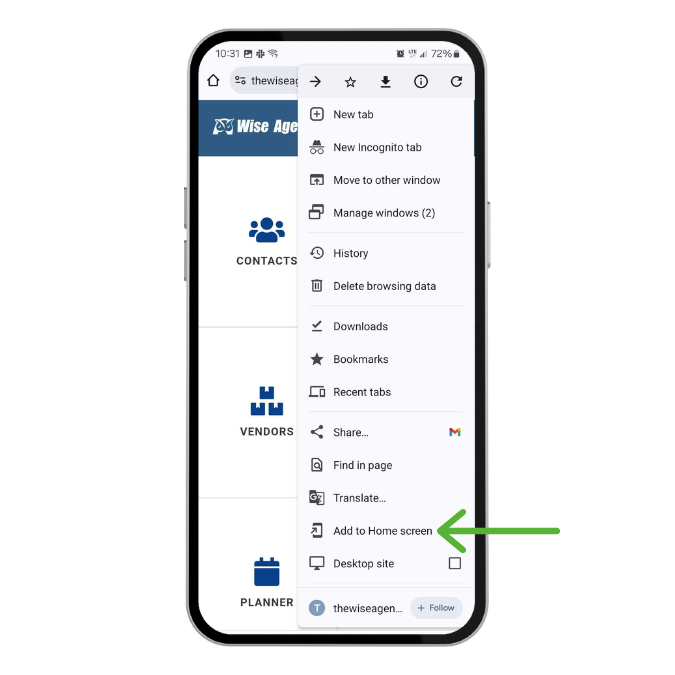
  1. Select Add To Homescreen.

Image
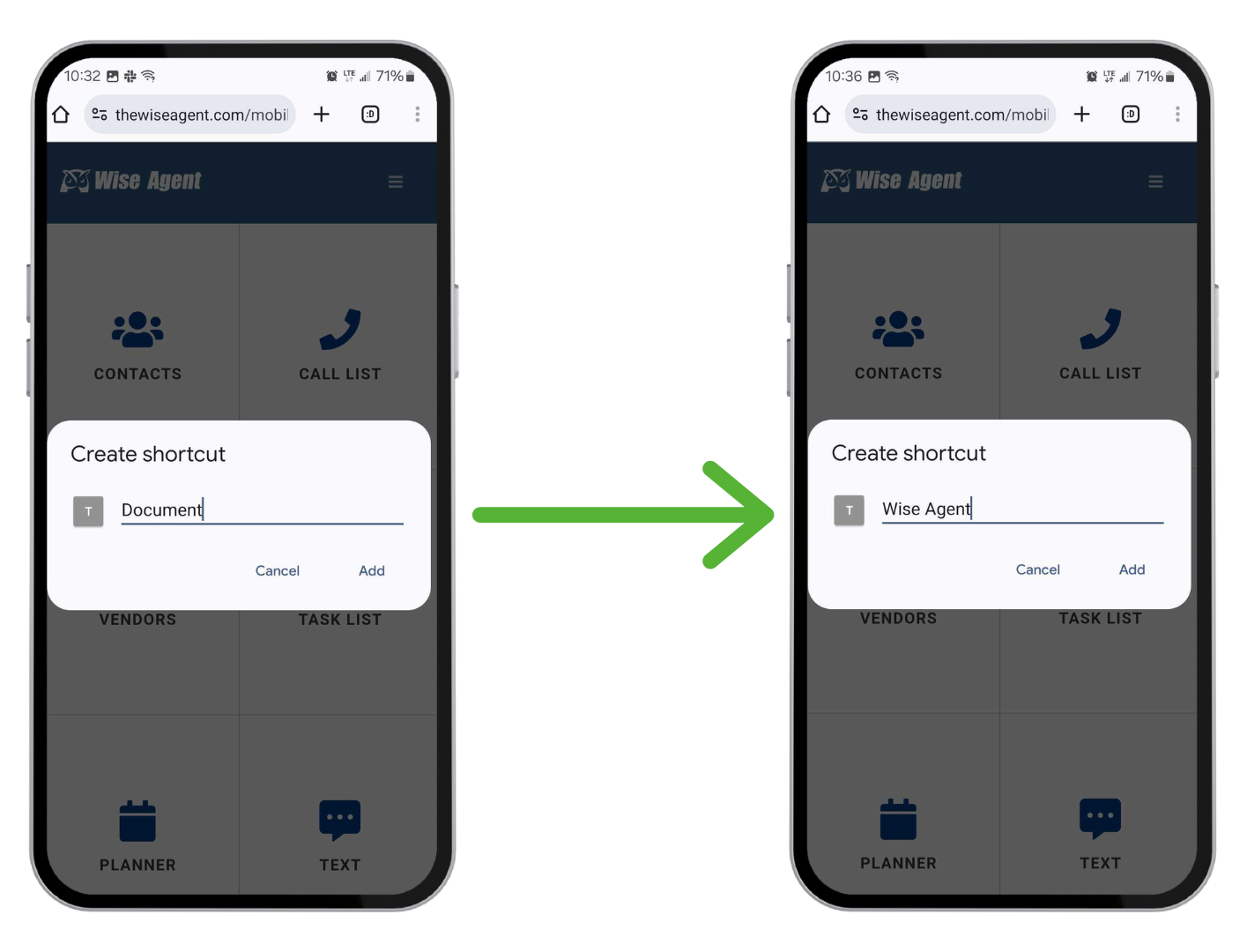
  1. Name your shortcut, then click Add.

Image

That's it! Now, you can click on your app anytime to use Wise Agent on the go.

Did you find this article helpful?
Previous

Removing A Purchased Login Without Removing An Inside Team Member

Next