

Logo

What are you looking for?

Get help straight from our team...

Cloud CMA report for new leads

Integrated Partners

Cloud CMA report for new leads

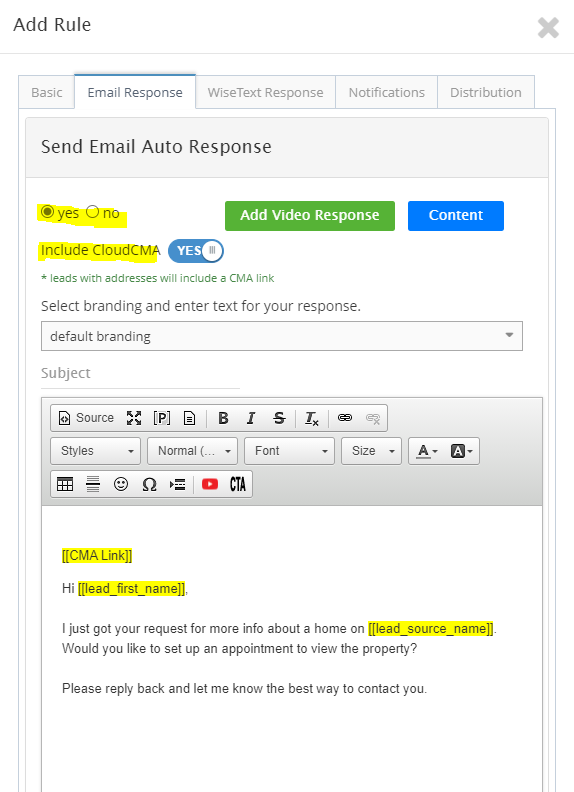
New Lead Handling Feature for Cloud CMA users: If you would like to send a CMA as part of lead handling you must select Yes for sending an Email AND Yes to send the CMA. The switch will add the placeholder into the email body, AND will also send a separate email from Cloud CMA, you can delete the placeholder and the lead will still get an email from Cloud CMA with the link to the CMA pdf.

Last updated on 05 Oct, 2023

Sending Cloud CMA reports using the Lead management feature:

1. Click Contacts> Lead Rules 
2. Click the green Add button

3. Select "Email Response" click Yes then Yes to include CloudCMA
Image

Note: that it will not send anything and will remove the placeholder if there is no lead address or extra address


Click here for a video tutorial


Did you find this article helpful?
Previous

RE/MAX Leadstreet

Next