

To get to the Menu:
Click Contacts, then Contact List.
Select a Contact from your list, which will open the Contact Summary page.
On the left-hand side, there is a Menu List with many different options. When you click one of them, it will open on the page where you can edit, add, or remove information.
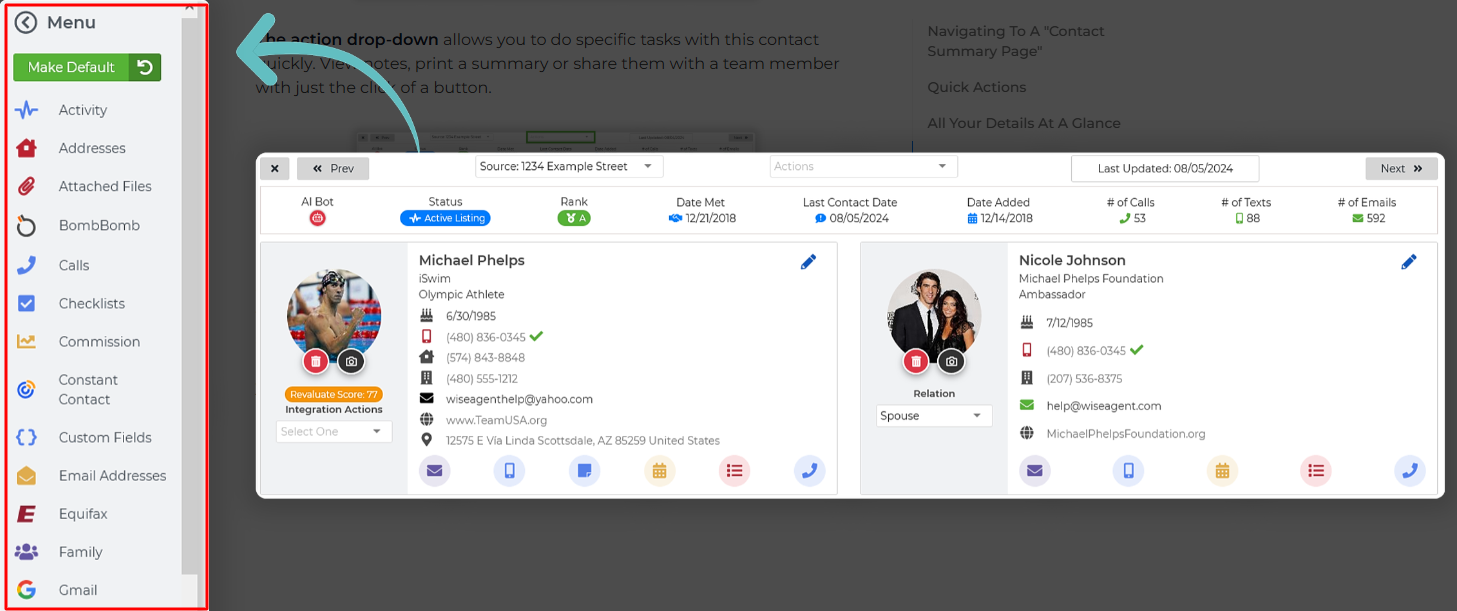
The Menu Options:
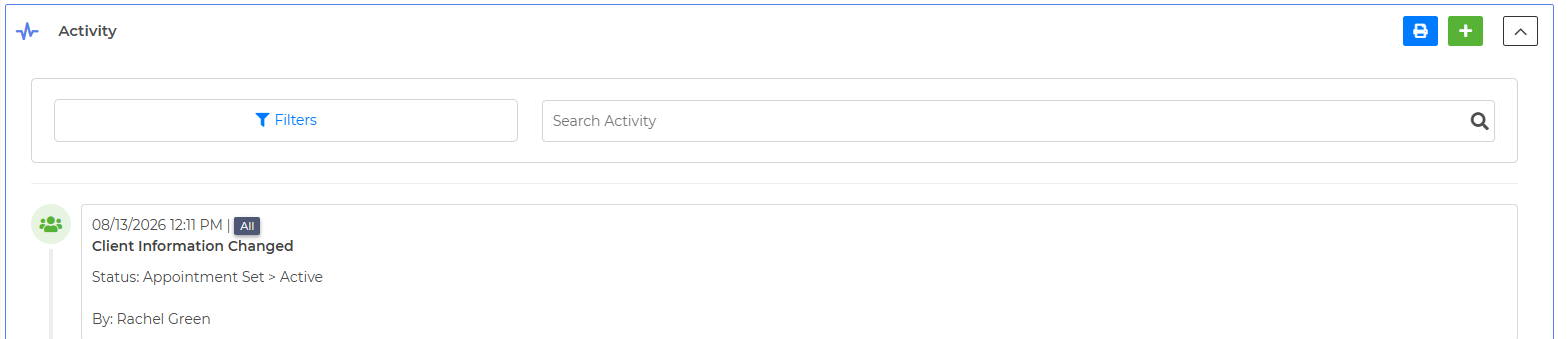
Activity: The Activity Tracker will be where you can track everything that happens in the system with this contact. If you send them an email, if they open it, or if you update anything on their contact card, it will display that information here. This is also where all Notes on the contact will be stored. Filter through Notes, Texts, Calls, Emails, Drip Campaigns, Calendar Events, Tasks, Checklist, Integrations, Team Sharing, Commission, or Pipeline.
Addresses: If the contact has additional addresses you'd like to add to the system, you can do so here. This also stores Property Connections, which allow you to add the connection they have to a property on your Property Page.
Attached Files: Wise Agent offers unlimited storage space for any files you'd like to keep in a safe place!
BombBomb: If you have the BombBomb integration, you can add or remove the contact from here.
Calls: See if this contact is currently on the Call List, or click the green + to add them to it.

Checklists: If this contact is currently going through a Transaction Checklist with you, it will be linked here.
Commission: If this contact is linked to your Sales List on the Commission Report, it will display here.
Constant Contact: If you have the Constant Contact integration connected, you can add or remove this contact from a list here.
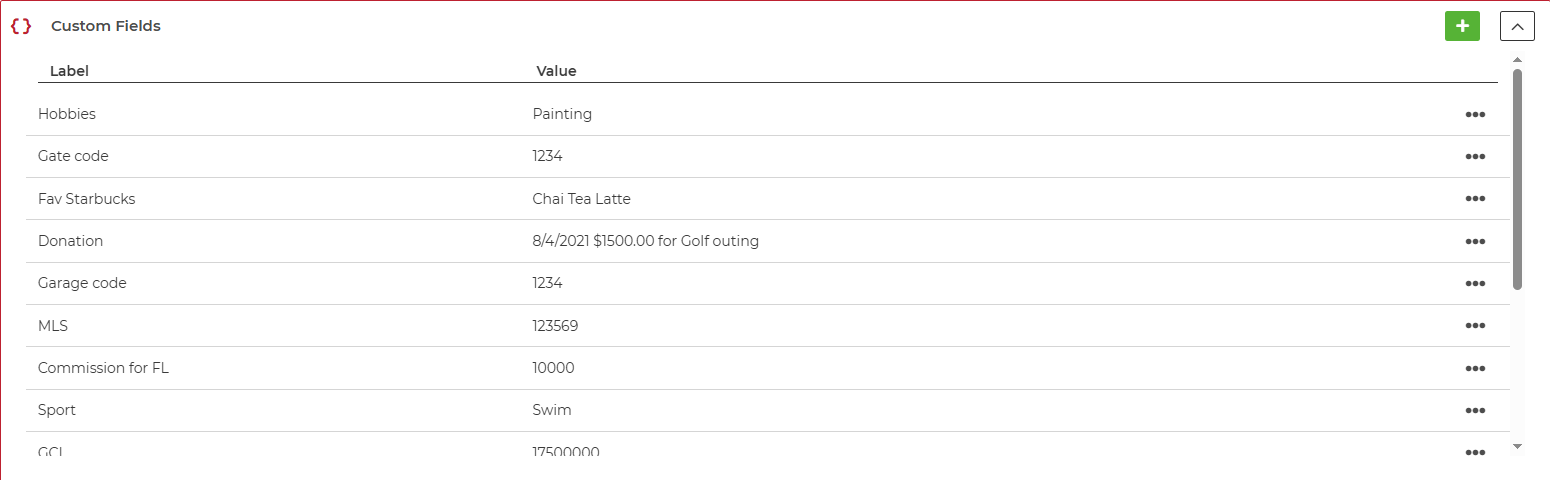
Custom Fields: Add or remove any Custom Fields here, such as Gate Codes, MLS numbers, or Credit Reports. You can also filter your contact list by Client Custom Fields to easily find contacts.
Email Addresses: Each contact can have one primary email address shown on their contact card, but you can add any extra ones here.
Family: Add children's names and birthdays, Friends/Relatives names and relation, and even their furry friends under Pets!

Gmail: This is a browser-based integration that allows you to see your Gmail Emails back and forth with this contact.
Important Dates: Keep track of all the important dates so you never forget! These dates will show on your Wise Agent calendar automatically, as well as on the Dashboard under Important Dates! Never miss a Home Sale Anniversary, Birthday, or any other significant date again!
Lead Enhancement: This feature allows you to gather more information on your lead based on their email address. The first 100 are free, and after that you can sign up for unlimited lead enhancements for $5 a month.
Marketing: See what Drip Campaigns the contact is currently on. Add them to new ones or remove them from current ones.
MailChimp: If you have this integration connected, you can easily add or remove your contact from a list here!
Phone Numbers: Add any extra phone numbers here.
Planner: See what calendar events you've connected this contact to.

Referrals: Add "Referred by" or "Referred" contacts so you can easily keep track of your referrals.
Scheduled Emails: This will show any one-off emails scheduled to be sent or already sent to your contact.
Search Criteria: If your contact has specific search criteria they are looking for, you can keep a record of city, zip code, area, minimum square footage, minimum bedrooms and bathrooms, when they plan to move, rent or own, minimum/maximum pricing, property type, and even include any extra notes!
Tasks: Show any Tasks connected to this contact.
Web Activity: With our Custom IDX website and our exclusive partners, you can see when this contact visited a specific page on your website.
Websites: Add any websites this contact has, including Facebook or Blogs.