Logo

What are you looking for?

Get help straight from our team...

How to Create a Property Flyer

Marketing Tools

How to Create a Property Flyer

You can create a promotional, multiple image flyer that will highlight property listing features and give pertinent details to potential buyers. There are several professional-looking templates to choose from. The flyers can be printed or emailed complete with your branding.

Last updated on 19 Nov, 2023

Here's how to create a Property flyer;


1. Click Marketing and then click Property Flyers.

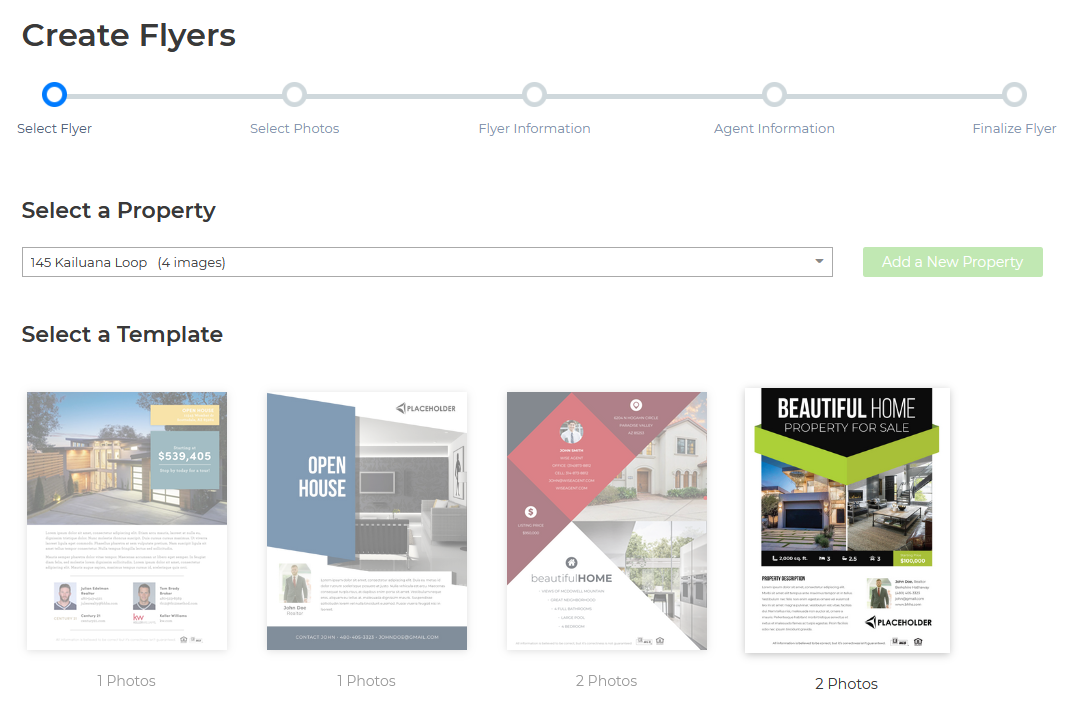
2. Click on the Select a Property drop-down, and choose the property.

3. Select a Template you would like to use, and then click Next.
Image

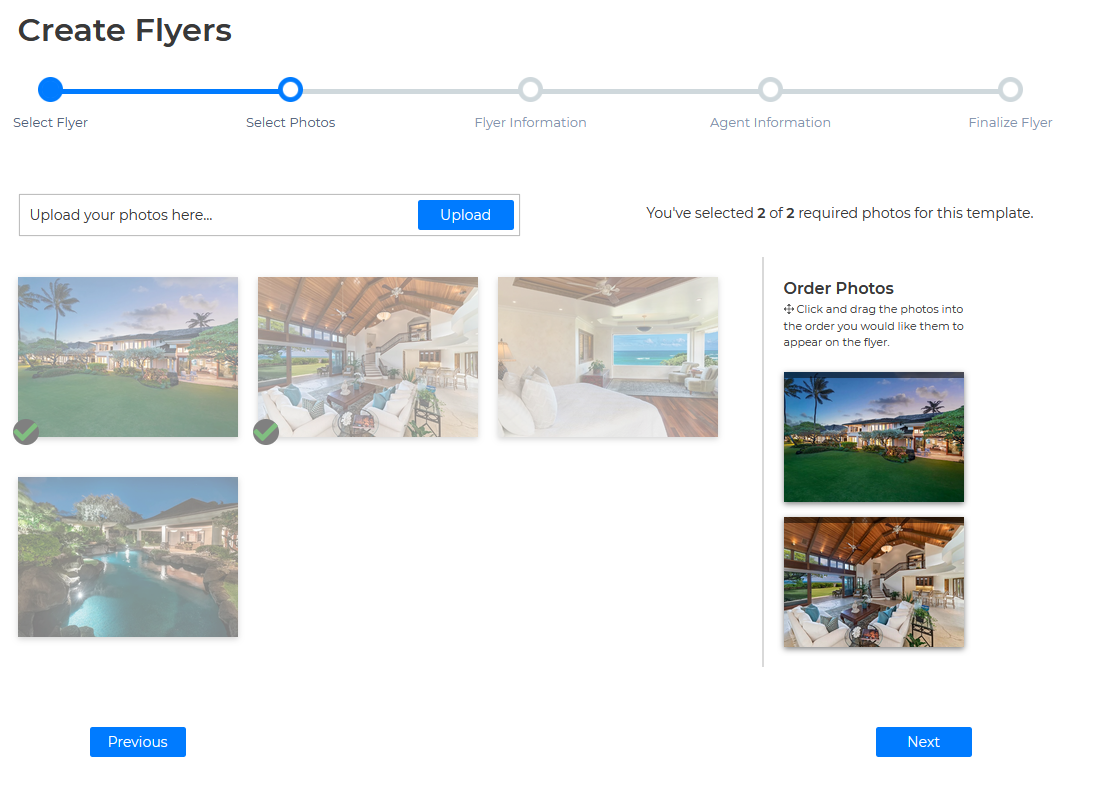
4. Upload any images you would like to, then press Next
Image

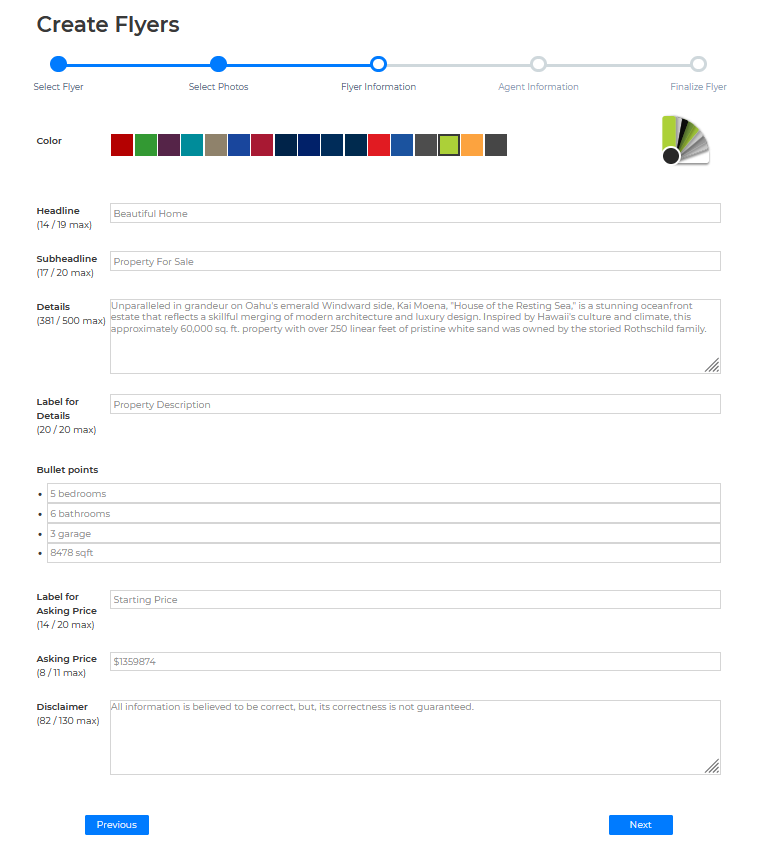
5. Then fill out all of the required fields
Image

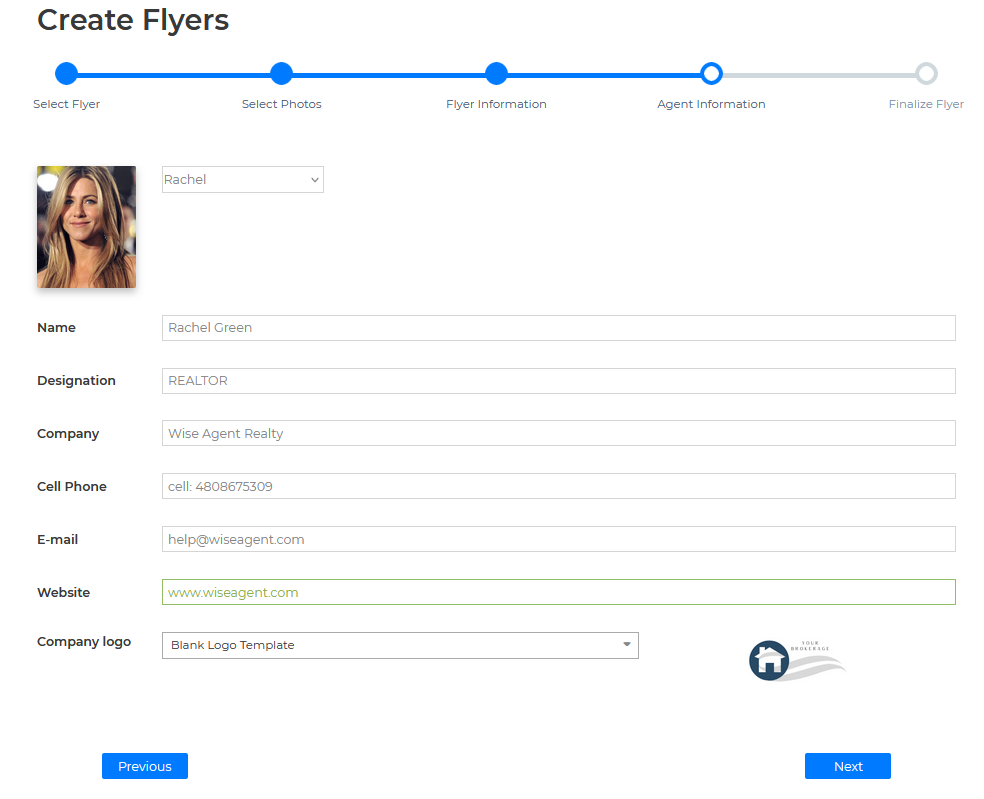
6. Enter the Agent(s) information 

Image

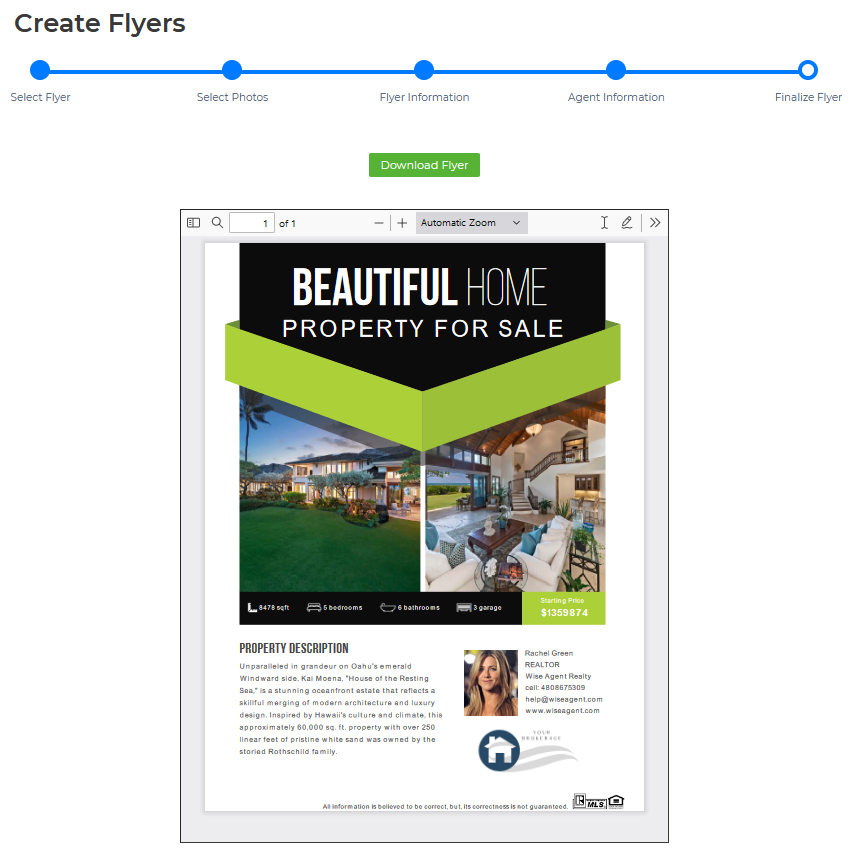
7. Lastly click on the Download Flyer button
Image


Thanks and have a great day!

Did you find this article helpful?
Previous

Add Letters/Email content to Marketing Program

Next