

To add new note categories:
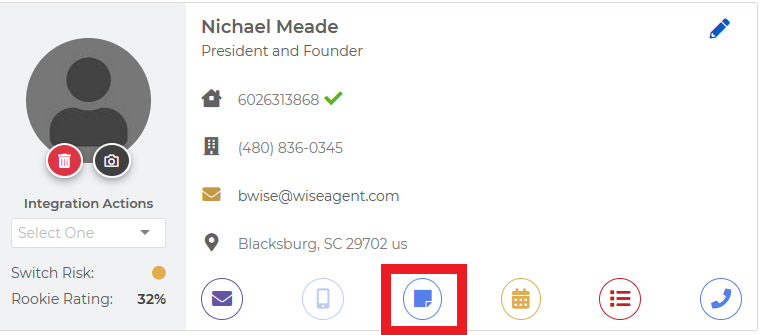
Click on the blue note icon on any contact summary page
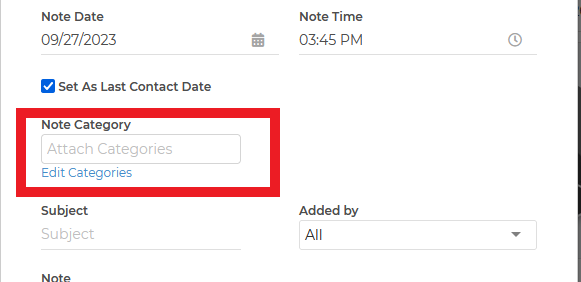
Click on the edit categories link below the category section
From here you can add any new category options to save to any contact
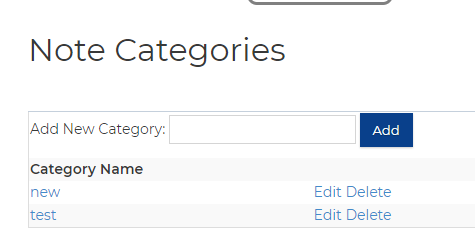
You will be able to use this category any time you are creating a new note for any contact. You can use this as a search filter for any of your saved notes on any contact