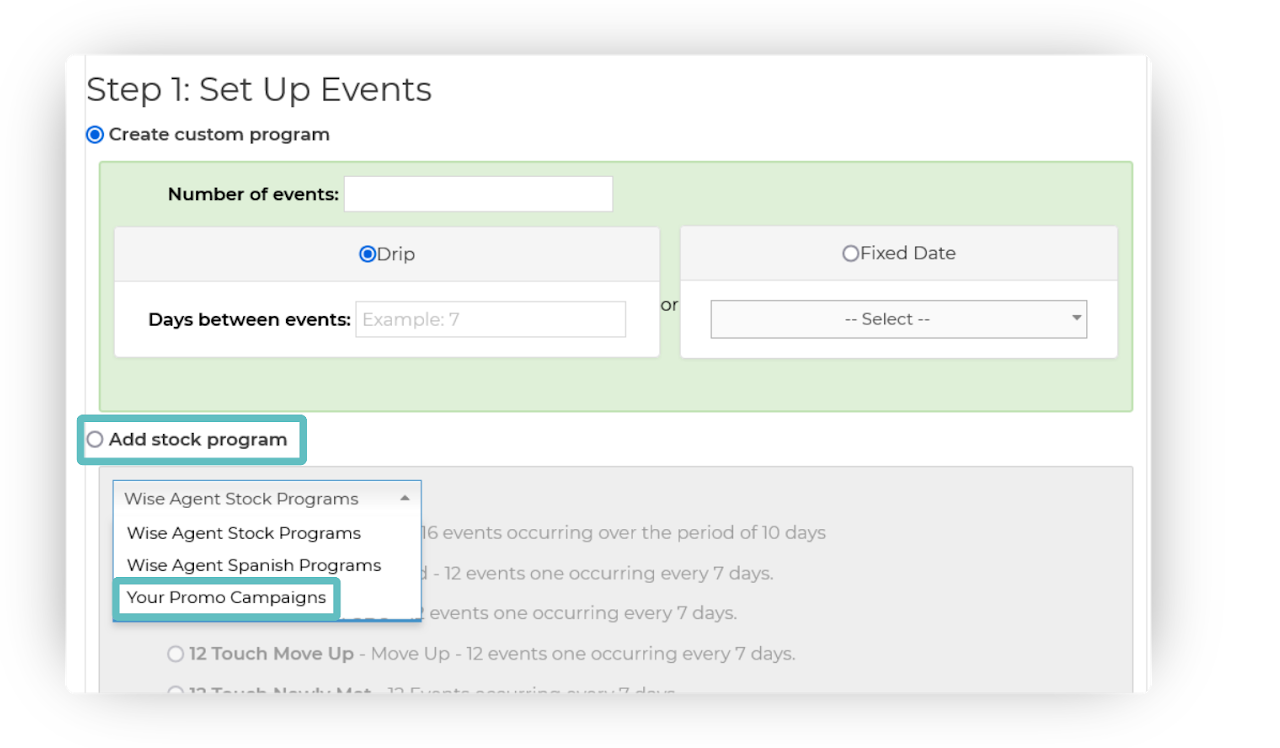
Login to the account linked to the Promo.
(This would be the Admin/ Broker account)Create a new Drip Campaign.
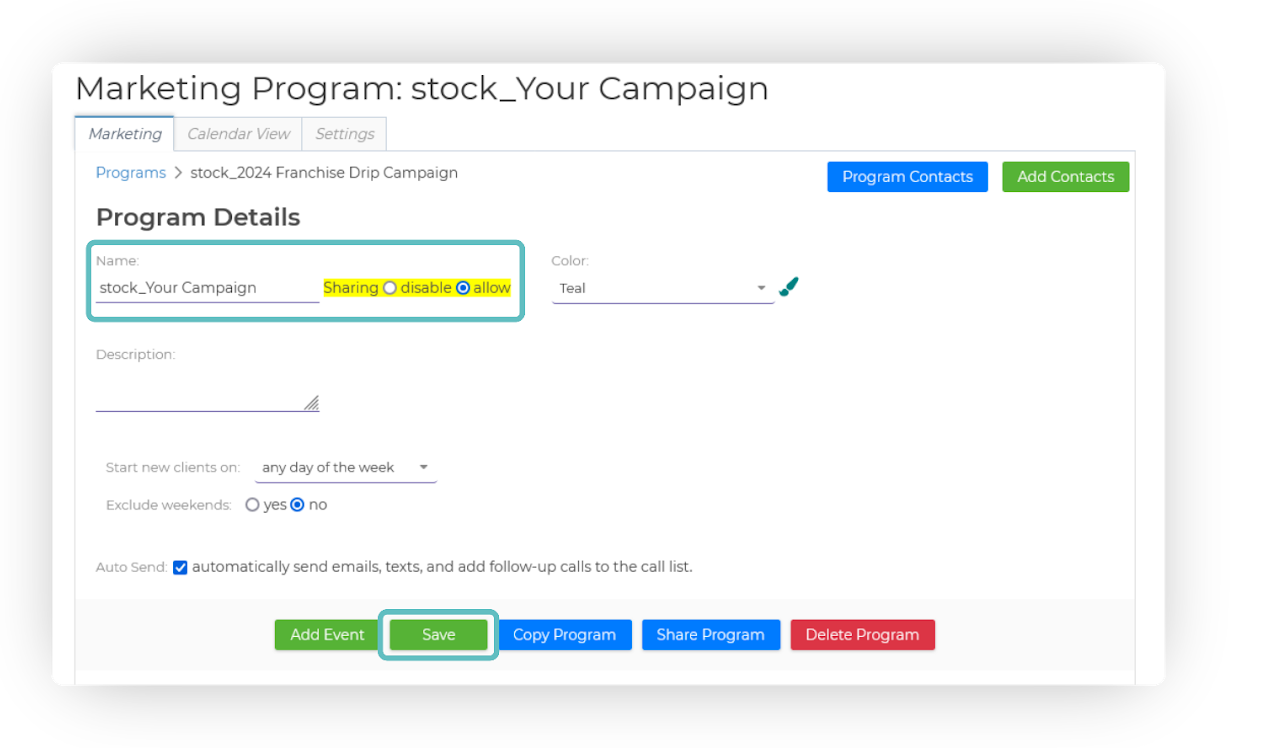
If you need help, see: Getting Started With Drip Campaigns➜Before saving, insert stock_ prior to the template title, then click Save.
For Example: stock_Your CampaignAfter saving, reopen your drip campaign & an option will appear to the right of the title. Select Allow and then re-save to make this stock campaign available to all accounts under the promo.
Accounts under the promo will now see this campaign as a selectable option in a new dropdown menu when creating a new stock campaign.