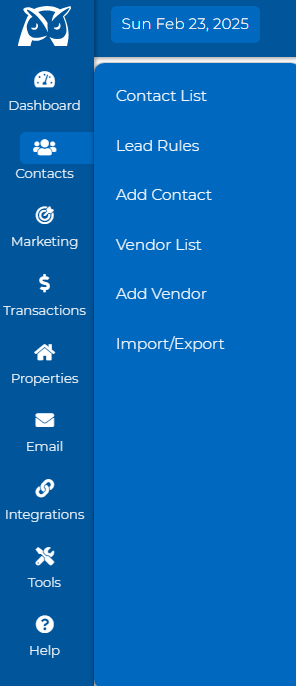
Go to Contacts, then select Contact List.
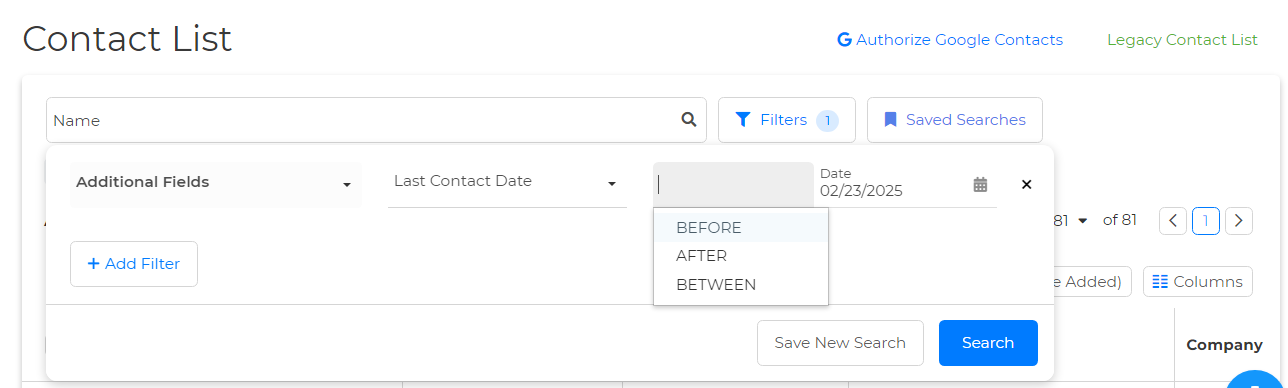
Once on your contact list, locate the "Filters" at the top.

Select "Additional Fields" from the Select Filter dropdown.
Select "Last Contact Date" under the Select Field dropdown.
Once selected, you can choose a date range with the options "before, between, or after." Select an option, then select a date by clicking the calendar icon.
Once you have selected your options, click the blue "Search" button, and that's it!