

Logo

What are you looking for?

Get help straight from our team...

Uploading Documents to a Contact

Contact Management

Uploading Documents to a Contact

You can upload your own contracts and forms under the specific client with a few easy steps!

Last updated on 12 May, 2024

1. Click on "Contacts" on the left-hand side and then click "Contact List"

2. Select the desired contact your form is associated with to enter their contact summary page.

3. From the menu on the left-hand side, select "Attached Files".
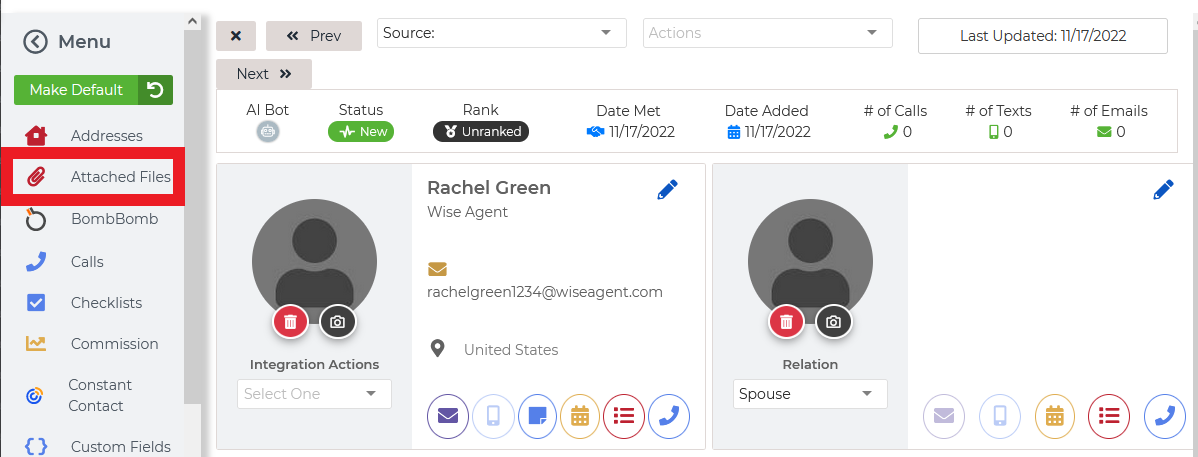
Image

4. From here, you can attach your files by clicking on the green "+" icon and you are all set!

Image


Did you find this article helpful?
Previous

Search for Contacts by the Last Contact Date

Next