What is the Daily Agenda Email?
The Daily Agenda email is a helpful feature in Wise Agent that delivers a snapshot of your upcoming day, including:
• Calendar events scheduled for the day
• Tasks due today, past due tasks, & tasks without due dates
• Calls due today or past due
• Contacts added in the last 24 hours
• Wise Agent Website Lead Activity from the last 24hrs
It’s sent automatically at 5AM MST to help you start your day prepared.
How to Enable/Disable the Daily Agenda Email:
Log in to your Wise Agent account.
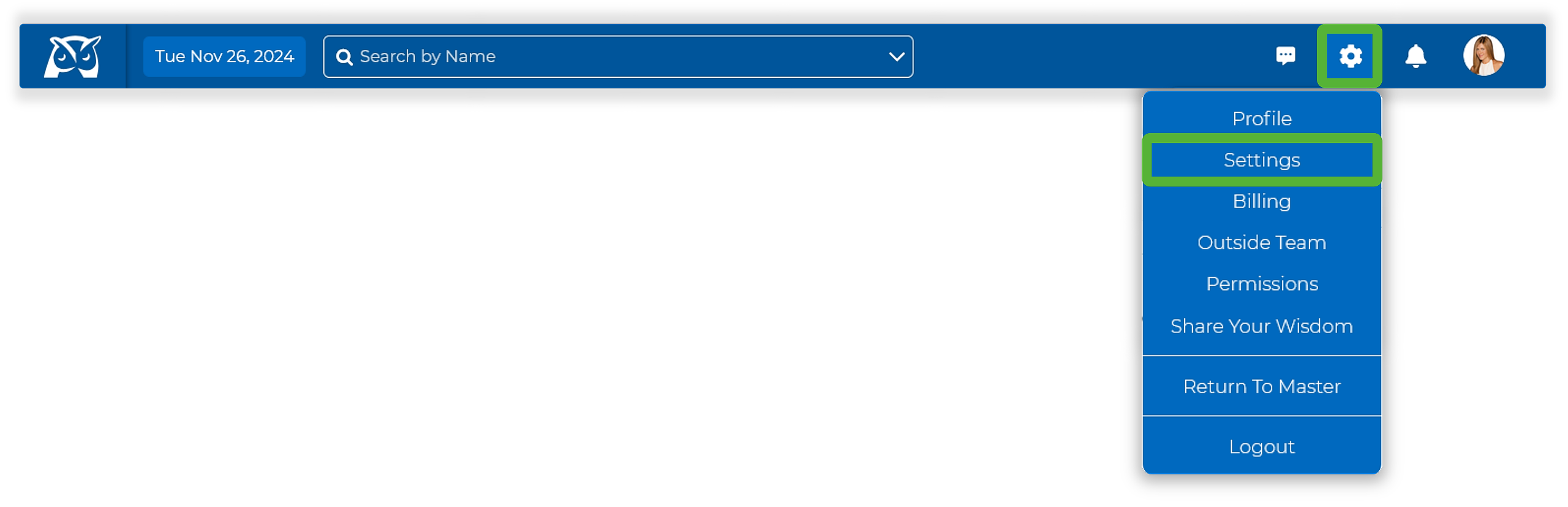
In the upper right-hand corner, click on the Gear Icon, then select Settings.
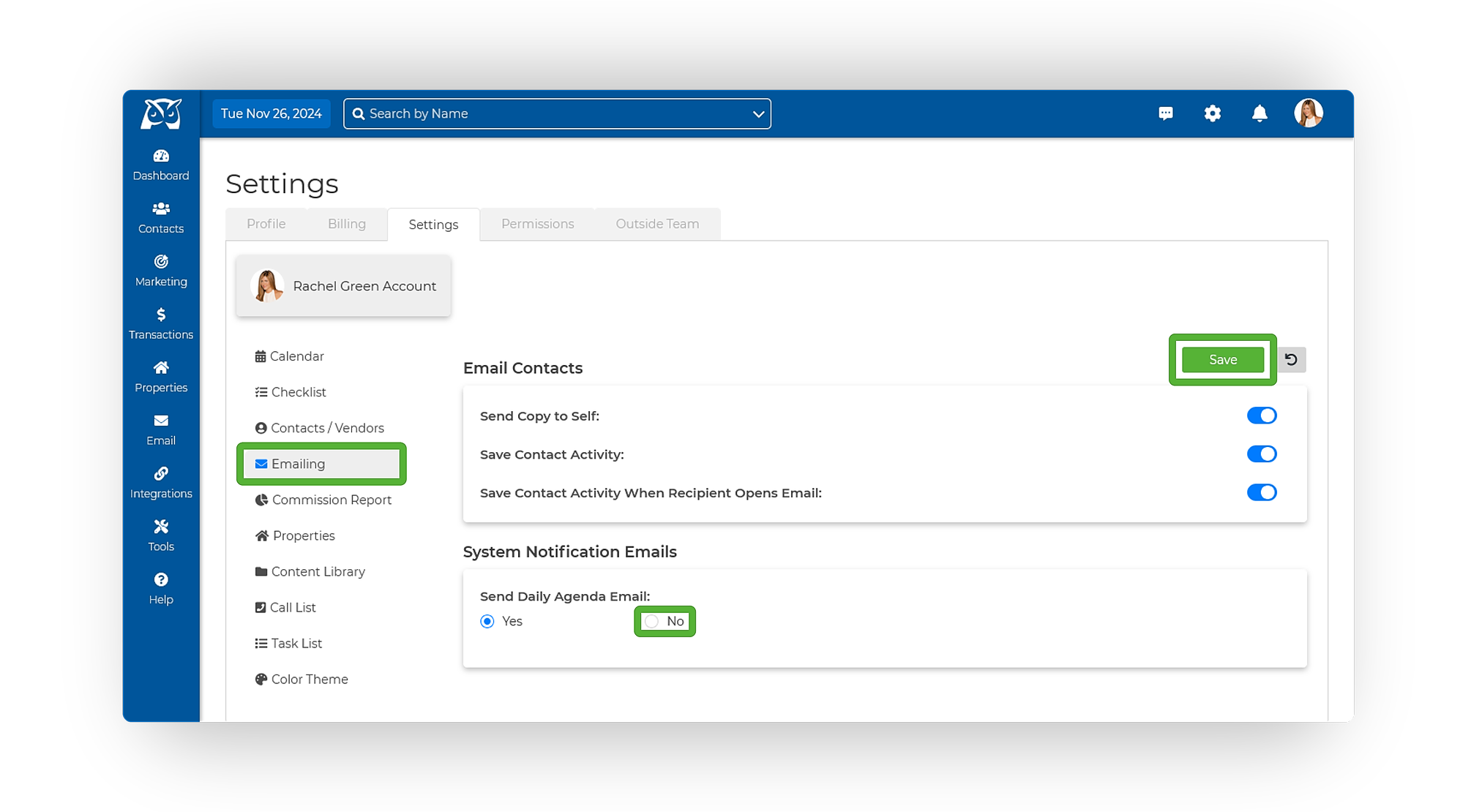
From the menu options on the left-hand side, select Emailing.
Locate Send Daily Agenda Email and select Yes or No. (depending on your preference
By default the Daily Agenda Email is set to "Yes"
You can customize these settings for each Inside Team Member profile.
Click the green Save button in the upper right-hand corner.