Logo

What are you looking for?

Get help straight from our team...

Activity Tracker - Texts

Contact Management

Activity Tracker - Texts

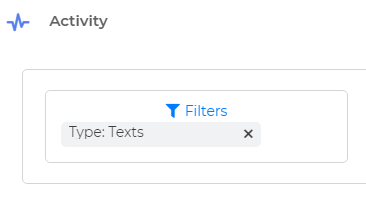
By using this filter type, you will see the text messages sent and received from your Wise Agent number.

Last updated on 29 Dec, 2023

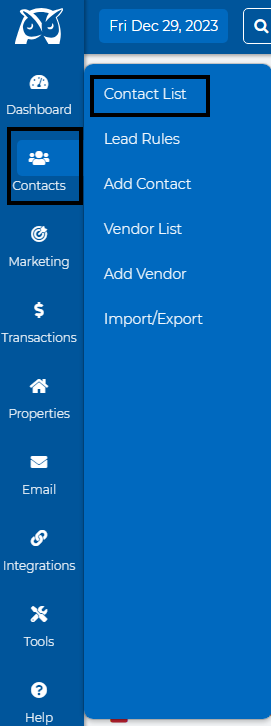
  • Go to Contacts > Contact List.
Image
  • Select a specific contact.

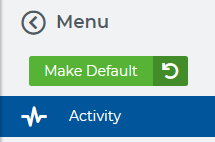
  • On the Contact Summary page, go to the menu on the left hand-side of your screen and select "Activity".
Image
  • Filter by "Texts".

Image
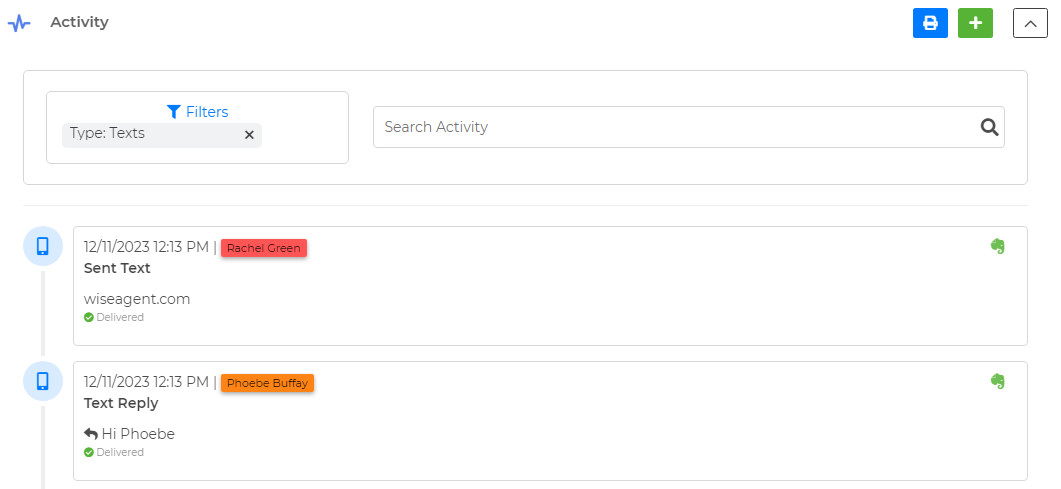
  • When you scroll down you will be able to see the text messages that were sent and received from your Wise Text number.
Image
Did you find this article helpful?
Previous

Activity Tracker - Checklist

Next