

Using the Filters (Additional Fields)
1. Begin by navigating the sidebar and selecting Contacts, then Contact List.
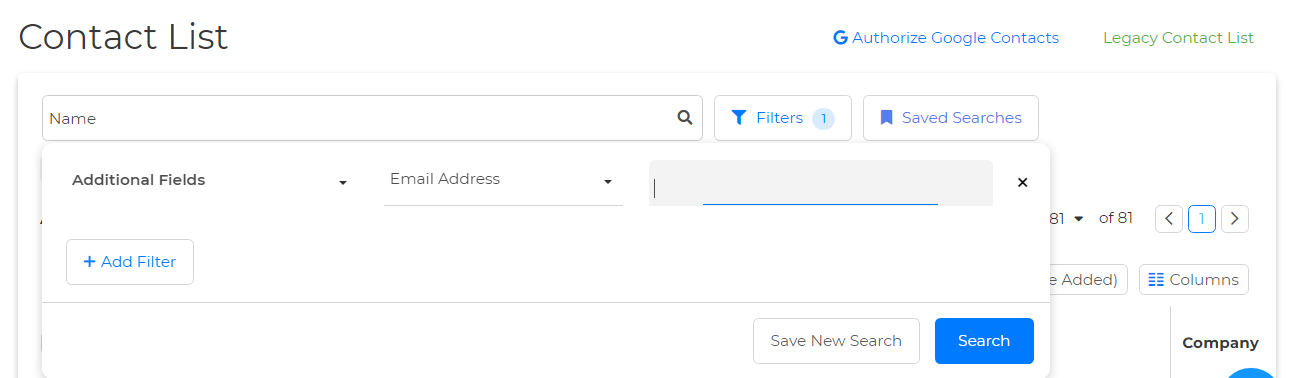
2. Once on your contact list page, locate the Filters at the top.
3. Select Additional Fields on the Select Filter dropdown.
4. Select Email Address on the Select Field dropdown.
5. You'll find a blank space next to the Select Field dropdown where you can either paste or manually input the desired email address. Once entered, simply click on Search to complete the process & that's it!
Using the Search Bar
1. Navigate to your Home Dashboard and find the search bar labeled Search by Name positioned in the upper left-hand corner.
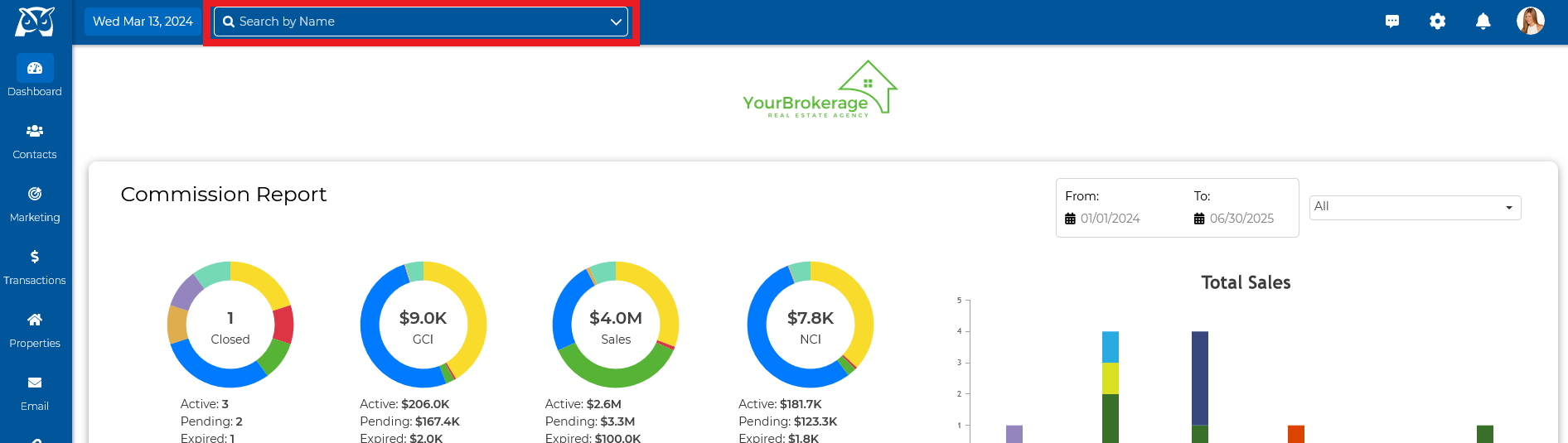
2. Click on the downward arrow⌵ situated at the far right of the search bar & select Email from the dropdown menu.
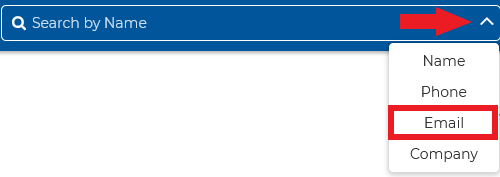
3. Input the email address in the search bar and select a result from the dropdown to automatically redirect you to your client's contact summary page, that's it!