

Logo

What are you looking for?

Get help straight from our team...

Adding Referrals to Your Clients

Contact Management

Adding Referrals to Your Clients

Wise Agent has a referral tree built into each clients' record. The Referral Tree is there to help you keep track of where your clients are coming from. You will be able to keep track of who referred you client to you and who, if any, your clients have referred to you. This will help you to keep track of who is helping you grow your business.

Last updated on 04 Nov, 2023

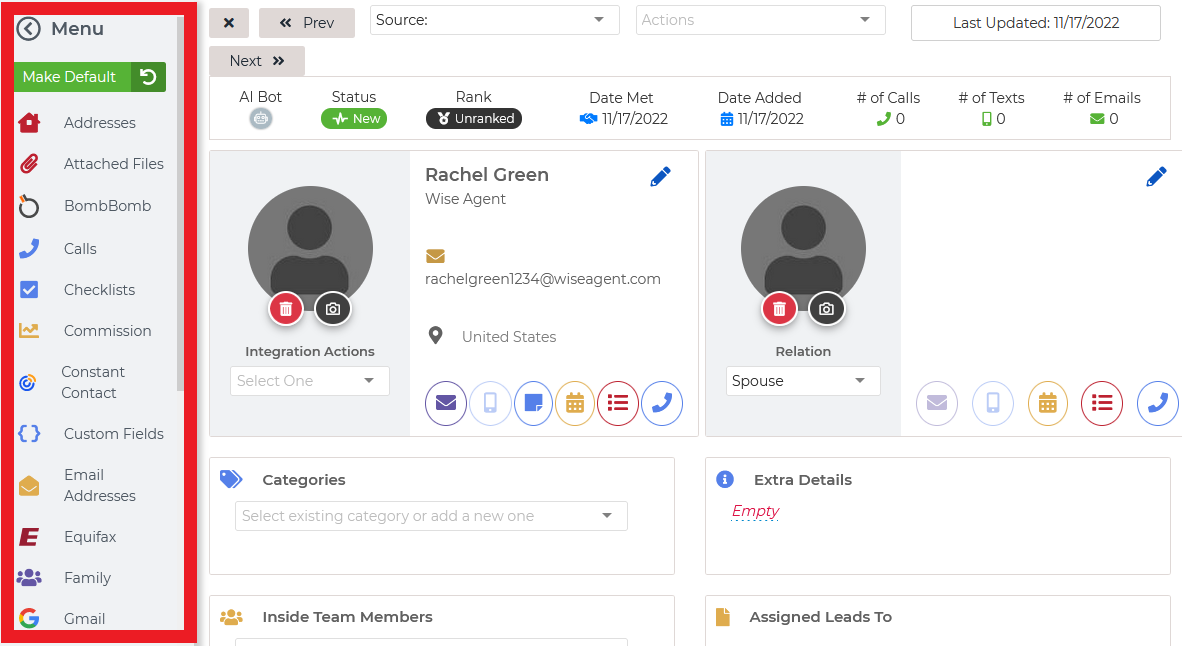
1. While on the specific contact's summary page, locate the "Menu" on the left-hand side of the page.
Image

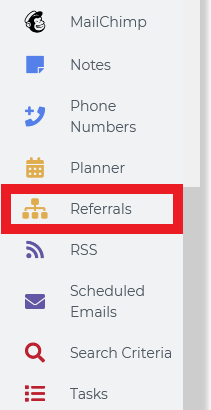
2. On the menu, scroll down to "Referrals" 
Image

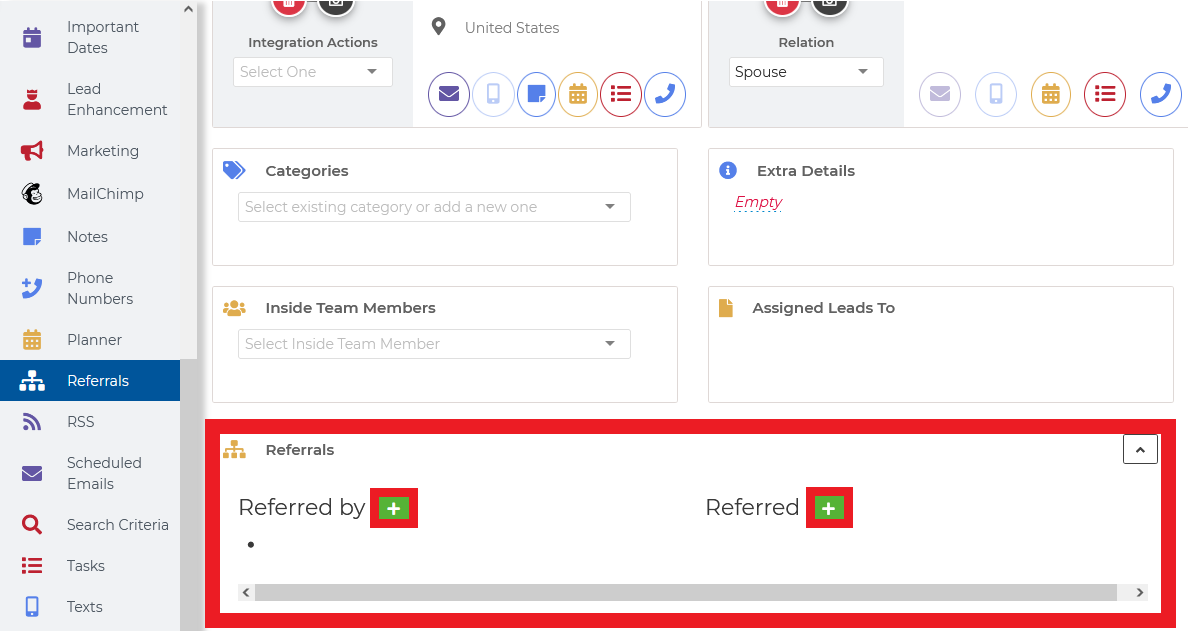
3. Click on referrals; here you can add "Referred By" or "Referred" by simply clicking on the green "+" buttons!
Image


Wise Agent Blog - Referral Tree


Did you find this article helpful?
Previous

Search For Contacts by Email Address

Next