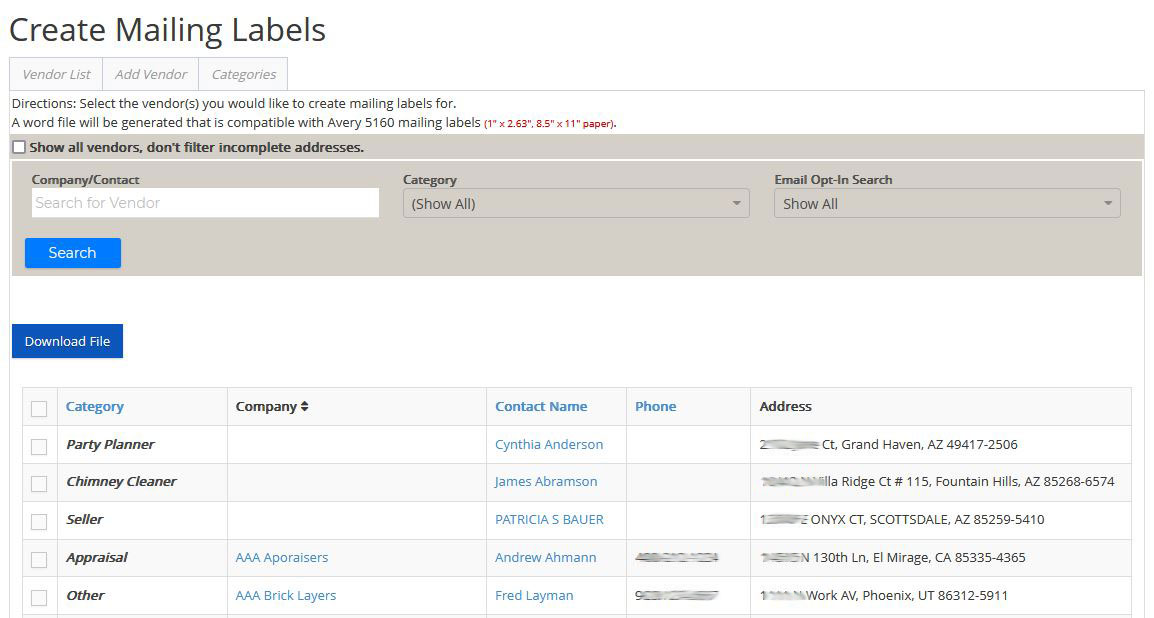
Create Mailing Labels - Aside from your contacts, you can also create mailing labels for your vendors. Clicking on the fourth icon will take you to another page where you can make the mailing labels. You will first need to select the vendors you want to create mailing labels for and then click on the Download File button, and a Word file will start downloading.
Note: There's an option above the search box to include the vendors with incomplete addresses.
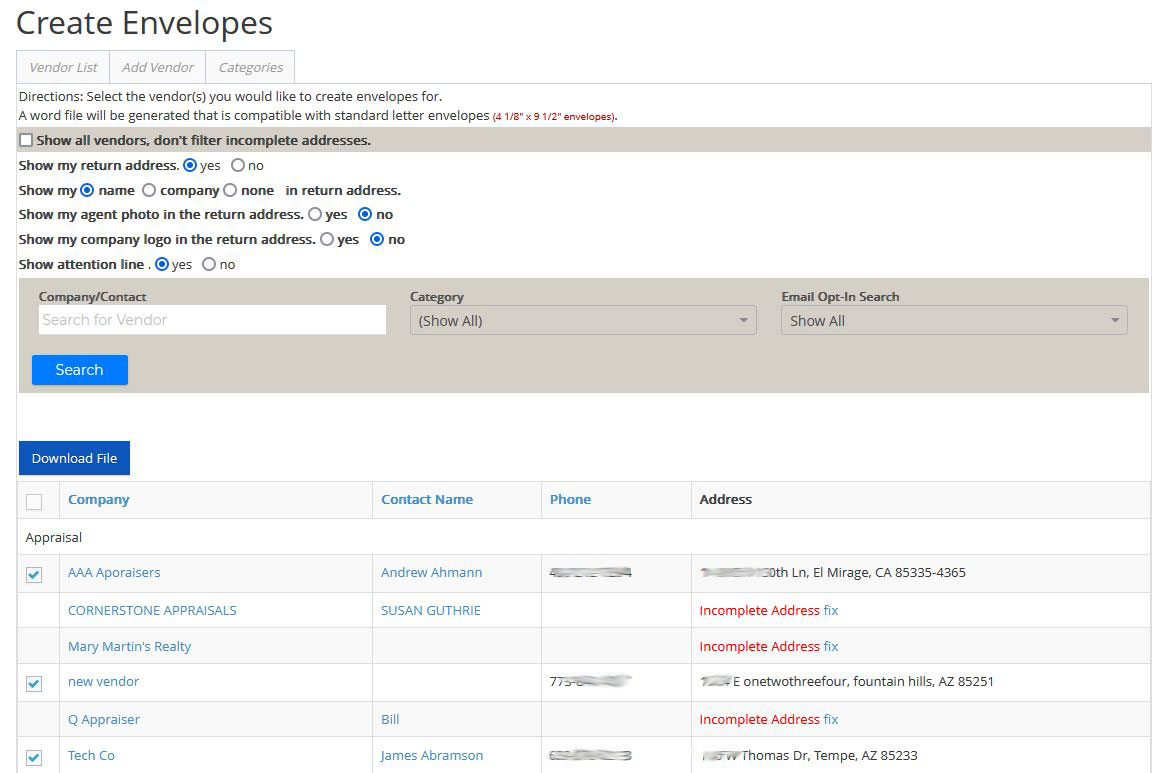
Create Envelopes - To create envelopes for your vendors, click on the envelope icon. Next, select the information you want to include. Then choose the vendors you want to make envelopes for. You can also include the ones with incomplete addresses by checking off the option above. Lastly, click on the Download File button.