

Logo

What are you looking for?

Get help straight from our team...

How to Add Notes to Multiple Contacts in Wise Agent CRM

Contact Management

How to Add Notes to Multiple Contacts in Wise Agent CRM

Keeping all your interactions with a contact summarized in one place is crucial for effective real estate contact management. Wise Agent centralizes all relevant client activity in the Activity Tracker on their contact summary page. Follow the steps below to add notes in bulk to your selected contacts, ensuring their information and updates are always current!

Last updated on 23 Feb, 2025

  1. From the sidebar, select Contacts Contact List.

  2. From your contact list, select the checkboxes next to the contacts you wish to categorize.

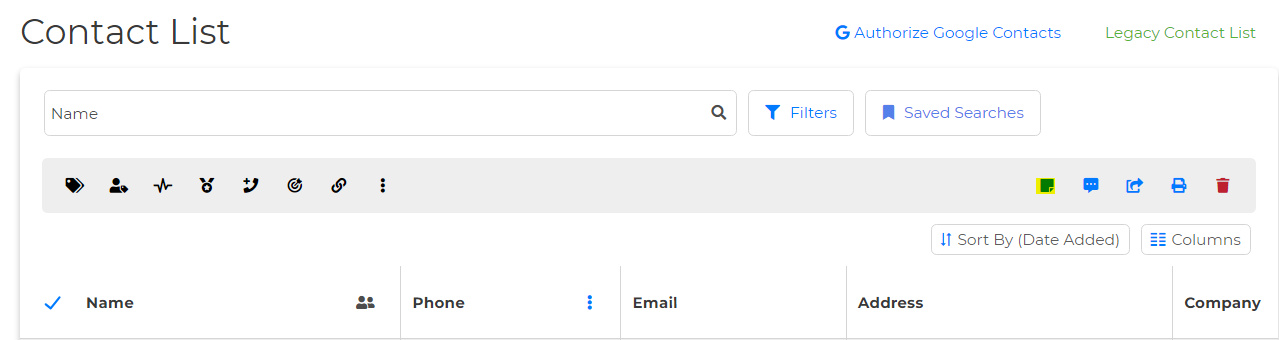
  3. Once selected, a pop-up will appear at the top of your contact list

  4. Click on the Attach Note icon on the left-hand side.
Image

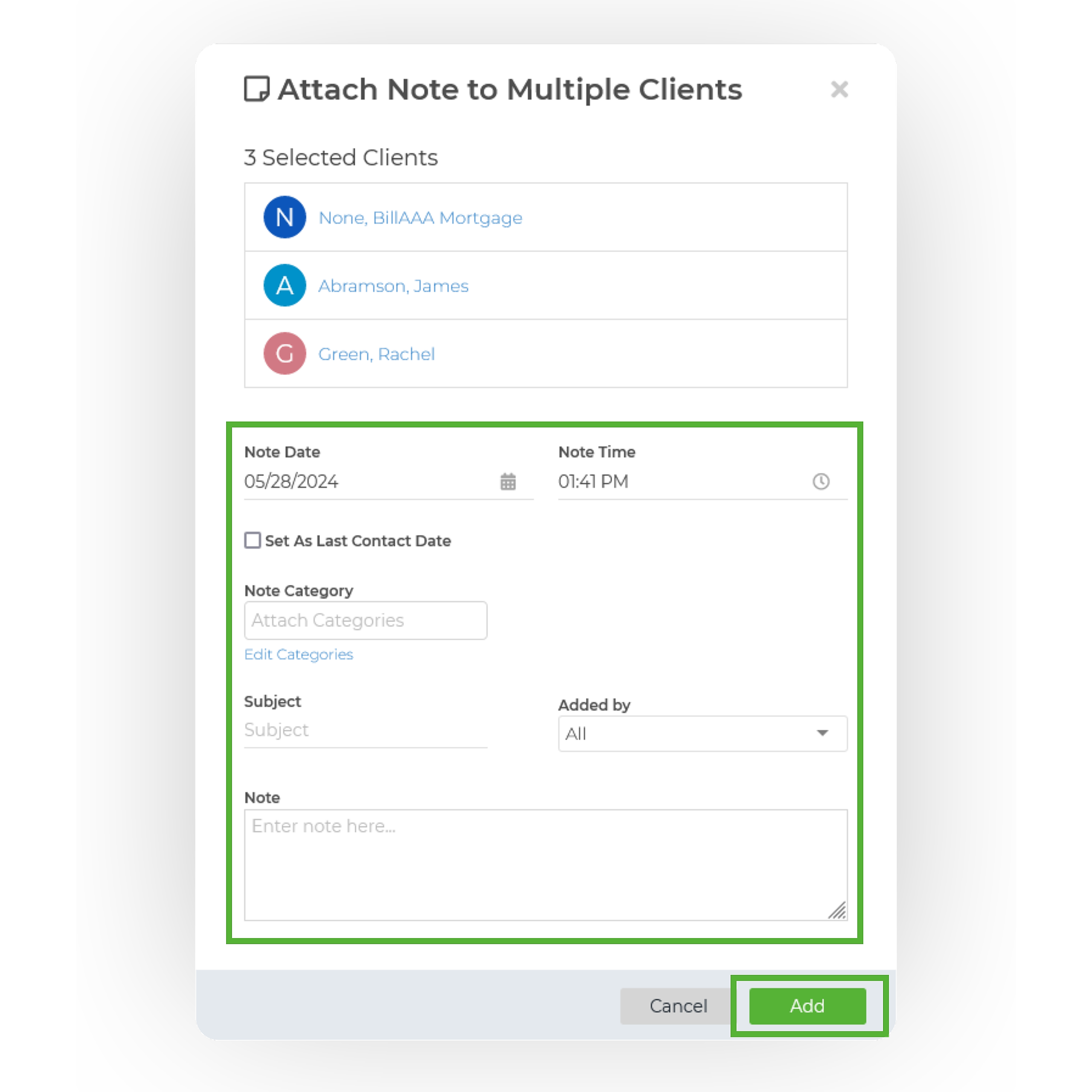
5. Once clicked, the Attach Note to Multiple Clients pop-up window will appear. Enter the contents of your note, including the note date, time, category, subject, added by, and note details, then click Save.
Image
  1. That's it, you have now added a note to multiple clients at once!

Did you find this article helpful?
Previous

Search by Date Added

Next