1. Select "Contacts", then select "Contact List".
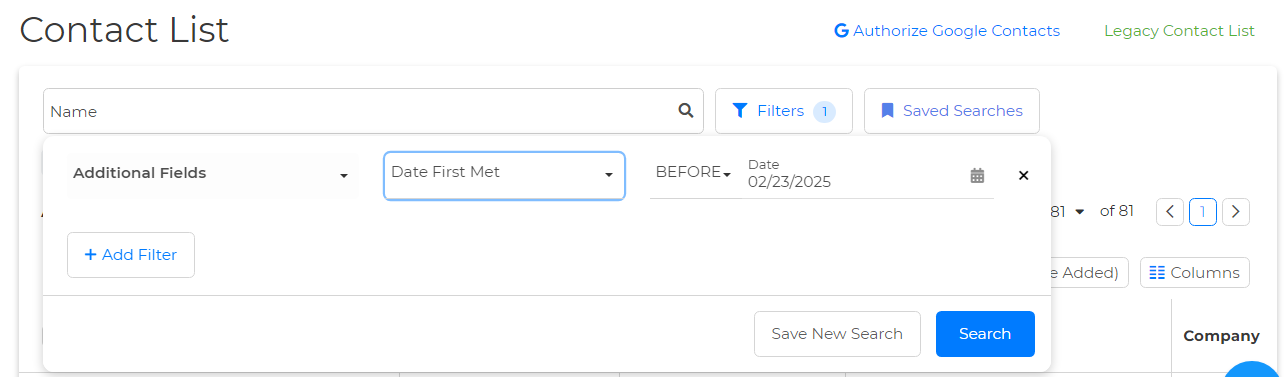
2. Locate Filters at the top.
3. Use the "Additional Fields" on the Select Filter dropdown.
4. Select the "Date First Met" option on the Select Field dropdown.
6. Click on the Calander icon to Enter the desired date you want to search for.
7. Last, click "Search," and that's it!