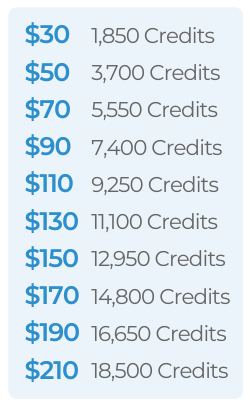
Purchasing Credits
From the sidebar, select Integrations ➜ Settings.
In the right-hand column, find and select WiseText to expand the section.
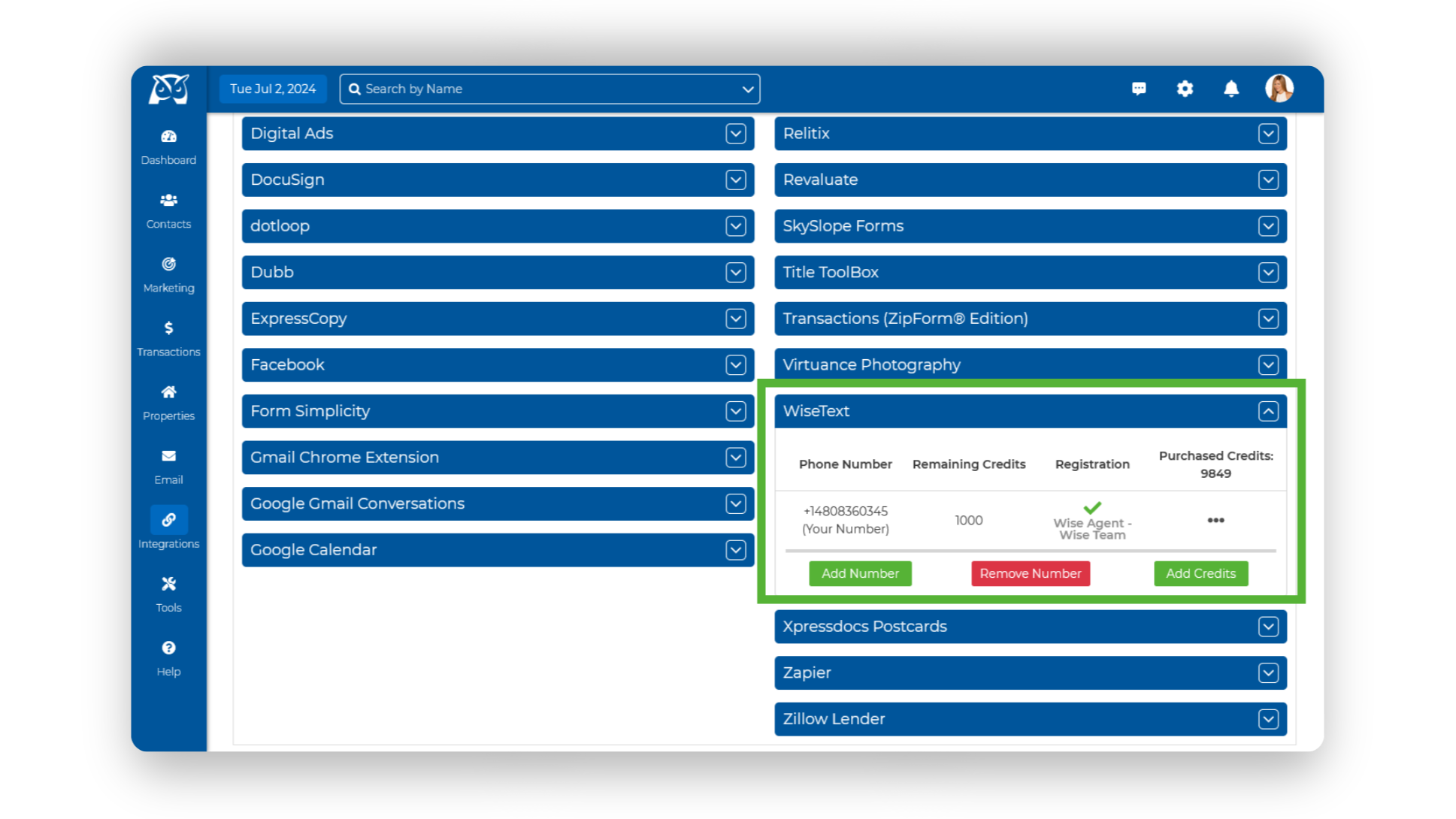
Click the Add Credits button beneath your WiseText number.
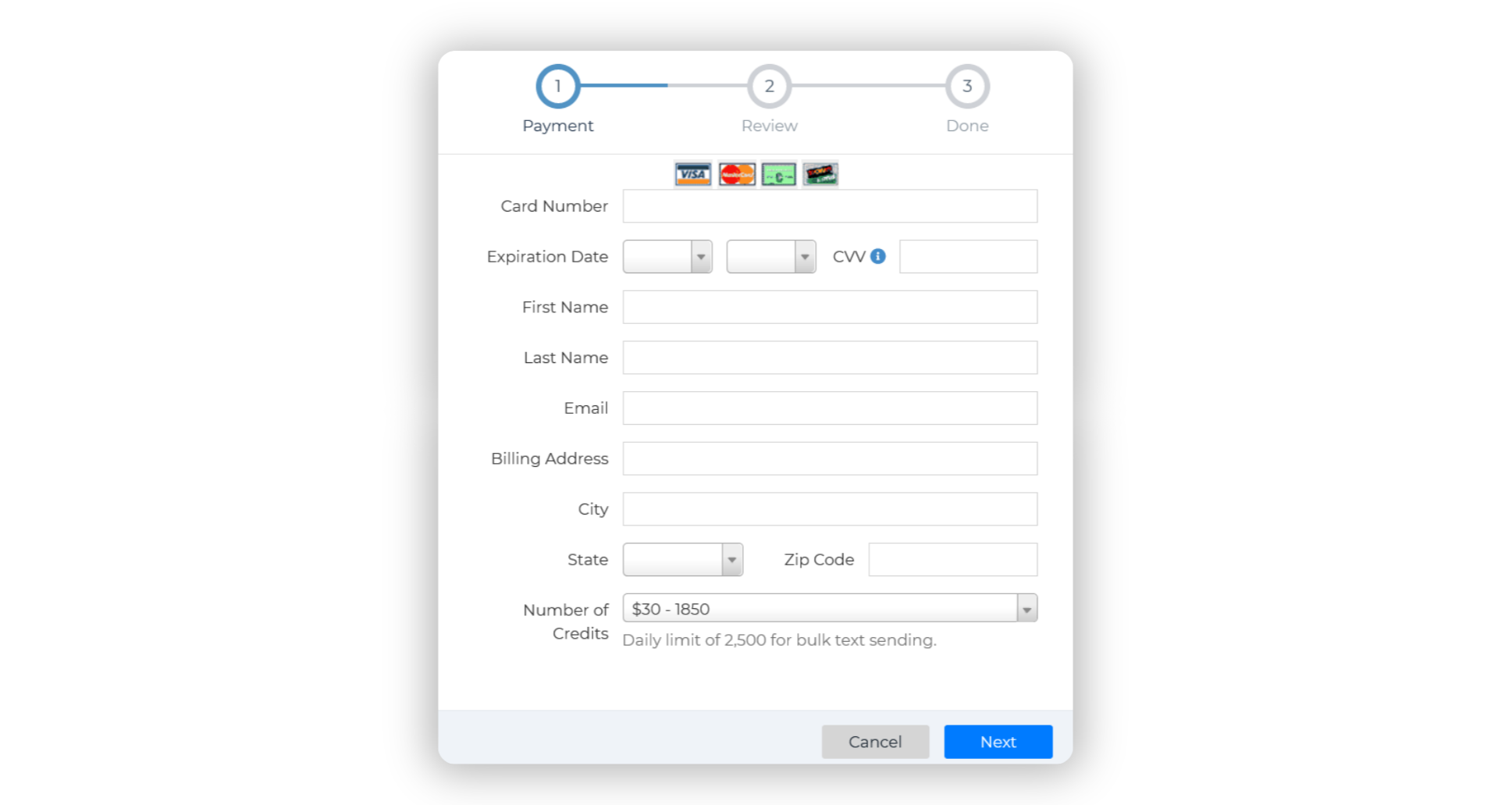
Follow the prompts to enter your payment information and choose the number of credits you wish to purchase. Once completed, your additional credits will be ready for use!
💡 Important To Note
• Each text message sent consumes one credit. However, there is no charge if a contact responds to your SMS number via call or text.
• You can send up to 2,500 messages daily, with a limit of 250 contacts per mass text.
• Unused purchased credits will roll over monthly. However, the 1,000 monthly credits included with your standard WiseText subscription do not roll over.
Additional WiseText Credit Costs