

Logo

What are you looking for?

Get help straight from our team...

Assigning a Status for Your Leads

Contact Management

Assigning a Status for Your Leads

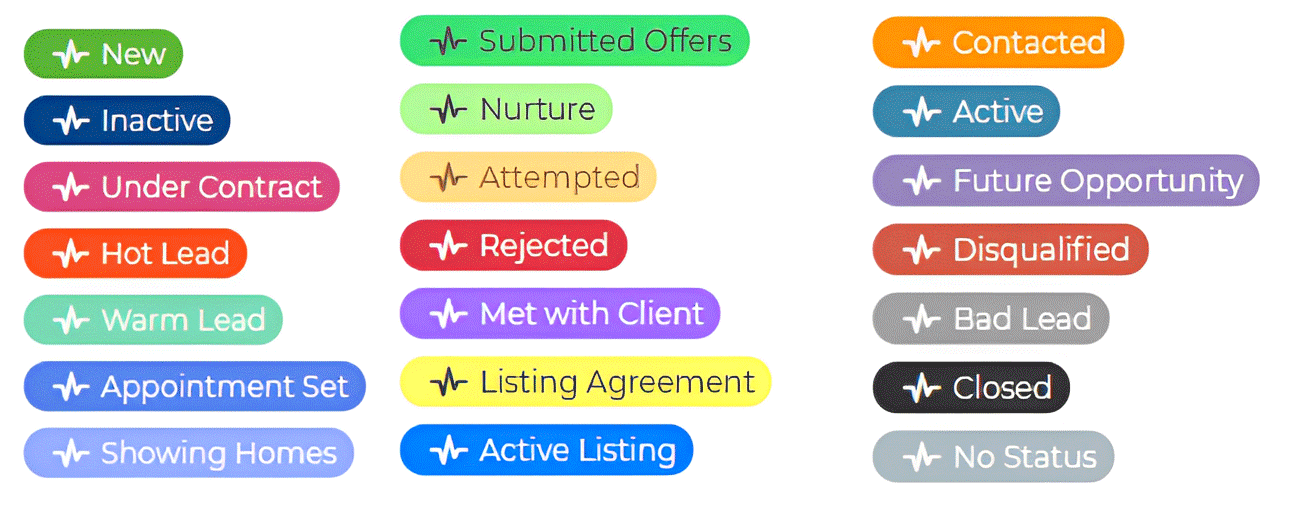
Did you know you can assign your leads a status? With our lead statuses, you have many options to choose from to help you organize the leads in your Wise Agent account.

Last updated on 04 Oct, 2023

Image

Please follow the steps below to assign a status to multiple contacts:

1. From the sidebar, select Contacts > Contact List.

2. Once on your Contact List, select the contact you wish to modify the status for.

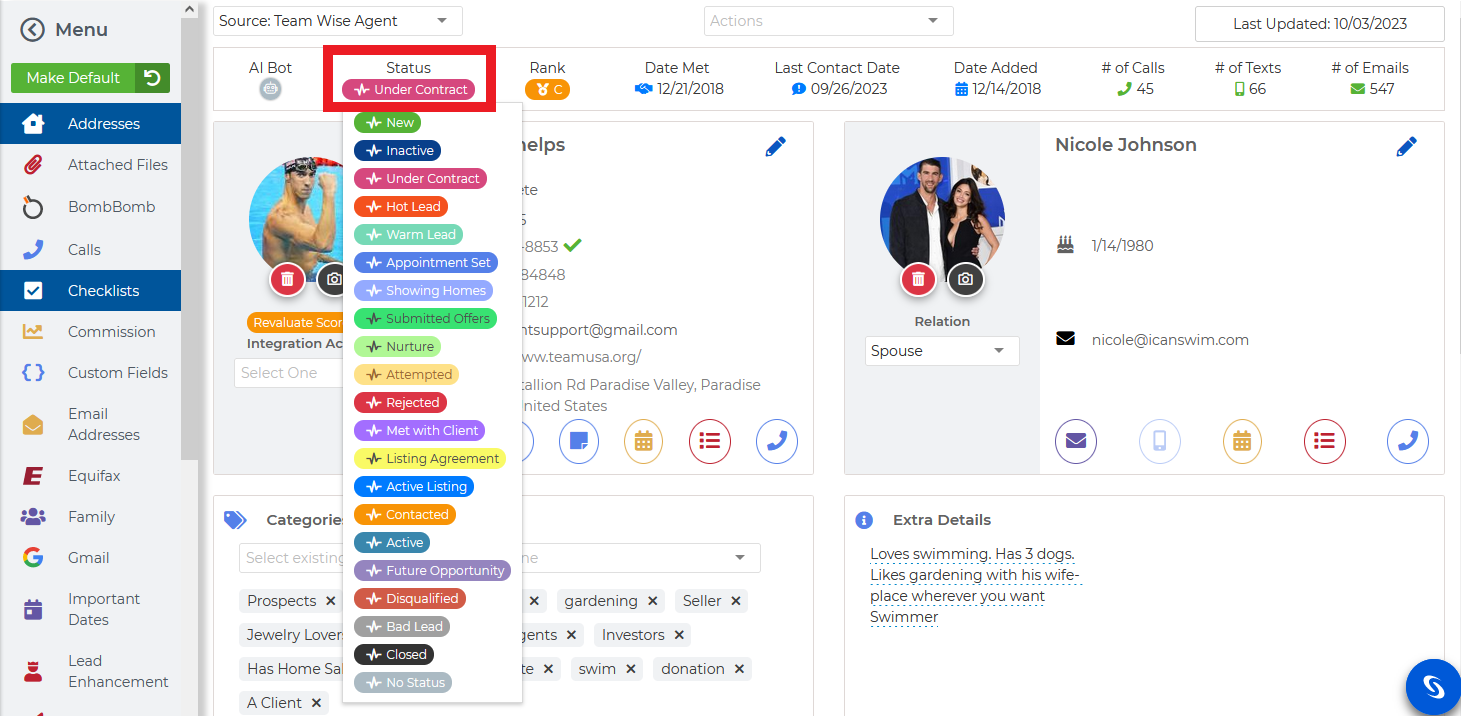
3. Once selected, locate the Status at the top of the Contact Summary Page, then select the current status to modify.

4. Once selected, a menu will appear with various status options. Select the option to apply, and that's it!
Image
Did you find this article helpful?
Previous

How To Add Multiple Contacts To A Category

Next