1. Click the “Gear Icon” on the top right of the home page, and select “Permissions”
2. Select the Inside Team Member you are setting permissions for.
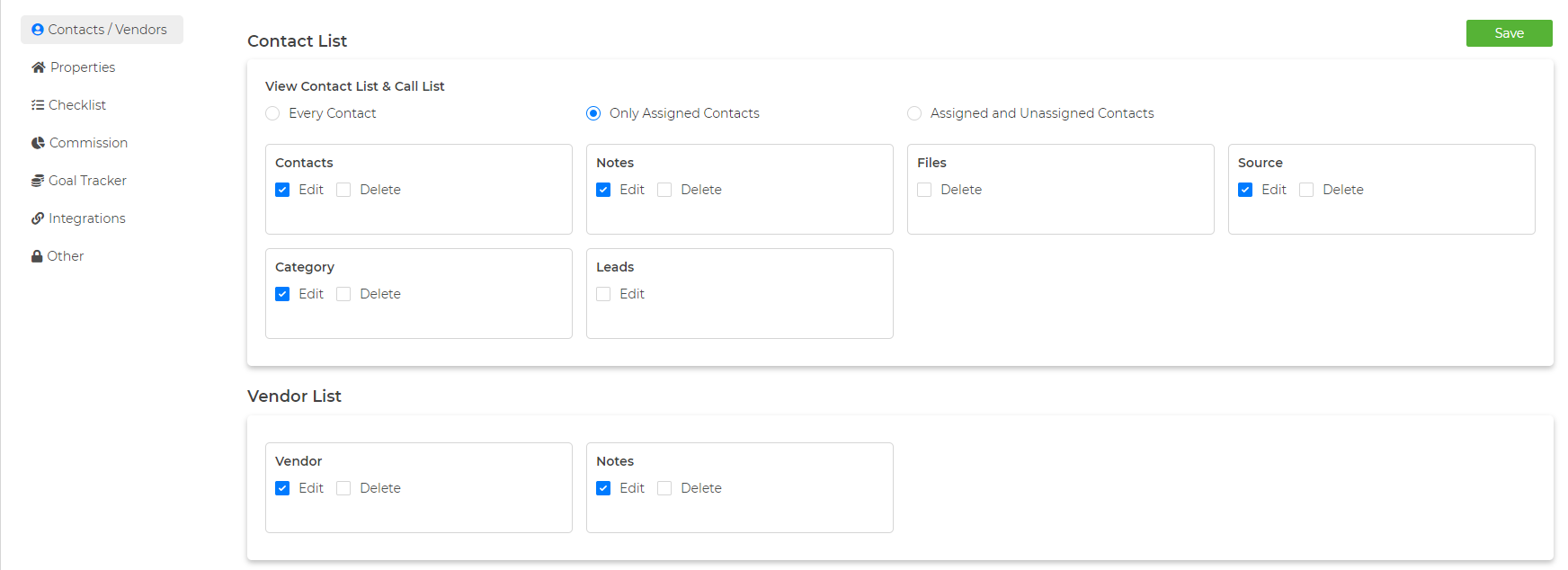
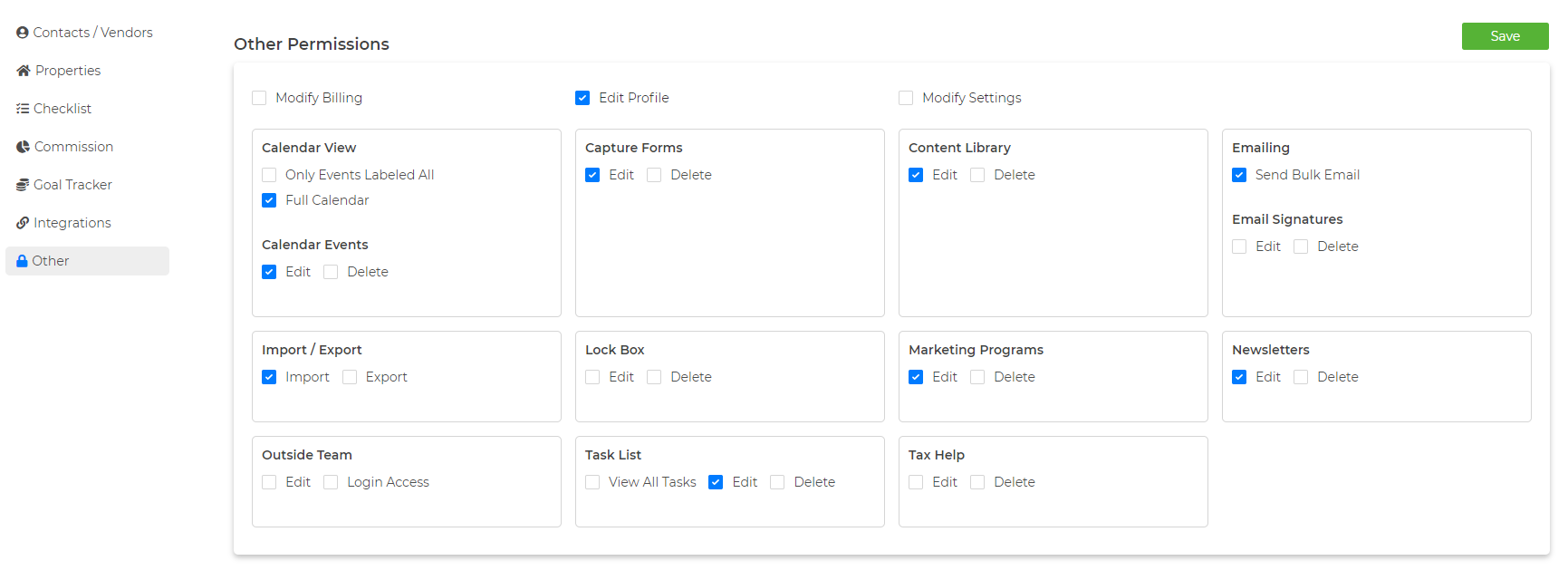
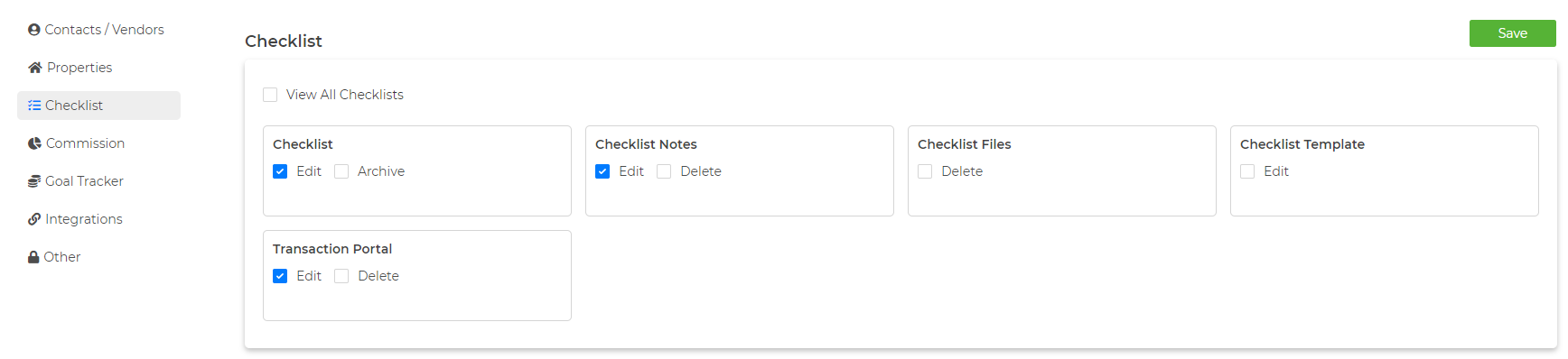
3. Make your selections in each section and then click “Save” in the top right corner.
NOTE: Checked items are what you are allowing this team member to see or do within the account.